Page 9 of 24 Form 0160C 3825 03/10/08
Superchips Inc.
Superchips Inc. 1790 East Airport Blvd., Sanford, FL. 32773 (407) 585-7000 http://www.Superchips.com
Superchip & Superchips are registered trademarks of Superchips, Inc.
Section A – Overview of
FLASHPAQ
6. Quick Start – Program my vehicle with User Options NOW!!!
Please follow the steps below to program your vehicle
*** Press DOWN to scroll as needed ***
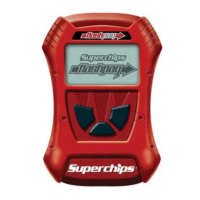
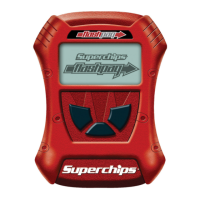
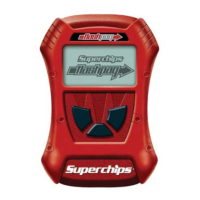
From the opening screen
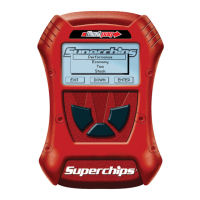
1) Press ENTER – after selection of Performance Tuning
2) Press ENTER – after selection of Read Vehicle
3) Press ENTER – after selection of Read Stock
4) Follow ON SCREEN – Vehicle Ignition Switch OFF/ON
Some vehicles may need switched off/on up to five times.
(DO NOT START VEHICLE!!)
5) Press EXIT – for Vehicle Read Complete
From this screen
1) Press ENTER – after selection of Change Setup
2) Press ENTER – after selection of Power Levels
3) Press ENTER – after selection of the highlighted tuning
level
See next page to review Option details
4) Press ENTER – after selection of Options
5) Press ENTER – after selection of Trans Settings
6) Press Minus/Plus & SAVE – adjusts Trans Settings
7) Press ENTER – after selection of Speed Limiter
8) Press Minus/Plus & SAVE – adjusts Speed Limiter
9) Press ENTER – after selection of Tire Size
10) Press Minus/Plus & SAVE – adjusts Tire Size Height
11) Press EXIT – returns you back one screen
From this screen
1) Press ENTER – after selection of Program Vehicle
2) Follow ON SCREEN – Vehicle Ignition Switch OFF/ON
Some vehicles may need switched off/on up to five times.
(DO NOT START VEHICLE!!)
Upon completion, remove cable from vehicle.
Your vehicle is now programmed with Superchips and user options!
You may now start your vehicle.
Page 10 of 24 Form 0160C 3825 03/10/08
Superchips Inc.
Superchips Inc. 1790 East Airport Blvd., Sanford, FL. 32773 (407) 585-7000 http://www.Superchips.com
Superchip & Superchips are registered trademarks of Superchips, Inc.
Section A – Overview of
FLASHPAQ
Transmission Options: The 3825 has a new option set to allow for user adjustable options
for transmission settings as well as the standard options. The purpose of this document is to
help explain what each option does.
Transmission Settings Menu:
Stock Settings
Superchips Sport
Superchips Perf.
Custom Settings
Stock Settings: This setting will allow you to default back to what your vehicle was set at.
Superchips Sport: This setting will allow you to set your vehicle up with a pre-determined
sport setting. This will include Paddle Shifting with Auto Kickout (see below for more details),
reduced torque management (see below for more details), and stock Wide Open Throttle
(WOT) shifting (5800 RPM).
Superchips Perf: This setting will allow you to set your vehicle up with a pre-determined sport
setting. This will include Paddle Shifting with Gear Hold (see below for more details), reduced
torque management (see below for more details) and stock Wide Open Throttle (WOT) shifting
(5800 RPM).
Custom Settings: This setting will allow you to set your vehicle up with all of the possible
options independently. The menu is:
Custom Settings Menu:
Torque Management
Paddle Shift Mode
Shift Point Settings
Torque Management: This setting will allow you to heavily reduce torque-management (80-
90 % depending on vehicle) for heavy throttle to WOT shifting. This is selected by answering
yes to the “Reduce Torque-management?” question.
Paddle Shift Mode: This setting will allow you to choose what style of shift control to use.
Paddle Shift Mode Menu:
Stock Setting
Paddle Auto Kick
Paddle Hold Gear
Stock Setting: This is where the shifter paddle action acts like a standard column shift where
you can select a gear if it is available.
Paddle Auto Kick: This is where the shifter paddle action acts like a paddle shifter where any
gear can be selected (if available), but the ECU will cause the transmission to shift once a
WOT shift point has been hit.
Paddle Hold Gear: This is the same as above, except you can choose any gear at any time (if
available), and it will stay in that gear until manually shifted out.
Shift Point Settings: This setting will allow you to raise WOT shift points to 6250 rpm from
5800 rpm. This setting will also raise the REV limit. Shift Options vary depending on the
vehicle transmission calibration. Raised Shift Points are not available for 2007-2008 vehicles.


 To Next Page
 Loading...