EasyManua.ls Logo

Superchips flashpaq 2805 - User Manual

Superchips flashpaq 2805
12 pages
Print Icon
To Next Page IconTo Next Page
Loading...
Page 1 of 24 Form 0161F 2805 09/2/2008
Superchips Inc
.
Superchips Inc. 1790 East Airport Blvd., Sanford, FL. 32773 (407) 585-7000 http://www.Superchips.com
Superchip & Superchips are registered trademarks of Superchips, Inc.
Superchips Model 2805
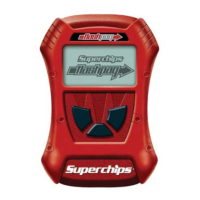
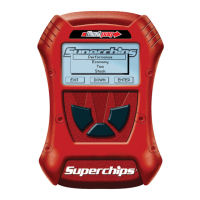
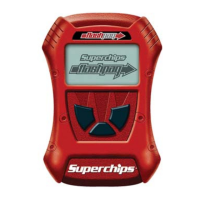
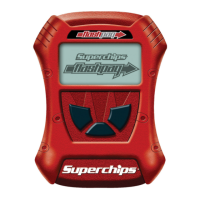
flashpaq
Tuner
2001-2007 Chevrolet & GMC 2500-3500 Diesel Trucks with
Duramax LB7, LLY, & LBZ motors
Vehicle Programming Instructions
PLEASE READ THIS ENTIRE INSTRUCTION SHEET BEFORE YOU PROCEED
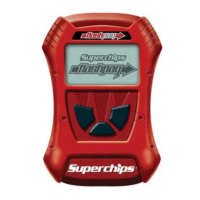
Thank you for choosing Superchips’ new FLASHPAQ
Tuner, a state-of-the-art, high powered tuning and data
acquisition
1
tool. We listened to our customers and created
this product from your requests.
The new FLASHPAQ Tuner includes the following
features:
Internet Updateable – Supports web updates
Built-In DTC Definitions – No lookup manual needed
Built-In Help Screens – Reduces needs for user manual
USB Communications – Connects to any PC
2
with USB
Multiple Tuning Levels – User Selectable Tuning Types
Increased User Options – Allow user more control
Ergonomically Designed Case – Fits well in hand
Large, SoftKey Buttons – Easy operation
Permanently mounted cableNo assembly required
300% Bigger Screen – Includes graphics support
BackLight Screen – Easy to view day or night
Your 2805 FLASHPAQ tuner is setup specifically for your
2001-2007 GM Duramax Diesel motors LB7, LLY, and LBZ. The 2805 FLASHPAQ houses
specialized databases that contain optimally calibrated, individual vehicle application,
performance programs. Superchips calibrations include optimization of the entire power band –
from idle to redline! Part throttle, as well as Wide Open Throttle is covered with Superchips
FLASHPAQ Tuning.
This product is intended for use on unmodified stock engines and stock transmissions.
Superchips calibrations include the all new MileageXS SAVE and Performance, Tow/Perf, Tow,
and Stock w/ Options tuning programs for stock vehicles. Check www.superchips.com
for
additional tuning levels.
The Superchips 2805 FLASHPAQ also offers most applications the following options:
*Raise the Vehicle Top Speed Limiter
*Selectable Tire Height from 26 to 38 inches (Correction of Speedometer)
Log onto www.superchips.com
for additional updates.
*Note: These options are not available on some applications.
1
Visit www.superchips.com for availability
2
Windows XP, 2000 or higher (MAC, UNIX, LINUX Not supported)
Page 2 of 24 Form 0161F 2805 09/2/2008
Superchips Inc
.
Superchips Inc. 1790 East Airport Blvd., Sanford, FL. 32773 (407) 585-7000 http://www.Superchips.com
Superchip & Superchips are registered trademarks of Superchips, Inc.
Table of Contents
Warranty and Important Product Information
Cover with Product Information Page 1
Table of contents Page 2
Warranty & Return Policy for Superchips products Page 3
Your Vehicle’s Stock Program Page 4
About Maximum Trailer Weight Page 4
Important Note Regarding Storage of Your Tuner Page 4
Your Vehicle and Service Centers Page 4
Vehicle Preparation Page 4
FLASHPAQ
Overview and Setup
Hardware Overview Page 5
Connecting the tuner to my vehicle Page 6
Opening screen overview Page 6
About (
Part number, Firmware, Database, Serial Number) Page 7
Setting the Screen Contrast Page 7
Setting the Screen Backlight Page 7
Tuning
Quick Start – Read & Program My Vehicle Now!! Page 8
Quick Start – Return My Vehicle to Factory Stock Now!! Page 9
Menu Layout
Tuner Setup – Menu Layout Page 10
Tuner Setup Page 10
Read Vehicle – Menu Layout Page 11
Read Vehicle Page 11
Change Setup – Menu Layout Page 12
Change Setup Page 12
Option Adjustments Page 12
View Settings – Menu Layout Page 13
View Settings Page 13
Program Vehicle – Menu Layout Page 14
Program Vehicle Page 14
Advanced Features – Menu Layout Page 15
Diagnostics Page 15
Frequently Asked Questions
Frequently Asked Questions (F.A.Q.) Page 16
Recovery Procedure Page 22

Other manuals for Superchips flashpaq 2805

Question and Answer IconNeed help?

Do you have a question about the Superchips flashpaq 2805 and is the answer not in the manual?

Summary

Warranty and Important Product Information

Refund Policy

Details the process for returning a product for a full refund within the first 30 days of purchase.

Limited Warranty

Covers defects in materials or workmanship for one year from the date of purchase for new products.

How Do You Get Service?

Outlines the procedure for returning a product to Superchips for repair or replacement under warranty.

flashpaq Overview and Setup

Hardware Overview

Describes the physical components of the FLASHPAQ tuner, including its display, buttons, and ports.

Connecting the tuner to My Vehicle

Provides instructions and diagrams for connecting the tuner to the vehicle's diagnostic port.

Opening screen overview

Explains the initial display shown when the tuner is powered on and its main menu options.

Tuning Operations

Quick Start - Read & Program My Vehicle Now!

A step-by-step guide to quickly read vehicle data and program it with new tuning.

Quick Start - Return my vehicle to factory stock NOW!

A quick guide to restore the vehicle's original factory program using the tuner.

Menu Navigation and Options

Tuner Setup - Menu Layout

Details the menu structure for configuring tuner settings like screen contrast and backlight.

Read Vehicle - Menu Layout

Explains the menu flow for reading vehicle identification and stock files.

Change Setup - Menu Layout

Illustrates the menu path for selecting performance tuning levels and adjusting options.

View Settings - Menu Layout

Shows the menu for displaying current vehicle ID, tuner status, and selected options.

Program Vehicle - Menu Layout

Details the menu for initiating the vehicle programming process with selected tuning.

Advanced Features

Advanced Features - Menu Layout

Outlines the menu structure for accessing diagnostic codes and data logging.

Diagnostics

Explains features for reading and clearing Diagnostic Trouble Codes (DTCs).

Frequently Asked Questions

Measuring Tire Size

Guide on how to accurately measure vehicle tire size for calibration adjustments.

Blank Display Screen

Troubleshooting steps for a blank display screen when the tuner is plugged in.

Tuner Requires an Update

Instructions for updating the tuner's calibration files via the Superchips website.

Unsupported Application

Information on what to do if the tuner displays an 'Unsupported application' error.

Vehicle File is Not Stock

Guidance for when the tuner detects a non-stock file in the vehicle's computer.

Locked VIN Number

Explanation of the VIN lock feature and how to handle mismatched VINs.

Not original Program ID

Troubleshooting for 'Not Original Program ID' errors due to dealership updates.

Checksum Error

Troubleshooting for checksum errors when the vehicle has been updated by a dealership.

Ignition ON Error

Steps to resolve errors related to the vehicle's ignition not being detected correctly.

Communications Error

Guidance for resolving communication errors between the tuner and the vehicle.

Recovery Procedure

Status Notification

Information on how the tuner attempts to recover the vehicle to stock program during errors.

Superchips flashpaq 2805 Specifications

General IconGeneral
Device TypeTuner
BrandSuperchips
ModelFlashpaq 2805
Supported VehiclesVarious makes and models
Power GainsVaries by vehicle
Torque GainsVaries by vehicle
DisplayColor screen
Data LoggingYes
Read/Clear DTCsYes
Firmware UpdatesYes
CompatibilityGasoline and diesel vehicles
FeaturesPerformance tuning, data logging
Tuning OptionsMultiple performance levels
UpdatesAvailable via internet
WarrantyLimited warranty

Related product manuals