EasyManua.ls Logo

Superchips flashpaq 1805 - User Manual

Superchips flashpaq 1805
12 pages
Print Icon
To Next Page IconTo Next Page
Loading...
Page 1 of 24 Form 0157G 1805 10/02/2007
Superchips Inc.
Superchips Inc. 1790 East Airport Blvd., Sanford, FL. 32773 (407) 585-7000 http://www.Superchips.com
Superchip & Superchips are registered trademarks of Superchips, Inc.
Superchips Model 1805
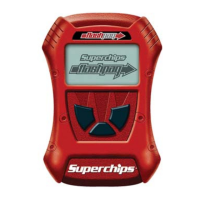
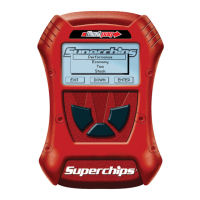
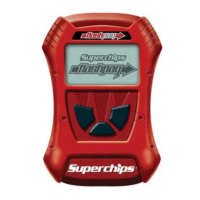
flashpaq
Tuner
2003-2007 Ford Powerstroke 6.0L
F250, F350, F450, F550, Excursion
1999-2003 Ford Powerstroke 7.3L
F250, F350, F450, F550, Excursion
Vehicle Programming Instructions
PLEASE READ THIS ENTIRE INSTRUCTION SHEET BEFORE YOU PROCEED
Thank you for choosing Superchips’ new FLASHPAQ Tuner,
a state-of-the-art, high powered tuning and data acquisition
1
tool. We listened to our customers and created this product
from your requests.
The new FLASHPAQ Tuner includes the following features:
Internet Updateable – Supports web updates
Built-In DTC Definitions – No lookup manual needed
Built-In Help Screens – Reduces needs for user manual
USB Communications – Connects to any PC
2
with USB
Custom Application Upgradeable – Download customs
Multiple Tuning Levels – User Selectable Tuning Types
Increased User Options – Allow user more control
Ergonomically Designed Case – Fits well in hand
Large, SoftKey Buttons – Easy operation
Permanently mounted cableNo assembly required
300% Bigger Screen – Includes graphics support
BackLight Screen – Easy to view day or night
Your 1805 FLASHPAQ tuner is setup specifically for your 1999-2007 Ford Powerstroke Diesel
including both 7.3L and 6.0L
. The 1805 FLASHPAQ houses specialized databases that contain
optimally calibrated, individual vehicle application, performance programs which tune BOTH the
engine & transmission. Superchips calibrations include optimization of the entire power band –
from idle to redline! Part throttle, as well as Wide Open Throttle is covered with Superchips
FLASHPAQ Tuning.
Superchips calibrations include Performance, Tow-Perf and Tow tuning programs for stock
vehicles. Check www.flashpaq.com
for additional tuning levels.
The Superchips 1805 FLASHPAQ also offers users the following options:
Raise the Vehicle Top Speed Limiter
Selectable Tire Height from 28 to 38 inches (Correction of Speedometer & Shift Points)
Vehicles may vary for Superchips optimized engine rev limiter adjustments
Log onto www.flashpaq.com for additional updates.
1
Visit www.flashpaq.com for availability
2
Windows XP, 2000 or higher (MAC, UNIX, LINUX Not supported)
Page 2 of 24 Form 0157G 1805 10/02/2007
Superchips Inc.
Superchips Inc. 1790 East Airport Blvd., Sanford, FL. 32773 (407) 585-7000 http://www.Superchips.com
Superchip & Superchips are registered trademarks of Superchips, Inc.
Table of Contents
Product Information Page 1
Table of Contents Page 2
Superchips Warranty & Return Policy Page 3
Dealership Reprogramming Page 4
Vehicle Preparation Page 4
Section A: Overview of FLASHPAQ
Hardware Overview Page 5
Connecting Flashpaq to my vehicle Page 6
Opening screen overview Page 6
Quick Start – Flashpaq Setup & Info
Part number, Firmware, Database, Serial Number Page 7
Set Screen Contrast Page 7
Set Screen Backlight Page 7
Quick Start – Program NOW
Program my vehicle with Superchips Page 8
Program my vehicle with User Options Page 9
Program my vehicle to factory stock Page 10
Menu Layout – FLASHPAQ
FLASHPAQ Hardware Setup & Info Page 11
Menu Layout – Performance Tuning
Read Vehicle Page 12
Change Setup Page 13
View Settings Page 14
Program Vehicle Page 15
Menu Layout – Advanced Features
Data Logging Page 16
Section B: (F.A.Q.) Frequently Asked Questions
Frequently Asked Questions (F.A.Q.) Page 17
Recovery Procedure Page 22
Question and Answer IconNeed help?

Do you have a question about the Superchips flashpaq 1805 and is the answer not in the manual?

Summary

Product Information and Policies

Refund Policy

Details the process for returning the product within 30 days for a refund or replacement.

Limited Warranty

Covers defects in materials and workmanship for one year from the purchase date.

Vehicle Stock Program Requirements

Explains the need for the vehicle's original factory program before using the tuner.

Maximum Trailer Weight Advisory

Advises on adhering to vehicle manufacturer's specified maximum trailer weight.

Tuner Storage Recommendations

Warns against storing the tuner in extreme temperatures to prevent malfunction.

Vehicle Service Center Procedures

Outlines steps for returning the vehicle to a service center and implications for tuning.

Vehicle Preparation for Service

Lists steps to ensure proper vehicle preparation before connecting to the tuner.

Section A - Flashpaq Overview

Hardware Components

Describes the physical parts of the Flashpaq tuner, including the display and buttons.

Connecting to Vehicle

Guides users on how to connect the Flashpaq tuner to the vehicle's diagnostic port.

Opening Screen Navigation

Explains the initial display and main menu options upon powering up the Flashpaq.

Quick Start - FLASHPAQ Setup

Provides step-by-step instructions for initial setup and configuration of the tuner.

Quick Start - Program Vehicle

Details the process for programming the vehicle with Superchips tuning for the first time.

Quick Start - User Options Programming

Guides users on how to program the vehicle with custom user-selectable options.

Quick Start - Return to Stock

Explains how to revert the vehicle's program back to the factory stock settings.

Menu Navigation Guide

Illustrates the main menu structure and sub-menu options within the Flashpaq interface.

Diagnostics Functions

Covers accessing and managing diagnostic trouble codes (DTCs) and data logging.

Reading Diagnostic Trouble Codes (DTCs)

Instructions for reading and displaying diagnostic trouble codes from the vehicle.

Clearing Diagnostic Trouble Codes (DTCs)

Instructions for clearing diagnostic trouble codes from the vehicle's computer.

Data Logging Information

Guidance on accessing data logging features and updates via the website.

Section B - Frequently Asked Questions (FAQ)

Measuring Tire Size Setting

Guides on how to accurately measure tire size for speedometer and shift point correction.

Troubleshooting Blank Display Screen

Addresses issues with a blank display screen, checking fuses and diagnostic port pins.

Tuner Update Procedure

Explains how to update the Flashpaq tuner when calibration files are missing.

Vehicle Requires Factory Update

Details messages indicating a need for a dealer-provided vehicle software update.

Unsupported Vehicle Application

Handles error messages for vehicle or engine types not currently supported by the tuner.

Non-Stock File Application Error

Addresses issues when the vehicle's file is not recognized as a stock program.

Locked VIN Number Error

Explains the 'locked' status of the tuner to a specific vehicle VIN.

Not Original Program ID Error

Handles errors related to dealership updates overwriting Superchips tuning.

Checksum Error Troubleshooting

Addresses checksum errors, often related to dealership software updates.

Upload Error Messages

Covers errors during upload, often related to ignition status or battery charge.

Ignition ON Error

Addresses issues where the tuner cannot detect the ignition is in the ON position.

Communications Error

Handles errors indicating a loss of communication between the tuner and vehicle.

Files Not Saved Correctly

Explains why the tuner might not program the same number of files as initially saved.

Varied Program Speeds

Addresses why different trucks may program or read at different speeds.

Different File Quantities

Explains why similar vehicles might have different numbers of computer files.

Varied Tuning Differences

Discusses why friends' trucks with the same engine might be tuned differently.

Recovery Procedure

Overview

This document describes the Superchips Model 1805 Flashpaq Tuner, a high-powered tuning and data acquisition tool designed for 2003-2007 Ford Powerstroke 6.0L (F250, F350, F450, F550, Excursion) and 1999-2003 Ford Powerstroke 7.3L (F250, F350, F450, F550, Excursion) vehicles. It provides detailed instructions for vehicle programming, setup, and troubleshooting, aiming to enhance engine power and performance.

Function Description:

The Superchips Model 1805 Flashpaq Tuner is designed to optimize vehicle performance by modifying engine and transmission parameters. It houses specialized databases containing optimally calibrated, individual vehicle application performance programs. These programs tune both the engine and transmission across the entire power band, from idle to redline, covering both part throttle and wide open throttle. The tuner supports multiple tuning levels, including Performance, Tow-Perf, and Tow tuning programs for stock vehicles, with additional levels available online.

Key functions include:

  • Vehicle Programming: The primary function is to program the vehicle's computer with Superchips tuning or return it to factory stock settings. This involves reading the vehicle's stock program, applying selected tuning levels, and writing the new program to the vehicle.
  • User Options: Users can customize various vehicle parameters, such as raising the vehicle's top speed limiter and adjusting selectable tire height (from 28 to 38 inches) for speedometer and shift point correction.
  • Diagnostic Trouble Codes (DTCs): The tuner can read and display DTCs from the connected vehicle, providing full text descriptions when available. It can also clear current DTCs.
  • Data Logging: The device supports data logging capabilities, with updates and additional features available online.
  • Firmware and Database Updates: The tuner is internet updateable, allowing users to download the latest firmware and calibration (tuning file) database versions from the Superchips website.

Usage Features:

The Flashpaq Tuner is designed for user-friendliness with several features:

  • Ergonomic Design: The case is ergonomically designed to fit well in hand, and it features large, softkey buttons for easy operation.
  • Enhanced Display: It boasts a 300% bigger screen with graphics support and a backlight for easy viewing day or night. Users can adjust screen contrast and backlight brightness to suit different viewing conditions (e.g., direct sunlight, nighttime).
  • Built-In Information: The device includes built-in DTC definitions, eliminating the need for a separate lookup manual. It also features built-in help screens to reduce reliance on the user manual.
  • USB Communications: The tuner connects to any PC with a USB port, facilitating updates and data transfer.
  • Permanently Mounted Cable: The programming cable is permanently attached, eliminating the need for assembly.
  • Quick Start Guides: The manual provides quick start instructions for programming the vehicle with Superchips tuning, applying user options, and returning the vehicle to factory stock. These guides outline step-by-step processes, including prompts for vehicle ignition ON/OFF requests.
  • Menu Navigation: The device uses a clear menu structure (Main Menu, Flashpaq Setup, Performance Tuning, Advanced Features) for easy navigation to different functions like reading vehicle information, changing setup, viewing settings, and programming.
  • Safety Prompts: During programming, the device provides on-screen prompts, including warnings like "DO NOT START VEHICLE!!!" to ensure proper procedure and prevent damage.
  • Vehicle Preparation Guidelines: Before connecting the tuner, users are instructed to turn off all power-draining accessories, ensure the vehicle battery is fully charged, and avoid leaving the tuner connected and unattended.

Maintenance Features:

The Flashpaq Tuner incorporates features and guidelines for maintenance and troubleshooting:

  • Internet Updateability: Regular updates via the Superchips website (www.flashpaq.com) ensure the tuner has the latest operating software firmware and calibration database versions, which is crucial for compatibility with new vehicle applications and to fix any known issues.
  • Troubleshooting FAQs: The manual includes a comprehensive Frequently Asked Questions (F.A.Q.) section addressing common issues such as:
    • Tuner Requires an Update: Instructions for updating the tuner's calibration files via the Superchips website or by contacting customer service for an RA number.
    • Vehicle Requires a Factory (Dealer) Update: Guidance for situations where the tuner detects problems with the vehicle's box code, requiring a dealer update before tuning.
    • Blank Display Screen: Troubleshooting steps for a blank display, including checking the cigar lighter fuse and pin connectors in the diagnostic port.
    • Unsupported Application: Advice for when the tuner does not support the particular vehicle or engine type, suggesting verification of the tuner's compatibility or contacting customer service.
    • Non-Stock File Application: Instructions for when the tuner cannot match the vehicle's file to a stock file, often due to previous reprogramming by another device, requiring a valid stock program.
    • Locked VIN Number: Explanation of the "VIN locked" status when the tuner is programmed to a vehicle, and how to unlock it by returning the original vehicle to stock or purchasing another tuner.
    • Not Original Program ID/Checksum Error: Solutions for when a dealership update has changed the vehicle's program ID or checksum, requiring a return to stock via the tuner or contacting Superchips.
    • Upload Error/Ignition ON Error/Communications Error: Steps to resolve issues related to ignition detection, low battery charge, or communication loss during programming, emphasizing checking ignition status and battery.
  • Recovery Procedure: In case of a status message during programming, the tuner attempts to recover the vehicle to its original stock program. Users are instructed to follow on-screen prompts, including "Ignition OFF" and "Ignition ON" sequences. If recovery is unsuccessful, users should note the displayed message and contact Superchips Customer Service.
  • Warranty and Refund Policy: The product comes with a one-year limited warranty covering defects in materials or workmanship. A 30-day refund policy is also in place for new products purchased through authorized dealers. Procedures for returns, including obtaining a Return Authorization (RA) number and providing proof of purchase, are clearly outlined.
  • Vehicle Service Considerations: Users are advised to restore their vehicle's program to STOCK settings before taking it to a service center, as the service center might reprogram the vehicle with an updated stock program, which could prevent the Flashpaq Tuner from programming the vehicle later. This scenario is not covered by the warranty.
  • Maximum Trailer Weight: The manual reminds users that while the tuner increases engine power, it does not change vehicle characteristics that limit maximum trailer weight. Towing beyond the manufacturer's specified limit may cause damage and is not the responsibility of Superchips Inc.
  • Storage Recommendations: Users are cautioned against storing the Flashpaq Tuner in extreme heat, direct sunlight, or extreme cold, as these conditions can cause malfunction or damage not covered by the warranty.

Superchips flashpaq 1805 Specifications

General IconGeneral
BrandSuperchips
ModelFlashpaq 1805
Part Number1805
Code Reading/ClearingYes
FeaturesPerformance tuning, data monitoring, diagnostic code reading/clearing
Tuning OptionsStock
Torque GainUp to 50 lb-ft
Data MonitoringYes
Adjustable ParametersYes
DisplayColor LCD screen
ConnectionOBD-II
UpdatesInternet updatable
Vehicle RestorationRestores original factory tune
Device TypePerformance Tuner/Programmer

Related product manuals