Page 13 of 16
Form 0141A 06/21/2004
Superchips Inc. 1790 East Airport Blvd., Sanford, FL. 32773 (407) 585-7000 http://www.Superchips.com
Superchip & Superchips are registered trademarks of Superchips, Inc.
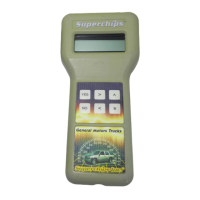
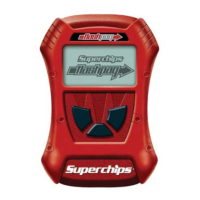
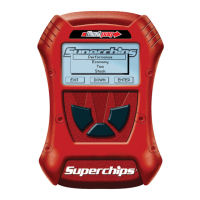
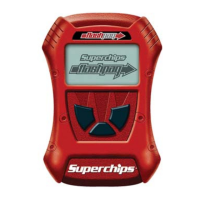
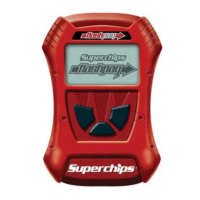
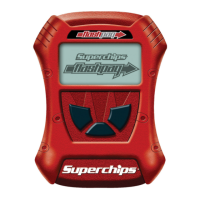
Turn the ignition to the ON position. The MAX Micro Tuner will beep and display the
following messages:
Ready to RETURN
to STOCK
The Ignition SW
Must remain ON!
Press >
to Continue…
Press ‘>’. The MAX Micro Tuner will beep once and erase the present program. The
MAX Micro Tuner will blink the following message:
Erasing Present
Program...
After the program has been erased, the MAX Micro Tuner will blink the following message:
Return To STOCK
The bottom line of the display shows the programming progress.
When the programming sequence is completed the MAX Micro Tuner beeps and will display:
Please Wait…
The MAX Micro Tuner is testing to see if the Passive Anti-Theft System is active. If PATS is
active the MAX Micro Tuner beeps and displays the message:
Resetting PATS
Please Wait...
If Returning to Stock, and PATS is not active, the MAX Micro Tuner automatically clears the
vehicle DTCs. The MAX Micro Tuner Beeps and displays the following messages:
Clearing DTCs
Please Wait…
TUNING Installed
Turn Ign OFF
Remove the Ford
MAX Tuner…
Re-install the
FUEL PUMP Fuse…
Turn the ignition OFF, remove the MAX Micro Tuner cable and re-install the Fuel Pump
Fuse.
Page 14 of 16
Form 0141A 06/21/2004
Superchips Inc. 1790 East Airport Blvd., Sanford, FL. 32773 (407) 585-7000 http://www.Superchips.com
Superchip & Superchips are registered trademarks of Superchips, Inc.
No Start after Programming? Don’t Panic!
In some vehicles equipped with the Passive Anti-Theft System or PATS, once the MAX
Micro Tuner begins saving the factory stock program, the THEFT light begins blinking
rapidly and may even blink in short and long pulses to alert the user to a problem. Since
the Superchips Max Micro Tuner is communicating directly with the PCM, no other devices
may interrupt. As a result, the PATS module flags this as an error or theft condition and
goes into ‘THEFT’ mode. After the MAX Micro Tuner has completed the programming
cycle, the PCM is still fully able to communicate and appears normal. However, the vehicle
may be in a No Start Condition and the THEFT light will be blinking rapidly.
Corrective Procedure
This procedure should recover the vehicle and allow it to be started. Therefore, it is
recommended that the MAX Micro Tuner programming cycle be completed prior to
recovery. i.e. The user should allow the MAX Micro Tuner to upload the stock program and
should select their choice of performance files and any user options, if available. Following
instructions, they should complete the programming process.
Once the vehicle has been programmed with the selected performance program, complete
the following steps to reset the PATS THEFT condition if necessary.
Disconnect the Superchips MAX Micro Tuner & cable from the vehicle’s computer interface
connector.
If the vehicle will not start and the Theft Light is blinking rapidly
1. Remove the Ground (-) cable from the battery post for a period of thirty minutes to allow
the vehicle DTC codes and Theft codes to clear.
2. Re-attach the Ground cable to the battery and start the vehicle as you normally would.
Error Notification
In the event the programming cycle is interrupted, the MAX Micro Tuner is designed to
recover automatically. Follow the on-screen prompts. If for any reason the MAX Micro
Tuner fails to complete its programming cycle, an error message will be displayed on
the unit. Please make note of the message displayed and contact Superchips Customer
Service. If you need assistance please contact your local dealer or call Superchips
Customer Service at (407) 585-7000, M-F 8:00 AM till 5:00 PM. EST.


 To Next Page
 Loading...