Page 11 of 16
Form 0141A 06/21/2004
Superchips Inc. 1790 East Airport Blvd., Sanford, FL. 32773 (407) 585-7000 http://www.Superchips.com
Superchip & Superchips are registered trademarks of Superchips, Inc.
9. Programming Section
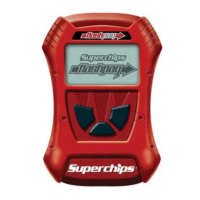
The MAX Micro Tuner will beep and display the message:
Turn Ignition
OFF Press >
Turn the ignition to the OFF position and press the ‘>’ key on the keypad. The MAX Micro
Tuner will beep and blink the following message:
Initialization..
Please Wait…
After initialization is complete, the MAX Micro Tuner will beep and display the message:
Turn Ignition ON
Do NOT START Eng
Turn the ignition switch ON. The MAX Micro Tuner will beep once and display the following
messages:
Ready to Install
New TUNING
The Ignition SW
Must remain ON!
Press >
to Continue…
Press ‘>’. The MAX Micro Tuner will beep once and erase the present program. The
MAX Micro Tuner will blink the following message:
Erasing Present
Program...
After the present program has been erased, the MAX Micro Tuner will blink the following
message:
Install TUNING
The bottom line of the display shows the programming progress.
Once the programming sequence has been successfully accomplished on a vehicle, the
MAX Micro Tuner becomes LOCKED to that vehicle. The MAX Micro Tuner may not be
used to tune any other vehicle. The MAX Micro Tuner may be used on other Ford vehicles
as a DTC Reader.
10. End of Programming Sequence
When the programming sequence is completed the MAX Micro Tuner beeps and will display:
Please Wait…
The MAX Micro Tuner is testing to see if the Passive Anti-Theft System is active. If PATS is
active the MAX Micro Tuner beeps and displays the message:
Resetting PATS
Please Wait...
After accessing the vehicle’s computer and PATS is not active, the MAX Micro Tuner
automatically clears the vehicle DTCs.
IMPORTANT NOTE
Do not interrupt the MAX Micro Tuner programming cycle or disconnect it from your vehicle
until the programming cycle is complete. The programming cycle can take several minutes.
Page 12 of 16
Form 0141A 06/21/2004
Superchips Inc. 1790 East Airport Blvd., Sanford, FL. 32773 (407) 585-7000 http://www.Superchips.com
Superchip & Superchips are registered trademarks of Superchips, Inc.
The MAX Micro Tuner Beeps and displays the following messages:
Clearing DTCs
Please Wait…
TUNING Complete!
Turn Ign OFF
Remove the Ford
MAX Tuner…
Re-install the
FUEL PUMP Fuse…
Turn the ignition OFF, remove the cable from the diagnostic port and re-install the Fuel
Pump Fuse.
11. Return to Stock Sequence
The Return to Stock Sequence is used to reprogram a vehicle previously tuned with the
Superchips MAX Micro Tuner with its original stock tuning. Follow the steps described in
Connecting the Superchips MAX Micro Tuner to Your Vehicle at Section 1. Following the
typical start up messages, if the MAX Micro Tuner has been previously used to program a
vehicle, the MAX Micro Tuner will beep and display:
Micro Tuner is
VIN Locked
This indicates the MAX Micro Tuner has been previously used to program a vehicle. It
should not be used program another vehicle. The MAX Micro Tuner will continue to operate
normally on the original vehicle.
After re-establishing communications, the MAX Micro Tuner will display the following message:
RETURN to STOCK?
YES or NO
If ‘NO’ is pressed, the MAX Micro Tuner will return to Installing the Superchips
Performance Program at Step 5 .
If the ‘YES’ key is pressed, it will beep once and display the following message:
Turn Ignition
OFF Press >
Turn the ignition to the OFF position and press the ‘>’ key on the keypad. The MAX Micro
Tuner will beep and blink the following message:
Initialization..
Please Wait…
After initialization is complete, the MAX Micro Tuner will beep and display the message:
Turn Ignition ON
Do NOT START Eng
IMPORTANT NOTE
You MUST remove the fuel pump fuse from the vehicle fuse block before attempting
to install a Performance Program or to return the vehicle to its STOCK condition.
Failing to do so can cause serious damage to your engine.



 To Next Page
 Loading...