Page 9 of 16
Form 0141A 06/21/2004
Superchips Inc. 1790 East Airport Blvd., Sanford, FL. 32773 (407) 585-7000 http://www.Superchips.com
Superchip & Superchips are registered trademarks of Superchips, Inc.
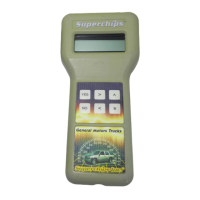
Some basic rules are implemented by the MAX Micro Tuner for Shift Point options:
• If the Shift Point is raised, the Down-Shift point remains at the STOCK or Superchips
Performance Program setting.
• If the Shift Point is lowered both the Up-Shift and Down-Shift settings are lowered
proportionally.
• The WOT (Wide Open Throttle) setting is raised or lowered proportionally with the
Up-Shift setting.
The following screens for editing the Shift Points are the same for all Shift Points, except
the selected Shift Point replaces ‘n-n’ in the descriptions that follow.
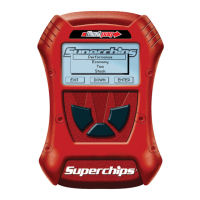
The MAX Micro Tuner will beep and display the message:
SHIFT POINT n-n
MIN----ST----MAX (n-n is 1-2, 2-3 or 3-4, ST = Stock)
Or…
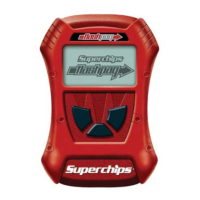
Superchips
The present Shift Point setting will flash. MAX is approximately 10mph the STOCK setting.
MIN is approximately 10mph below the STOCK setting.
Use ‘<’ to lower the Shift Point, ‘>’ to raise the Shift Point.
Press ‘>’ while MAX is flashing to select the Superchips Performance Program
setting. Press ‘YES’ to save the desired Shift Point setting.
The MAX Micro Tuner will repeat this process for each Shift Point.
Editing the Shift Pressure Option Settings
The Shift Pressure Option allows the user to set each Shift Pressure independently. The
choices are:
• Use the STOCK setting for the Shift Pressure.
• Adjust the Superchips Performance Program setting for the Shift Pressure.
The following screens for adjusting the Shift Pressure are the same for all Shift Pressures,
except the selected Shift Pressure replaces ‘n-n’ in the descriptions that follow.
After choosing the shift points you wish to use, the MAX Micro Tuner will beep and display
the message:
SHIFT PRESS. n-n
MIN----------MAX (n-n is 1-2, 2-3 or 3-4)
The present Shift Pressure setting will flash. The vehicle program determines the MAX
setting. MIN is the vehicle’s stock setting. Use ‘<’ to lower the Shift Pressure, ‘>’ to raise the
Shift Pressure. Press ‘>’ while MAX is flashing to select the Superchips Performance
Program setting. Press ‘YES’ to save the Shift Pressure Custom Option setting. The MAX
Micro Tuner will repeat this process for each Shift Pressure.
Editing the FAN Turn-On Temperature Option Setting
The FAN Temperature Turn-On Option allows you to turn on the vehicle’s electric fans at
one of the following temperatures:
Superchips Performance Program, 160 °, 180 ° or STOCK
The MAX Micro Tuner will beep and display the message:
Set FAN Turn On:
xxxxxxx
The present FAN Turn-On Temperature setting is displayed. Use ‘<’ or ‘>’ to change the
FAN Turn-On Temperature setting and ‘YES’ to save the FAN Turn-On Temperature
Option setting.
Page 10 of 16
Form 0141A 06/21/2004
Superchips Inc. 1790 East Airport Blvd., Sanford, FL. 32773 (407) 585-7000 http://www.Superchips.com
Superchip & Superchips are registered trademarks of Superchips, Inc.
Editing the Speed Limiter Option Setting
The Speed Limiter option allows the user to set the vehicle Speed Limiter to:
• Use the Superchips Performance Program raised setting.
• Use the STOCK setting.
The MAX Micro Tuner will beep and display the message:
SPEED LIMITER
Raise or Stock
The current Speed Limiter setting will flash. Use ‘<’ or ‘>’ to change the setting and ‘YES’ to
save the Speed Limiter Custom Option setting.
Editing the Traction Control Option Setting
The Traction Control option allows the user to set the vehicle Traction Control to:
• Use the Superchips Performance Program disabled setting.
• Use the STOCK setting.
The MAX Micro Tuner will beep and display the message:
TRACTION CONTROL
On or Off
The current Traction Control setting will flash. Use ‘<’ or ‘>’ to change the setting and ‘YES’
to save the Traction Control Custom Option setting.
8. Viewing the Option Settings
The MAX Micro Tuner will beep and display the message:
View Custom Opts?
YES or NO
Press ‘YES’ to view the present values of the Custom Option Settings.
Press ‘NO’ to go directly to the programming process at Step 8 below.
The MAX Micro Tuner will beep and display the message:
Press Any Key
to Continue...
Press any key on the MAX Micro Tuner keypad. The Custom Options current settings
will be presented in order. Press any key to view the next Custom Option setting.
Press ‘NO’ to continue without viewing the Custom Option Settings.
The MAX Micro Tuner will beep and display the message:
Install TUNING?
YES or NO
Press ‘YES’ on the MAX Micro Tuner keypad to continue with the Programming
process at Step 8 below.
Press ‘NO’ to stop the process. The MAX Micro Tuner will beep and display the
message:
Finished with
Tuner? YES / NO
Press ‘NO’ to start over at Selecting Tune Vehicle / Diagnostics at Step 2 .
Press ‘YES’ to go to the End of Programming Sequence at Step 9 below.



 To Next Page
 Loading...