Page 7 of 16
Form 0141A 06/21/2004
Superchips Inc. 1790 East Airport Blvd., Sanford, FL. 32773 (407) 585-7000 http://www.Superchips.com
Superchip & Superchips are registered trademarks of Superchips, Inc.
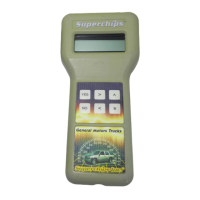
The MAX Micro Tuner is testing to see if the Passive Anti-Theft System (PATS) is active. If
PATS is active, the MAX Micro Tuner will beep and display the message:
Resetting PATS
Please Wait...
After accessing the vehicle’s computer, if PATS is not active, the MAX Micro Tuner
automatically clears the vehicle DTCs. The MAX Micro Tuner Beeps and displays the
following messages:
Clearing DTCs
Please Wait…
The MAX Micro Tuner will beep and display the message:
Stock Saved!!!
Press >
5. Installing the Superchips Performance Program
The MAX Micro Tuner allows for two different levels of performance tuning.
Selecting the Tuning Level Setting
The “PERFORMANCE” tuning level provides the most aggressive performance gain. Use
of premium fuel (91 octane or greater) is required to realize these gains.
The “87 OCTANE” tuning level provides optimized engine performance and enhanced
transmission tuning when 87 octane fuel is used. The “87 OCTANE” tuning level may not
be available for all vehicles.
If your vehicle is a supercharged Cobra, an “HP4” tuning level may be offered in lieu of the
“87 OCTANE” tuning level.
The MAX Micro Tuner will Display the following:
Tuning Level:
xxxxxxxx
Pressing ‘<’ and ‘>’ on the keypad changes the fuel setting.
Pressing ‘YES’ on the keypad saves the tuning level setting.
6. Editing the Custom Options Settings
The MAX Micro Tuner will beep and display:
Edit Custom Opts?
YES or NO
Press ‘YES’ to make changes to the Custom Option Settings.
Press ‘NO’ to bypass the Custom Options and go directly to Viewing the Option
Settings at Step 7 that follows.
IMPORTANT NOTE
You MUST remove the fuel pump fuse from the vehicle fuse block before attempting
to install a Performance Program or to return the vehicle to its STOCK condition.
Failing to do so may cause serious damage to your engine.
Caution
The “Performance” tuning level requires that you use at least 91 octane fuel. Using a lower
octane fuel while the “Performance” tuning level is selected may cause detonation that can
be harmful to your engine.
Page 8 of 16
Form 0141A 06/21/2004
Superchips Inc. 1790 East Airport Blvd., Sanford, FL. 32773 (407) 585-7000 http://www.Superchips.com
Superchip & Superchips are registered trademarks of Superchips, Inc.
The MAX Micro Tuner will beep and display the keys to use while editing the Custom
Option settings:
Adjust = < or >
Save = YES
Press Any Key
to Continue
Pressing ‘<’ or ‘>’ on the keypad adjusts the Custom Option setting.
Pressing ‘YES’ on the keypad saves the Custom Option setting.
Press any key on the keypad to continue. The MAX Micro Tuner will beep and display:
Manual Trans?
YES / NO
Press ‘YES’ if the vehicle has a Manual Transmission. Shift Points and Shift Pressures
are not options on Manual Transmission vehicles.
Press ‘NO’ if the vehicle has an Automatic Transmission.
Editing the Gear Size Option Setting
Note: The Gear Size Option is not supported for all vehicles. The Gear Size Option allows
the MAX Tuner to match the transmission Shift Points to the selected Gear Size. It also
corrects the Speedometer/Odometer when other than STOCK Gears are installed. The
Gear Size Option allows you to set the Gear Size to STOCK or one of the following options:
3.08, 3.27, 3.55, 3.73, 3.90, 4.10, 4.30, 4.56
Note: Speedometer/Odometer correction is valid only for Mustangs & Marauders equipped
with electronic speedometers.
The MAX Micro Tuner will beep and display the message:
Set GEAR Size:
xxx (xxx is Stock or the Gear Size)
The present Gear Size setting flashes. Use ‘<’ or ‘>’ to change the Gear Size setting and
‘YES’ to save the Gear Size Custom Option setting. Pressing ‘<’ key when the lowest gear
ratio is displayed will select the STOCK gear setting.
7. Editing the Custom Options Settings
The MAX Micro Tuner will beep and display the keys to use while editing the Custom
Option settings:
Adjust = < or > then Press Any Key
Save = YES to Continue
Pressing ‘<’ and ‘>’ on the keypad adjusts the Custom Option setting.
Pressing ‘YES’ on the keypad saves the Custom Option setting.
Press any key on the keypad to continue. The MAX Micro Tuner will beep and display:
Manual Trans?
YES / NO
Press ‘YES’ if the vehicle has a Manual Transmission. Shift Points and Shift Pressures
are not options on Manual Transmission vehicles.
Press ‘NO’ if the vehicle has an Automatic Transmission.
Editing the Shift Points Option Settings
The Shift Point option allows the user to set each Shift Point independently. The choices are:
• Adjust from STOCK (or the gear corrected STOCK) Shift Point +/- ~ 10mph.
• Use the Superchips Performance Program Shift Point setting.



 To Next Page
 Loading...