6
WIRING & ELECTRICAL CONNECTIONS
1. If necessary, attach the provided battery terminals to the battery. (Many deep cycle ma-
rine batteries come with a threaded post terminal built in.) NOTE: The provided battery
terminals are labeled (+) positive and (-) negative. Make sure the terminals are connected
to the proper terminal on the battery. Place the battery in the battery box.
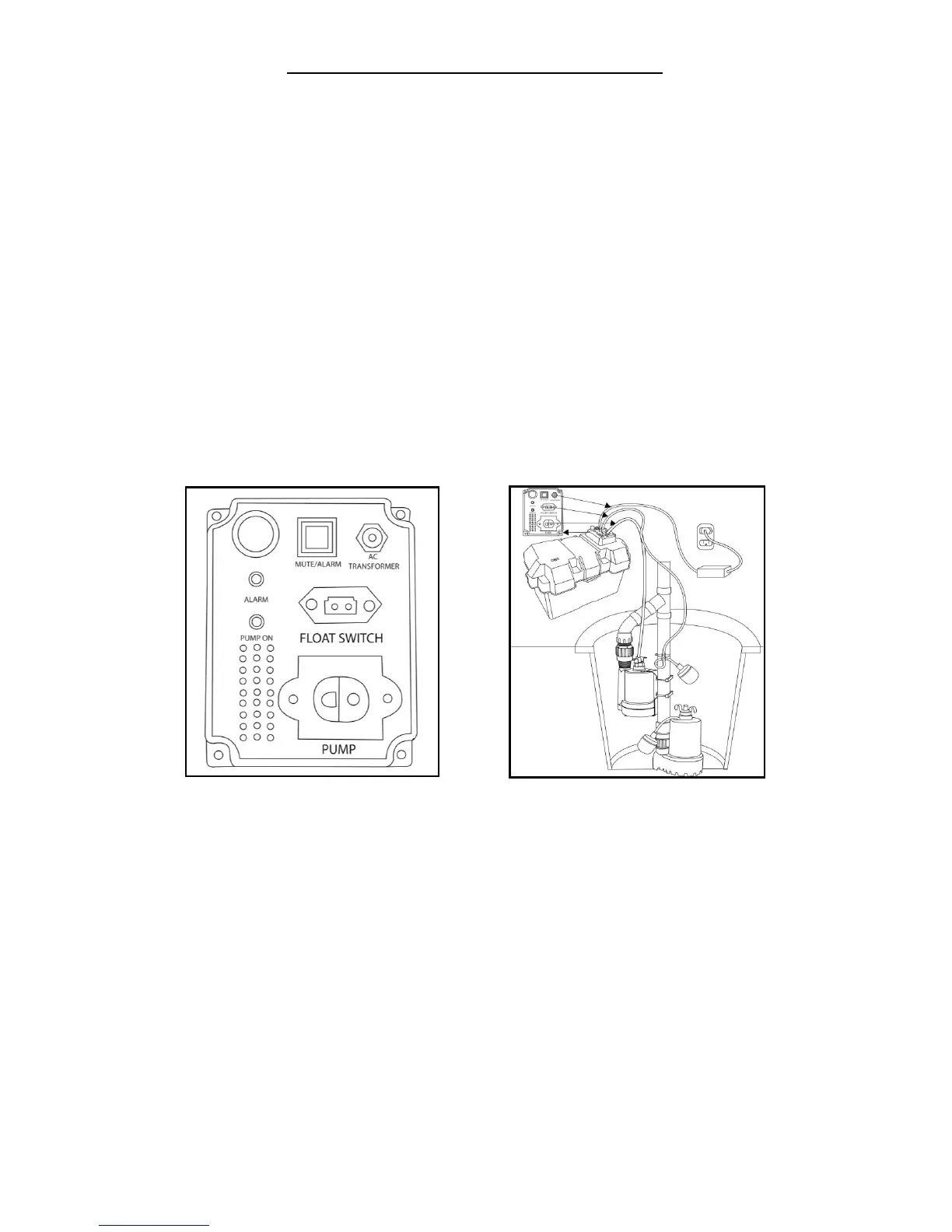
2. Connect the battery lead wires from the control panel to the corresponding terminals on
the battery. Connect the red (+) positive lead to the positive battery terminal and tighten
the wing nut. Connect the black (-) negative lead to the negative battery terminal and
tighten the wing nut. Secure the battery box cover to the lower case.
3. Next connect the pump power cord, the float switch and the AC adapter to the corre-
sponding terminals on the control panel. Make sure they are fully seated in the terminals.
4. Plug the AC adapter into the wall outlet and turn the power back on.
5. If your battery is fully charged you will notice a green light on the AC adapter. If the bat-
tery is not fully charged a red light will indicate that the battery is charging. Once fully
charged, the light will change to green.
6. Once all connections are made, press the “MUTE/ALARM” button on the control panel
until the “ALARM” light illuminates. This indicates that the alarm will sound once the pump
is activated. To mute the alarm, press the “MUTE/ALARM” button on the control panel
until the “ALARM” light turns off.
7. Test the float switch and pump by lifting and holding the float. The alarm will sound and
the “PUMP ON” light on the control panel will illuminate. The pump should start after lift-
ing the float. If it does not run, check your connections and retry.


 To Next Page