22
English
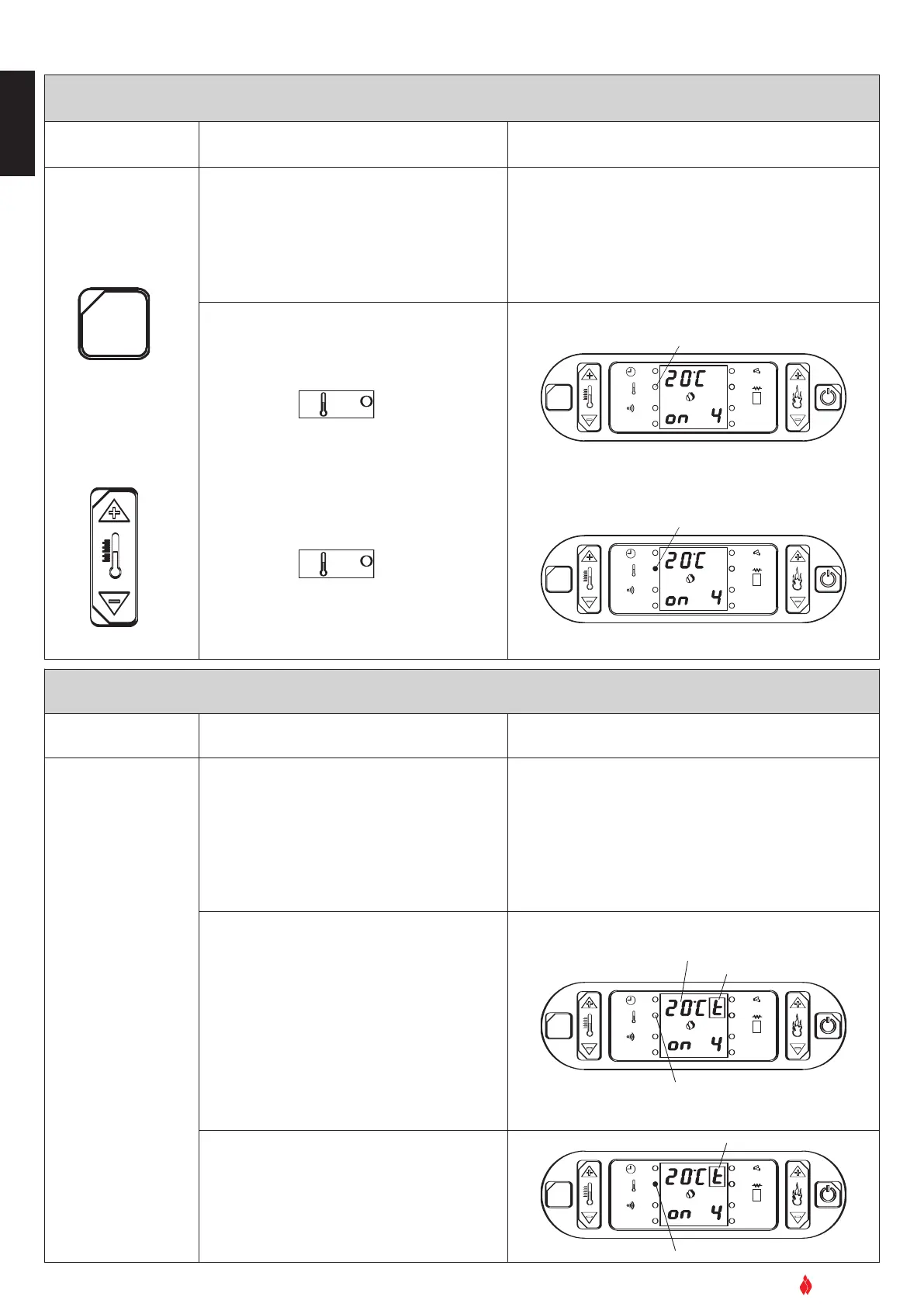
EXTERNAL THERMOSTAT
Action Description Display
Set the temperatur
e
of the room sensor -
minimum value
(10ºC)
The running of the stove can be regulated by
any kind of exter
nal ther
mostat connected to
the electronic board (see electrical diagram).
The thermostat is connected using cable type
2x0.5mm2 stopped with a PG7 connector and
inserted in the appropriate socket on the rear
panel (fig 3, 4). This operation should be
under
taken by authorised personnel.
T
o check on the display if the stove is operating
using the external thermostat, you must input a
special code which will allow the temperatur
e to
be shown. If not, the stove will still run with an
external thermostat but there will be no reading
on the display. If during normal operation the
temperatur
e is lower than that pr
ogrammed:
• the corresponding LED on the display remains
off
•
the display indicates the chosen power level
• the stove will operate at the power level input.
OK
SET
GRUPPO PIAZZETTA
1
2
3 4
5
6
AL. F
SET
FLASHING SCRIPT
LED OFF
AL. C
ROOM SENSOR TEMPERATURE
When the room temperature reaches the pro-
grammed value:
• the corresponding LED lights up
• the stove runs at minimum power even if the
input power level is shown on the display.
OK
SET
GRUPPO PIAZZETTA
1
2
3 4
5
6
AL. F
SET
FLASHING SCRIPT
LED ON
AL. C
INTERNAL THERMOSTAT (setting desired room temperature)
Action Description Display
To change the tem-
perature setting
press key 3 SET.
Then pr
ess key 1 to
increase the temper-
ature, key 2 to
reduce the tempera-
ture.
The stove is equipped with an internal thermo-
stat which regulates the power according to the
desired room temperature (10ºC-30ºC).
To function properly the sensor provided with
the stove must be positioned correctly.
If during normal operation the room tempera-
ture is lower than that programmed:
The corresponding LED remains off.
• The stove will run at the power level that has
been input. This will be shown on the display.
When the room temperature reaches the pro-
grammed level: The corresponding LED on the
display lights up.
• The stove will run at minimum power even if
the programmed power level continues to be
shown on the display.
OK
SET
GRUPPO PIAZZETTA
1
2
3
4
5
6
AL. F
SET
A
L. C
OK
SET
GRUPPO PIAZZETTA
1
2
3
4
5
6
AL. F
SET
AL. C
LED OFF
LED ON
Example:
Example:
DT2040007-00
Example:
Example:
DT2040008-00


 To Next Page
 Loading...