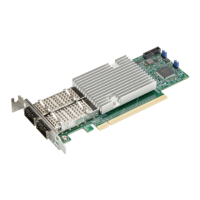
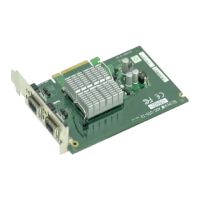
The Supermicro AOC-STG-I2 is a high-performing, dual-port 10 Gigabit Ethernet add-on card designed for demanding enterprise applications. This user's guide provides comprehensive information for system integrators, PC technicians, and knowledgeable PC users intending to integrate the AOC-STG-I2 into their systems.
Function Description:
The AOC-STG-I2 serves as a network interface card (NIC) that provides two 10 Gigabit Ethernet ports, enabling high-speed data transfer and network connectivity. It is built around the Intel® 82598EB controller, ensuring robust and efficient performance. The card is designed to maximize network throughput and reduce CPU utilization through advanced offloading capabilities and acceleration technologies. It supports various operating systems, including Windows 2000/XP/2003, Linux, and VMWare ESX Server, making it versatile for different server environments. The primary function is to provide a reliable and fast network connection for servers and workstations that require high bandwidth for applications such as virtualization, data storage, and high-performance computing.
Important Technical Specifications:
- Controller: Dual-port Intel® 82598EB.
- Connectors: Two CX4 connectors.
- Interface: PCI-E x8, compatible with PCI-E Gen 2, designed to maximize performance.
- Network Speed: Up to 10 Gigabits per second per port.
- Cabling:
- CX4 copper-based cable: Maximum length 15 meters.
- InfiniBand 4x DDR cable (converts CX4 to optical): Maximum length 100 meters (optional).
- Power Consumption: Energy-efficient design with a maximum of 6.5W.
- Compliance: RoHS Compliant 6/6.
- Dimensions: Approximately 5.5625 inches (14.13 cm) in length and 2.1875 inches (5.56 cm) in height (based on visual representation, not explicitly stated in text but derived from diagram).
Usage Features:
The AOC-STG-I2 offers a rich set of features designed to enhance network performance and efficiency:
- Intel I/O Acceleration Technology (I/O AT): Improves CPU utilization by offloading network processing tasks from the main processor.
- Virtual Machine Device Queues (VMDq): Supports x16 VMDq, which is crucial for virtualized environments, allowing network traffic to be directly routed to the correct virtual machine, reducing hypervisor overhead.
- Direct Cache Access (DCA): Eliminates cache misses and reduces CPU load by enabling network data to be placed directly into the CPU cache.
- Checksum Offloading: Supports Tx/Rx, IP, TCP, and UDP checksum offloading for both IPv4 and IPv6. This capability significantly increases throughput and lowers processor utilization by having the NIC handle checksum calculations.
- Network Management: Includes Simple Network Management Protocol (SNMP) and Remote Network Monitoring (RMON) statistic counters, providing tools for network administrators to monitor and manage network performance.
- Boot Support:
- iSCSI boot: Allows systems to boot directly from an iSCSI target over the network.
- Preboot eXecution Environment (PXE) support: Enables network booting for operating system deployment and other pre-boot tasks.
- LED Indicators: Each LAN port has a bi-level, dual-color LED to indicate connection status, activity, and connection speed.
- Yellow: 1Gb link speed.
- Blinking yellow: 1Gb Activity.
- Green: 10Gb link speed.
- Blinking Green: 10Gb Activity.
- Driver Installation: The manual provides detailed instructions for installing drivers on Windows 2003/XP/2000 and Linux systems. For Linux, it covers building a binary RPM package and manually building the driver, including commands for untarring, compiling, and loading the module. It also notes the
IXGBE_NO_LRO compile-time flag for removing Large Receive Offload support.
Maintenance Features:
While the manual primarily focuses on installation and initial setup, several aspects contribute to the maintainability and longevity of the device:
- ESD Safety Guidelines: Emphasizes the importance of using grounded wrist straps, touching grounded metal objects, and handling the card by its edges to prevent electrostatic discharge, which can damage electronic components. This is a critical preventive maintenance step during installation and handling.
- General Safety Guidelines: Advises disconnecting power cables before installing or removing components and ensuring the add-on card is securely installed to prevent damage from power shortages.
- Driver Updates: Recommends confirming that the operating system includes the latest updates and hotfixes, and checking the Supermicro website for the most up-to-date version of the manual and drivers. This ensures optimal performance and compatibility.
- Troubleshooting (Implicit): The detailed LED definitions assist in quickly diagnosing network connectivity and speed issues, which is a basic form of maintenance. The Linux installation section also includes steps for verifying interface functionality using
ifconfig and ping commands, aiding in post-installation verification and troubleshooting.
- Robust Design: The energy-efficient design (maximum 6.5W) and RoHS compliance indicate a product designed for reliability and environmental responsibility, contributing to lower operational costs and reduced environmental impact over its lifespan.
The AOC-STG-I2 is a robust and feature-rich add-on card, providing essential high-speed networking capabilities for modern server infrastructures.

 Need help?
 General

 To Next Page