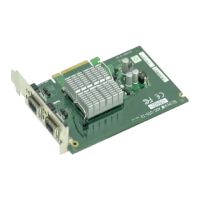
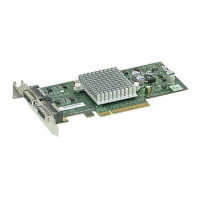
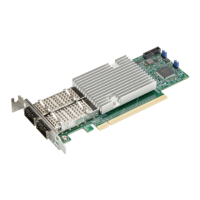
The Supermicro AOC-MGP-i2 and AOC-MGP-i4 are add-on cards designed as flexible I/O networking options, specifically Super I/O Modules (SIOM). These cards are based on the Intel® GbE network controller i350 and are engineered with performance-enhancing features and power management technologies. The AOC-MGP-i2 offers dual-port GbE connectivity, while the AOC-MGP-i4 provides quad-port GbE connectivity, both utilizing RJ45 connectors. They are primarily intended for system integrators, IT technicians, and knowledgeable end-users for installation and use in Supermicro motherboards and server systems equipped with a Super I/O Module slot.
Function Description:
These add-on cards serve as Gigabit Ethernet network adapters, providing reliable and scalable network connectivity. They support 1Gb/s Ethernet connections via RJ45 ports, making them suitable for a wide range of commercial environments. The cards are designed to enhance network performance and efficiency through various features, including load balancing across multiple CPUs and Intel I/O Acceleration Technology (Intel I/OAT). They are compatible with most Network Operating Systems and offer features for remote management via NC-SI (Network Controller Sideband Interface) and asset management.
Important Technical Specifications:
- Controller: Intel® i350 GbE controller (AM2 for AOC-MGP-i2, AM4 for AOC-MGP-i4).
- Form Factor: Super I/O Module (SIOM).
- Ports:
- AOC-MGP-i2: Dual RJ45 ports (1Gb/port).
- AOC-MGP-i4: Quad RJ45 ports (1Gb/port).
- Ethernet Standards: IEEE 802.3, 802.3u, 802.3ab PHY specifications Compliant.
- Auto-negotiation: IEEE 802.3 auto-negotiation for speed, duplex, and flow control.
- Flow Control: IEEE 802.3x and 802.3z compliant flow control support.
- Crossover Detection: Automatic cross-over detection function (MDI/MDI-X).
- Time Synchronization: IEEE 1588 protocol and 802.1AS implementation.
- Cable Support: RJ45 Category 5/5e up to 100m.
- Power Consumption:
- AOC-MGP-i2: Typical 3W, Maximum 3.7W.
- AOC-MGP-i4: Typical 3.7W, Maximum 4.4W.
- Operating Temperature: 0°C to 55°C (32°F to 131°F).
- Storage Temperature: -40°C to 70°C (-40°F to 158°F).
- Storage Humidity: 90% non-condensing relative humidity at 35°C.
- Physical Dimensions (Card PCB): 92mm (3.62in) x 87.1mm (3.43in) (W x D).
- Compliance: RoHS Compliant 6/6, Pb Free.
- Supported Platforms: Supermicro® motherboards and server systems with Super I/O Module slot.
Usage Features:
- Virtualization Features:
- PCI-SIG SR-IOV support.
- VM to VM Packet forwarding (Packet Loopback).
- Flexible Port Partitioning.
- IEEE 802.1q VLAN support and advanced packet filtering.
- Jumbo Frames support.
- Performance Features:
- TCP/UDP, IPv4, and IPv6 checksum offloads to improve CPU usage.
- Low Latency Interrupts.
- Tx TCP segmentation offload (IPv4, IPv6) to increase throughput and lower processor usage.
- Receive Side Scaling (RSS) for Windows environments and Scalable I/O for Linux environments.
- Intelligent interrupt generation.
- TCP segmentation/large send offload.
- Interrupt moderation.
- Power Management and Efficiency:
- Energy Efficient Ethernet (EEE).
- DMA Coalescing to reduce platform power consumption.
- Active State Power Management (ASPM) support.
- LAN disable function.
- MAC Power Management controls.
- Low Power Link Up – Link Speed Control.
- Boot Support: iSCSI Remote Boot Support and PXE Boot Support.
- Operating System Support:
- Windows Server 2012 R2, 2012, 2008 R2 (x64 Edition).
- Windows 8.1, 8, 7 (x64 Edition).
- RedHat Linux.
- SUSE Linux.
- FreeBSD.
- UEFI.
- VMware.
- LAN Port LED Indicators: Each LAN port features two LEDs:
- Link LED (Left): Green for 100 Mbps, Amber for 1 Gbps, Off for No Connection.
- Activity LED (Right): Yellow Flashing for Active data transfer.
- LAN Port Enable/Disable Jumper (JPL1): Allows users to enable or disable LAN ports. The default setting is Enabled (Pins 1-2). Setting to Disabled (Pins 2-3) will disable the ports.
Maintenance Features:
- Driver Installation: Detailed instructions are provided for installing drivers on Windows, Linux, and FreeBSD, including steps for building binary RPM packages and compiling drivers into the kernel.
- Static-Sensitive Device Handling: Emphasizes precautions against Electrostatic Discharge (ESD) during handling and installation, such as using a grounded wrist strap, touching grounded metal objects, and handling the card by its edges.
- Unpacking Instructions: Guides users on how to unpack the add-on card from its antistatic packaging to prevent static damage.
- Installation Process: Clear, step-by-step instructions for installing the add-on card into a system, including removing server covers, slot covers, positioning the card in the SIOM slot, securing it, and attaching external cables. It also notes that the card does not support hot-plugging, requiring the system to be powered off and unplugged before installation or removal.
- Warranty and Service: Information on returning merchandise for service, requiring a receipt for warranty service, obtaining an RMA number, and the conditions covered by the warranty (normal consumer use, not damages from shipping, alteration, misuse, abuse, or improper maintenance). Users are advised to contact their distributor first for product problems during the warranty period.
- Documentation Updates: Users are encouraged to check the Supermicro website (www.supermicro.com) for the most up-to-date version of the user's guide.

 Need help?
 General

 To Next Page