H13DSH User's Manual
76
4.6 Security
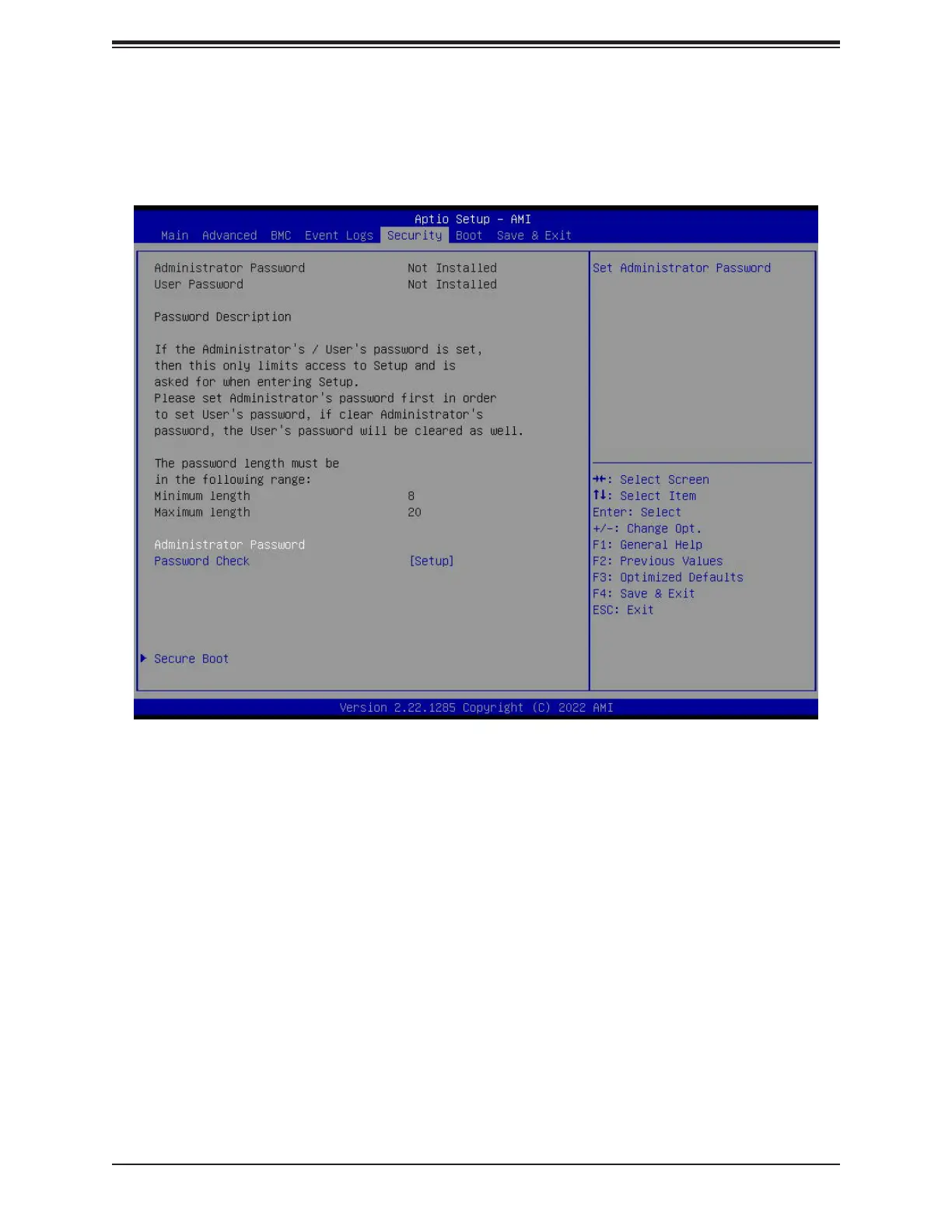
This tab allows you to congure the following security settings for the system.
Administrator Password
Press <Enter> to create a new, or change an existing Administrator password. Note that if
the Administrator Password is erased, the User Password will be cleared as well.
Password Check
Select Setup for the system to check for a password at Setup. Select Always for the system
to check for a password at bootup or upon entering the BIOS Setup utility. The options are
Setup and Always.



 To Next Page