X11SSH-F/-LN4F User Manual
110
Appendix B
Software Installation
B.1 Installing Software Programs
The Supermicro FTP site contains drivers and utilities for your system at ftp://ftp.supermicro.
com. Some of these must be installed, such as the chipset driver.
After accessing the FTP site, go into the CDR_Images directory and locate the ISO le for
your motherboard. Download this le to create a CD/DVD of the drivers and utilities it contains.
(You may also use a utility to extract the ISO le if preferred.)
Another option is to go to the Supermicro website at http://www.supermicro.com/products/.
Find the product page for your motherboard here, where you may download individual drivers
and utilities.
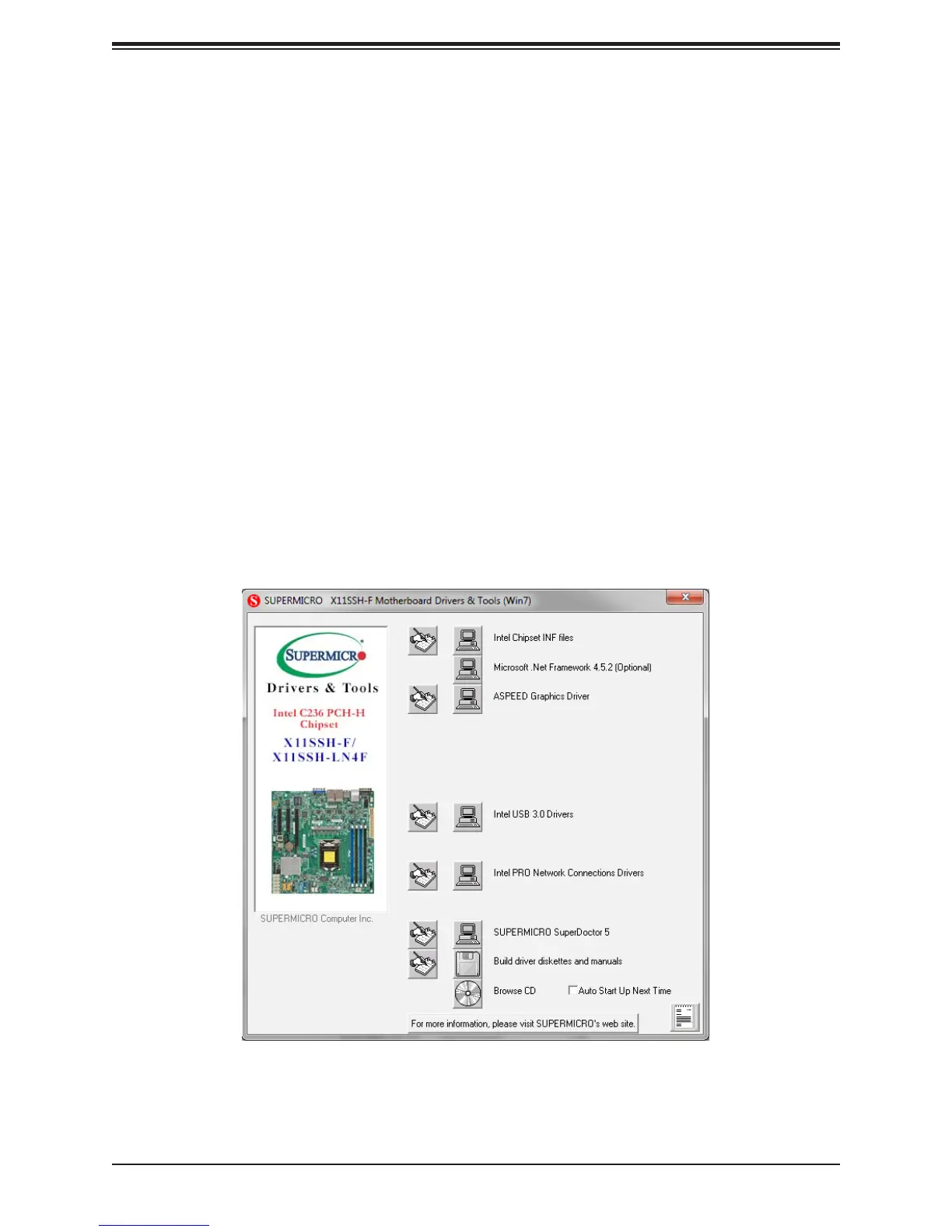
After creating a CD/DVD with the ISO les, insert the disk into the CD/DVD drive on your
system, and the following screen should appear.
Figure B-1. Driver/Tool Installation Display Screen



 To Next Page