2-26
Embedded BMC IPMI User's Guide
2.5.1.2 Console Redirection - Keyboard
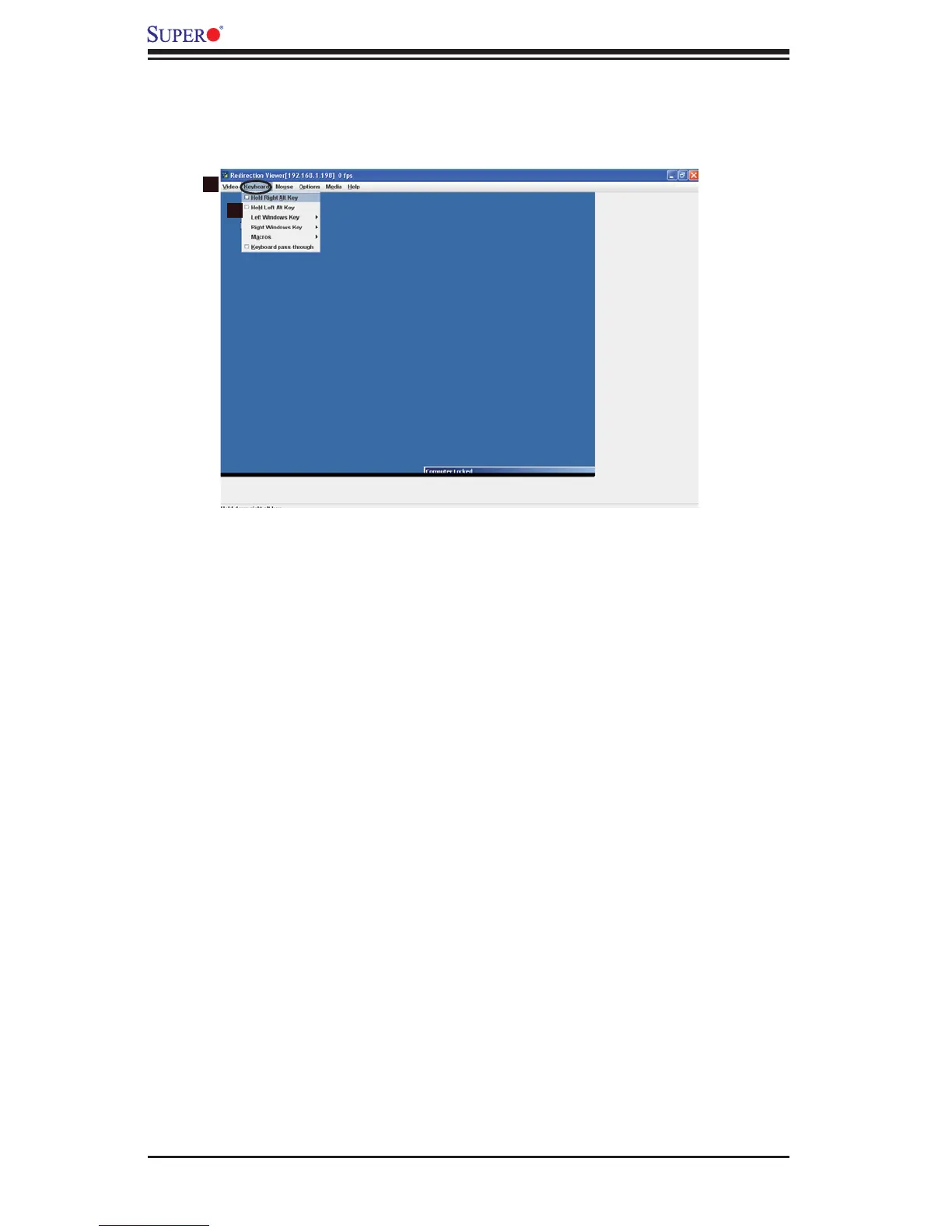
When you click on the Keyboard item in the Menu bar (1), the keyboard settings
of the remote console will display as shown below.
Keyboard
1. Keyboard: Click this item to confi gure and manage the keyboard settings of a server
on a remote site via Console Redirection.
2. Options: The pull-down submenu contains the options listed below.
Hold Right Alt Key
• : Check this item to emulate right alt key press.
Hold Left Alt Key
• : Check this item to emulate left alt key press.
Left Window Key
• : Click on this item to display the Left Window Key submenu
as follows:
Hold down: Check this item to emulate left window key press.
•
Press and Release: Click on this option to press and release the left win-•
dow key.
Right Window Key
• : Click on this item to display the Right Window Key sub-
menu as follows:
Hold down: Check this item to emulate right window key press.
•
Press and Release: Click on this option to press and release the right •
window key.
2
1



 To Next Page