RMK-700 Operating Manual
Press the Measurement button, as you keep pushing the measurement button, the
measurement is to be performed consecutively.
● The newest measured result will be displayed on the monitor.
(6) Repeated measurement
● Measurement could be repeatedly performed if necessary;
● The newest result will be displayed on the monitor whenever
measured.;
● CAUTION: before starting the new measurement you have to press
CLEAR button to remove previous data.
(7) Print
● Press the PRINT button;
● The selected data will be printed。
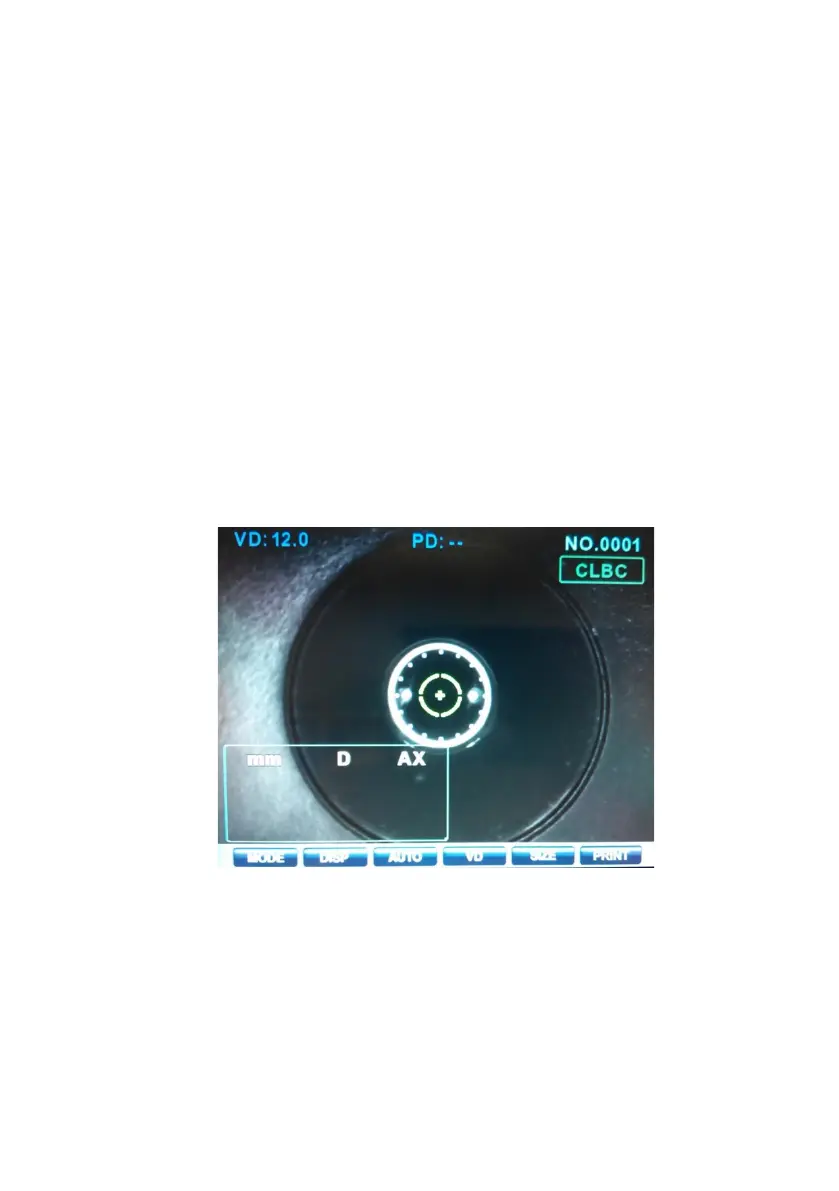
Measurement of Corneal Radius(SIZE Mode)
Diameter of cornea can be measured in the SIZE mode.
(1) Enter the Mode
A. Press MODE button until "SIZE MODE" is displayed in the top of the
display.
(2) Adjust height of examinee's eye
● Let the examinee sit down, and adjust the height of the chair.
● Place examinee’s chin and forehead against the chin


 To Next Page