2016-07-26 1611937
-9-
Touch Point Description Screen View
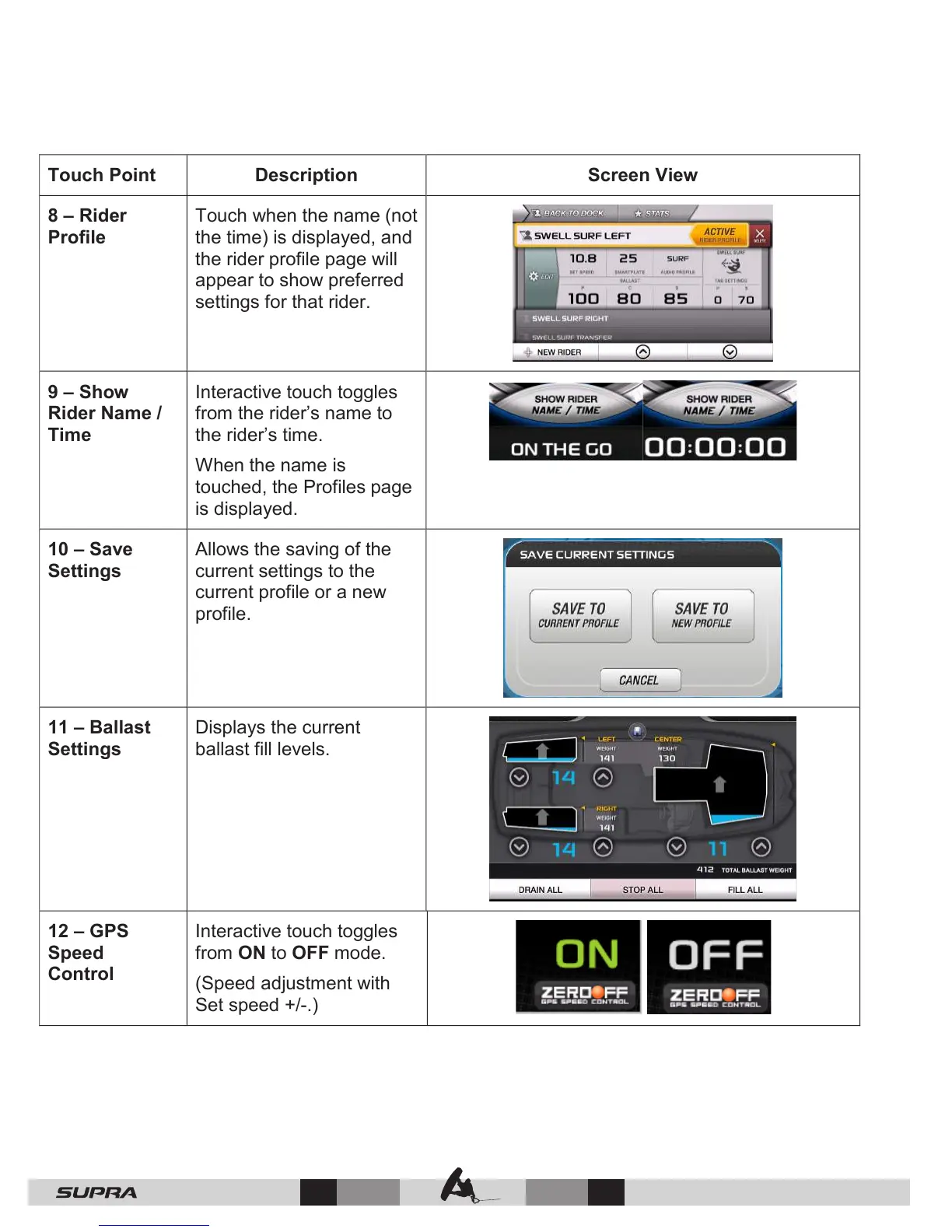
8 – Rider
Profile
Touch when the name (not
the time) is displayed, and
the rider profile page will
appear to show preferred
settings for that rider.
9 – Show
Rider Name /
Time
Interactive touch toggles
from the rider’s name to
the rider’s time.
When the name is
touched, the Profiles page
is displayed.
10 – Save
Settings
Allows the saving of the
current settings to the
current profile or a new
profile.
11 – Ballast
Settings
Displays the current
ballast fill levels.
12 – GPS
Speed
Control
Interactive touch toggles
from ON to OFF mode.
(Speed adjustment with
Set speed +/-.)



 To Next Page