— 50
© 2016 Skier’s Choice, Inc.
To reset the length, press and hold, and the time will reset to 00:00:00.
To provide a rating, touch the stars for each desired star to be lit up.
Touch Profiles to return to the Profiles screen.
Touch the UP and DN arrows to view additional statistics.
Lights
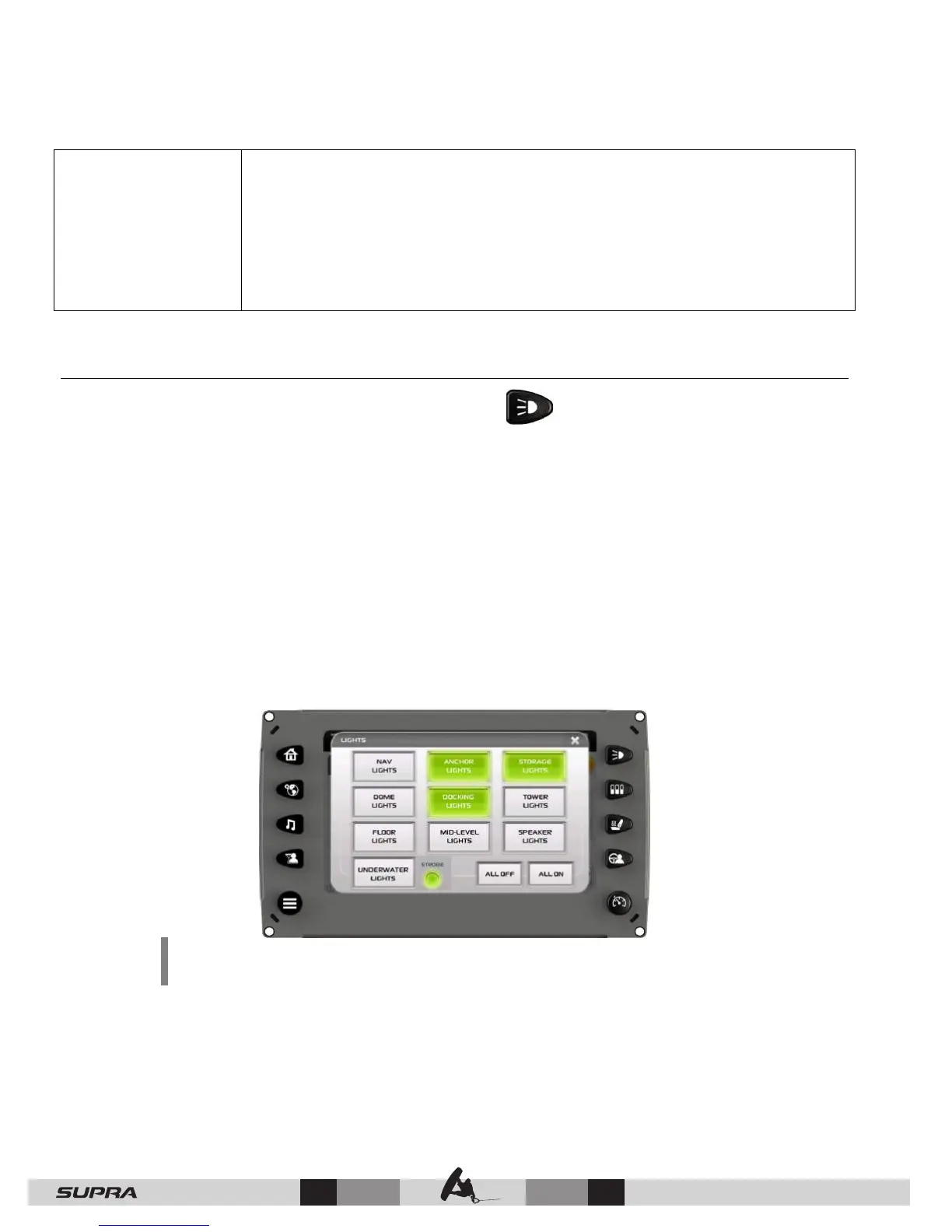
The Lights screen is accessed by pressing the Lights Quick Access Key. On this screen
the following lights can be turned on and off:
• Navigation Lights
• Anchor Lights
• Storage Lights
• Dome Lights
• Docking Lights
• Tower Lights
• Floor Lights
• Mid-Level Lights
• Speaker Lights
• Underwater Lights/Strobe
• All Off/All On
NOTE: If the cell is gray, this indicates the lights are OFF. If the cell is
green, this indicates the lights are ON.



 To Next Page