59 —
© 2016 Skier’s Choice, Inc.
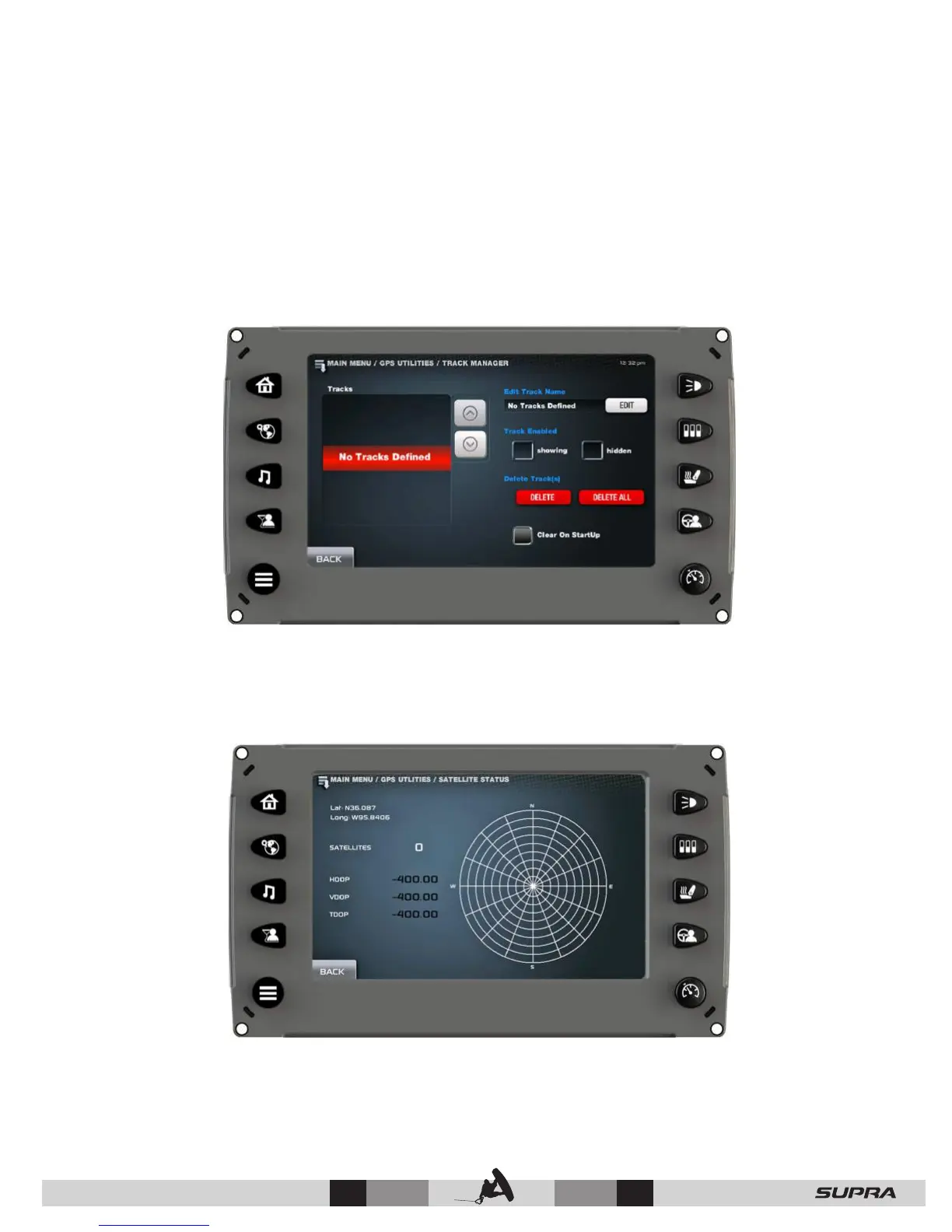
Track Manager
On the GPS Utilities screen, touch [Track Manager] to access the Track Manager screen.
Multiple tracks for displaying on the GPS map can be established. The Track Manager allows
you to select tracks to show or hide on the map you are currently using. You may [Delete] one
track or [Delete All] tracks at once.
Select [Clear on Startup] to erase any non-saved tracks.
Satellite Status
On the GPS Utilities screen, touch [Satellite Status] to access the Satellite Status screen.
This screen is an information-only screen that displays the location of detectable satellites.



 To Next Page