EasyManua.ls Logo

Suunto D4 - 3 Suunto D4 at a Glance; Navigating in the Menus

Suunto D4
106 pages
Print Icon
To Next Page IconTo Next Page
To Previous Page IconTo Previous Page
Loading...
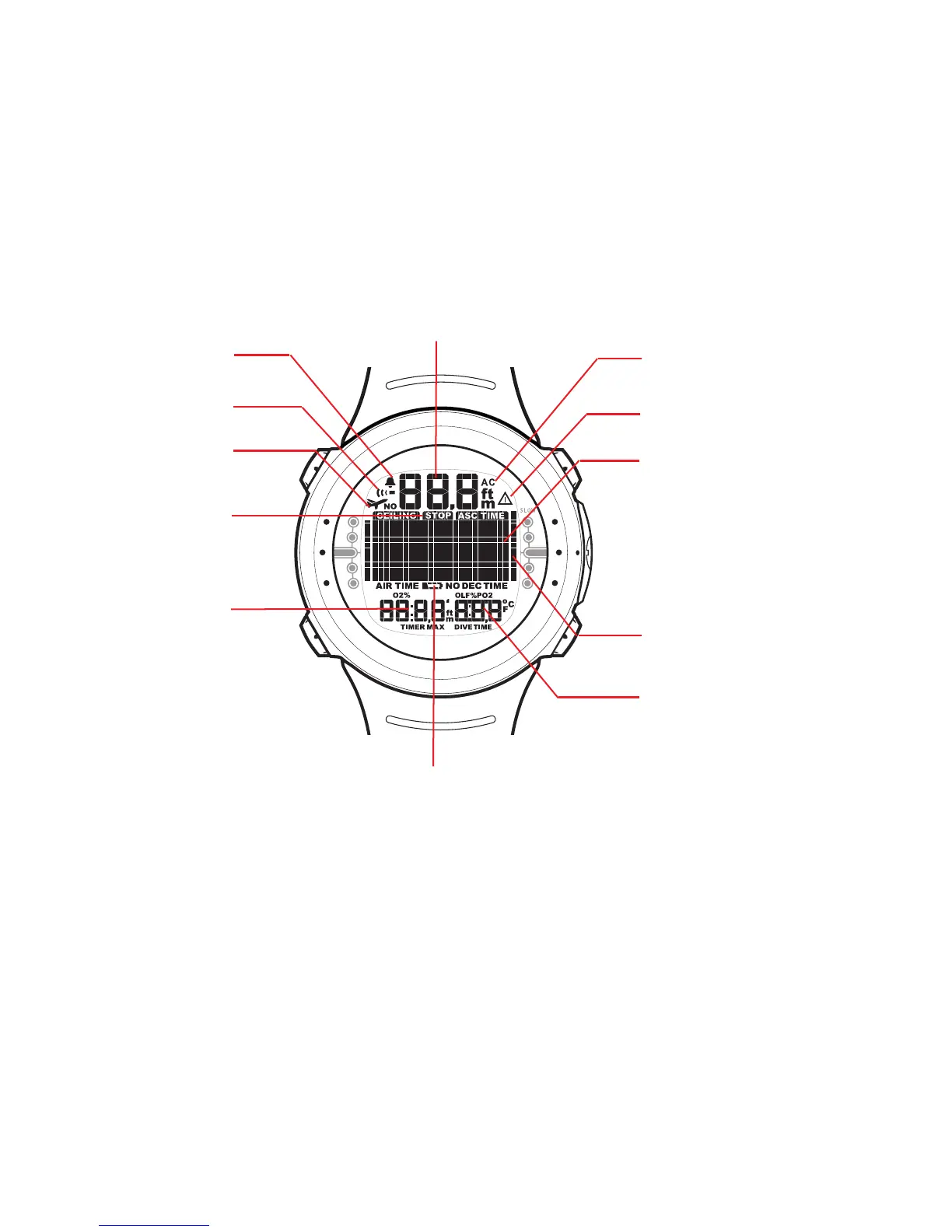
3. SUUNTO D4 AT A GLANCE
U
P
D
O
W
N
S
E
L
E
C
T
M
O
D
E
Safety Stop Indicator
No-Fly Icon
Diver Attention Symbol
Date
Dual Time
Maximum Depth
O
2
(Nitrox Mode)
Time
Ascent Rate Bar Graph
Active Water Contact
Indicator
Seconds Display
Stopwatch
Weekday
Dive Time
Temperature
PO
2
(Nitrox Mode)
OLF% (Nitrox Mode)
Current Time Display
Mode Indicator
No-Decompression Time
Total Ascent Time
Ceiling Depth
Safety/Deep Stop Time
Surface Interval Time
No-Fly Time
Dive Alarm Indicator
Daily Alarm Indicator
Dive Number
Low Battery Warning
Present Depth
3.1. Navigating in the menus
Suunto D4 has three main operating modes - TIME mode (TIME), DIVE mode (DIVE),
and MEMORY mode (MEM). To toggle between the main modes, press the MODE
button. To select a submode in DIVE and MEM modes, press the UP/DOWN buttons.
15


Table of Contents

Related product manuals