5 GETTING STARTED
Start by personalizing Suunto M1/M2 to get reliable and easy monitoring.
Through the personal settings, you tune your Suunto M1/M2 according to your
physical traits and activity. Many of the calculations use these settings, so it is
important that you are as accurate as possible when defining the values.
NOTE: Take time to carefully adjust the initial settings. Some settings can only
be changed later by resetting the device.
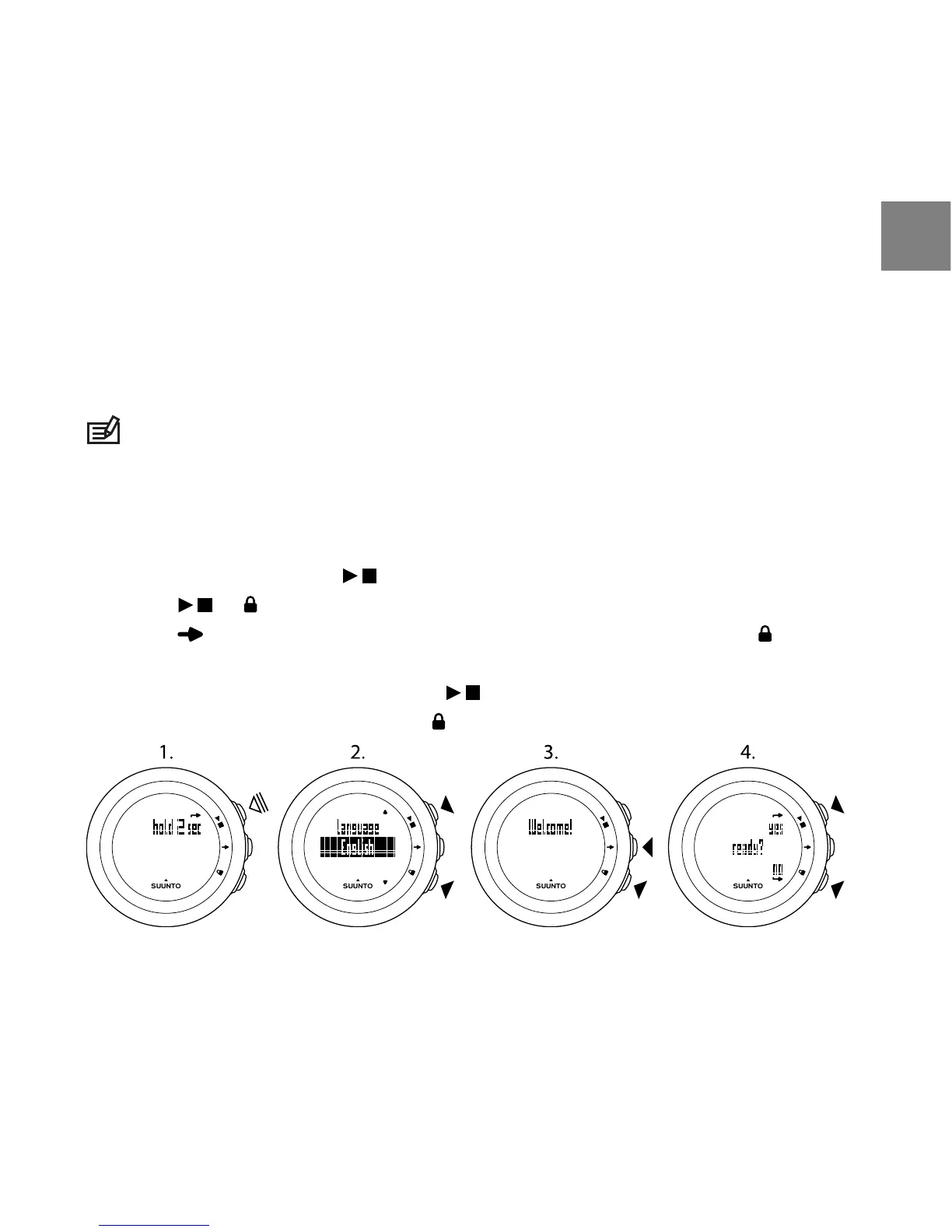
To set the initial settings:
1. Press any button to activate the device. Wait until the unit wakes up and
says hold 2 sec. Keep pressed to enter the first setting.
2. Press or to change values.
3. Press to accept a value and to move to the next setting. Press to return
to the previous setting.
4. When you are ready, select yes ( ) to confirm all settings. If you want to
modify the settings, select no ( ) to return to the first setting.
You can set the following initial settings:
●
language: English, Deutsch, français, español, português, italiano,
Nederlands, svenska, suomi
9
en



 To Next Page