Once the software is downloaded to your watch, the watch will update itself during the night
as long as the battery level is at least 20% and no exercise is being recorded simultaneously.
If you want to install the update manually before it happens automatically during the night,
navigate to Settings > General and select Software update.
NOTE: When the update is complete, the release notes will be visible in Suunto app.
2.4. Suunto app
With the Suunto app, you can further enrich your Suunto Race experience. Pair your watch
with the mobile app to sync your activities, create workouts, get mobile notifications, insights
and more.
NOTE: You cannot pair anything if airplane mode is on. Turn o airplane mode before
pairing.
To pair your watch with Suunto app:
1. Ensure your watch Bluetooth is on. Under the settings menu, go to Connectivity »
Discovery and enable it if it is not already.
2. Download and install Suunto app on your compatible mobile device from the iTunes App
Store, Google Play in addition to several popular app stores in China.
3. Start Suunto app and turn on Bluetooth if it is not on already.
4. Tap the watch icon in the upper-left of the app screen and then tap “PAIR” to pair your
watch.
5. Verify the pairing by typing the code that is displayed on your watch in the app.
NOTE: Some features require an internet connection over Wi-Fi or mobile network.
Carrier data connection fees may apply.
2.5. Optical heart rate
Optical heart rate measurement from the wrist is an easy and convenient way to track your
heart rate. Best results for heart rate measurement may be
aected by the following factors:
•
The watch must be worn directly against your skin. No clothing, however thin, can be
between the sensor and your skin.
•
The watch may need to be higher on your arm than where watches are normally worn.
The sensor reads blood
flow through tissue. The more tissue it can read, the better.
•
Arm movements and
flexing muscles, such as gripping a tennis racket, can change the
accuracy of the sensor readings.
•
When your heart rate is low, the sensor may not be able to provide stable readings. A
short warm up of a few minutes before you start the recording helps.
•
Skin pigmentation and tattoos block light and prevent reliable readings from the optical
sensor.
•
The optical sensor may not provide accurate heart rate readings for swimming activities.
•
For higher accuracy and quicker responses to changes in your heart rate, we recommend
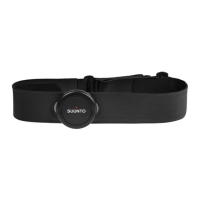
using a compatible chest heart rate sensor such as Suunto Smart Sensor.
Suunto Race
9


 To Next Page