30
NOTE:
•“A” is not displayed if the trim position does
not appear on the multifunction gauge
screen.
• The PTT switch operations take priority, even
when the Auto Trim mode is set “ON”.
• If the PTT switch is operated when the Auto
Trim mode is set “ON”, the Auto Trim mode is
interrupted and the “ A” flashes on the dis-
play. Auto Trim mode engages again when
the engine speed is reduced to 1500 r/min or
below or the outboard motor is set in the full
trim down position.
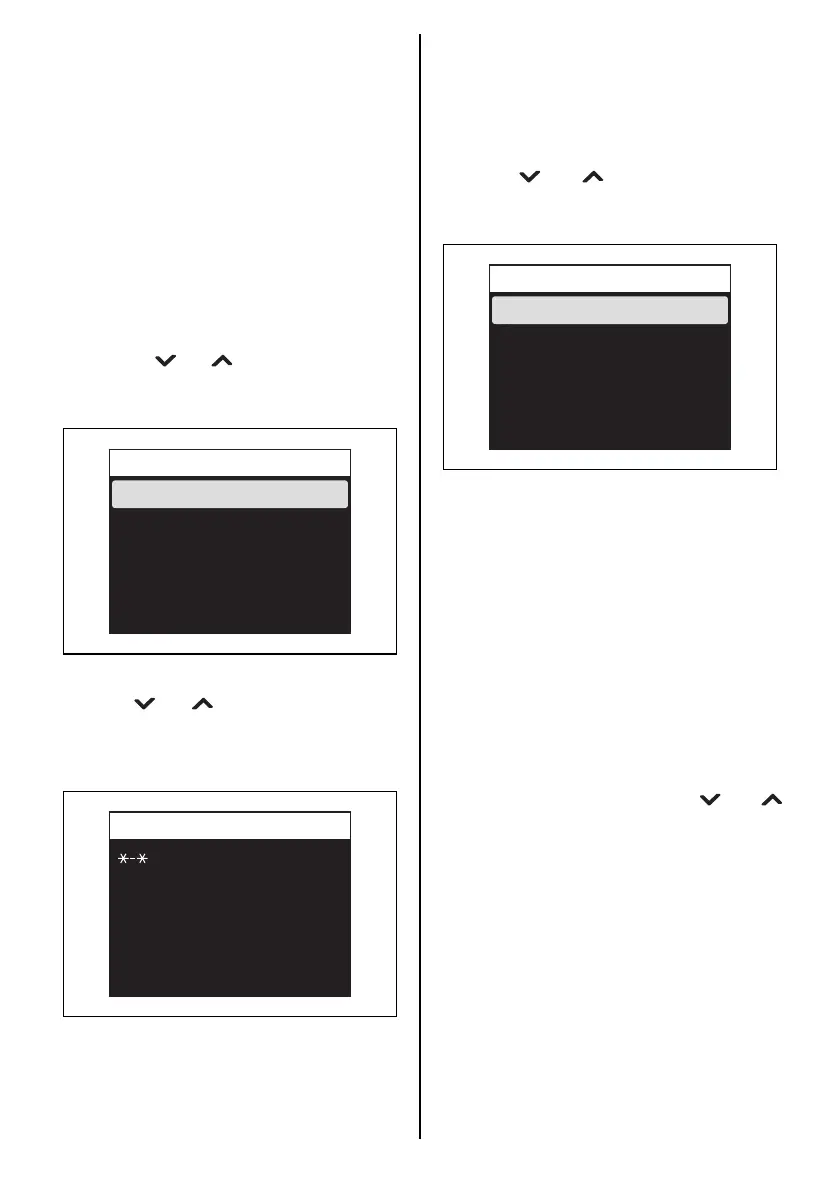
3. Diagnosis
Press the [ ] or [ ] button to select “Diag-
nosis” and then press the [SET] button to
display the Diagnosis selection menu.
Current Code
Press the [ ] or [ ] button to select “Current
Code” and, then press the [SET] button to dis-
play the diagnostic code and/or caution mes-
sage that are currently activated.
(Refer to the CAUTION SYSTEM and DIAG-
NOSTIC SYSTEM section)
Data Output
Current Code
Diagnosis
Data Output
NOTE:
For details the proper handling of the multi-
function gauge, refer to “OPERATION
INSTRUCTION MANUAL” packed in the gauge.
Press the [ ] or [ ] button to select “Data
Output” and then press the [SET] button to dis-
play the Data Output selection menu.
Create Data:
The “Create Data” items (engine oil change fre-
quency, total operation hours, etc.) can be
checked.
Log:
The “Create Data” items (engine oil change fre-
quency, total operation hours, etc.) obtained
and saved before, can be checked.
4. Display
While [Display] is selected, press the [SET] but-
ton to display the selection menu for Digital indi-
cation “D”, Analog indication “A”, and indication
OFF.
Select the display item using the [ ] or [ ]
button. Then, press the [SET] button to select
“A1”, “A2”, “D” or “OFF”.
As the “Fuel” screen displays only in digital
mode, the available selection is either “ON” or
“OFF.”
Log
Create Data
Data Output



 To Next Page