ENG
6
2.1 Multimedia
Speaker System
5. PREPARATION AND OPERATION
Speaker placement
• Place the speakers symmetrically to the listener at least one meter away. The subwoofer emits
non-directional sound, therefore it can be located in any place of the room where it sounds the best.
• Place MSS as far away as possible from monitors and TV sets, to avoid insignicant image
distortion.
Installation and operation
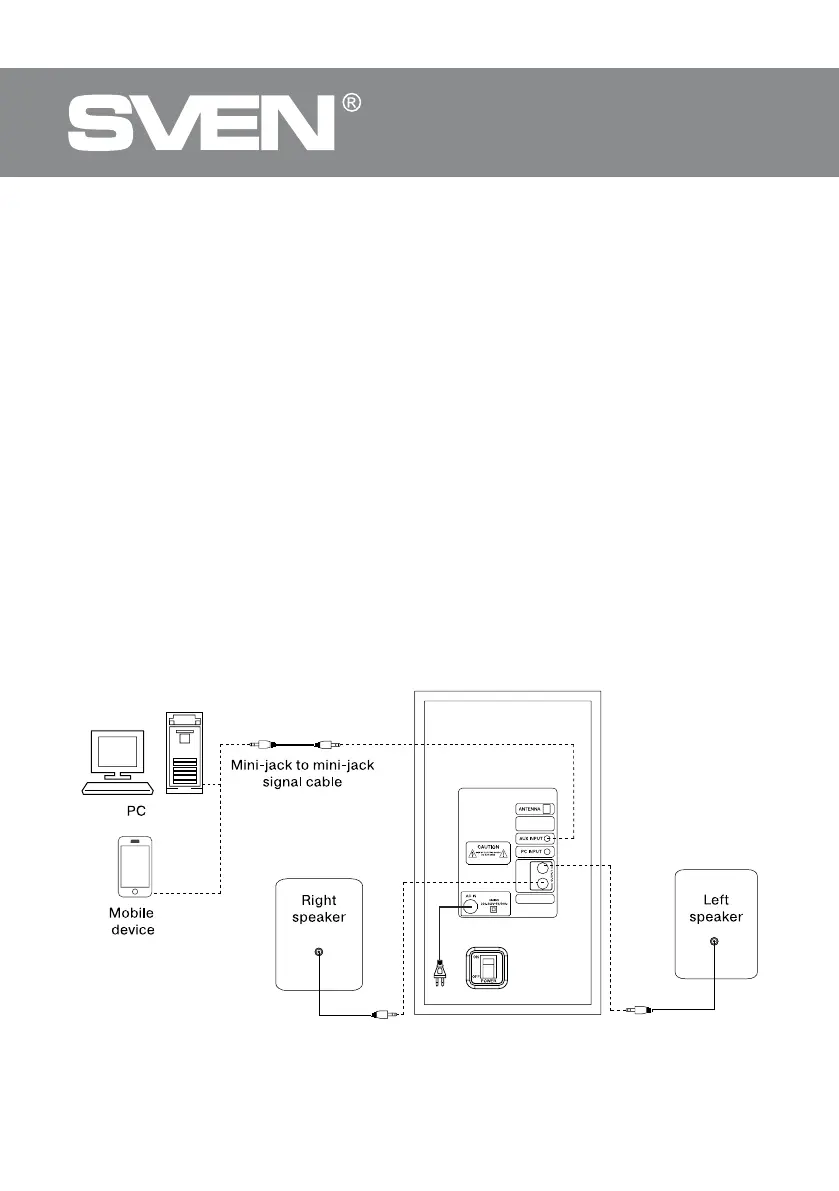
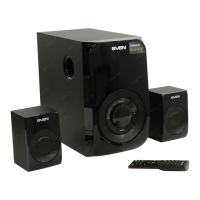
MS-2020 speaker system can be connected to virtually any audio devices: PCs, laptops, etc. (see
connection diagram in Fig. 5).
• Before making any connections, make sure the MSS is o and unplugged. Then connect
speakers to the subwoofer OUTPUT L/R i jacks using built-in audio cables. Connect the right
speaker to the subwoofer OUTPUT R and the left speaker — to the OUTPUT L (see connection
diagram in Fig. 5).
Note. Check the xation connectors.
• To wired connect the MSS use mini-jack to mini-jack signal cable (included). Connect
thesubwoofer to the mains outlet with the power cord j.
• Turn on the MSS power supply using switch (k, ON) (ON position) on the subwoofer rear panel.
• Turn on the MSS by pressing button b on the front panel or a button on the remote control.
Select a desired signal source by pressing short SOURCE b button on the control panel or pressing
SOURCE b button on the remote control.
• Adjust the master volume as desired with knob d on the control panel or with the VOL+/-
buttons e on the remote control.
Fig. 5. Connection diagram
L
R


 To Next Page