ENG
8
2.1 Multimedia
Speaker System
“Line input” Mode (PC/AUX)
• Press SOURCE button b on the front panel of the subwoofer or SOURCE button b ontheremote
control to switch to the PC/AUX mode. The display a will show «PC/AUX» inscription.
Note. Due to the constant development of the software, the actual MSS operation may
differ from described in this Manual. The most recent version of the Manual is available
atwww.sven..
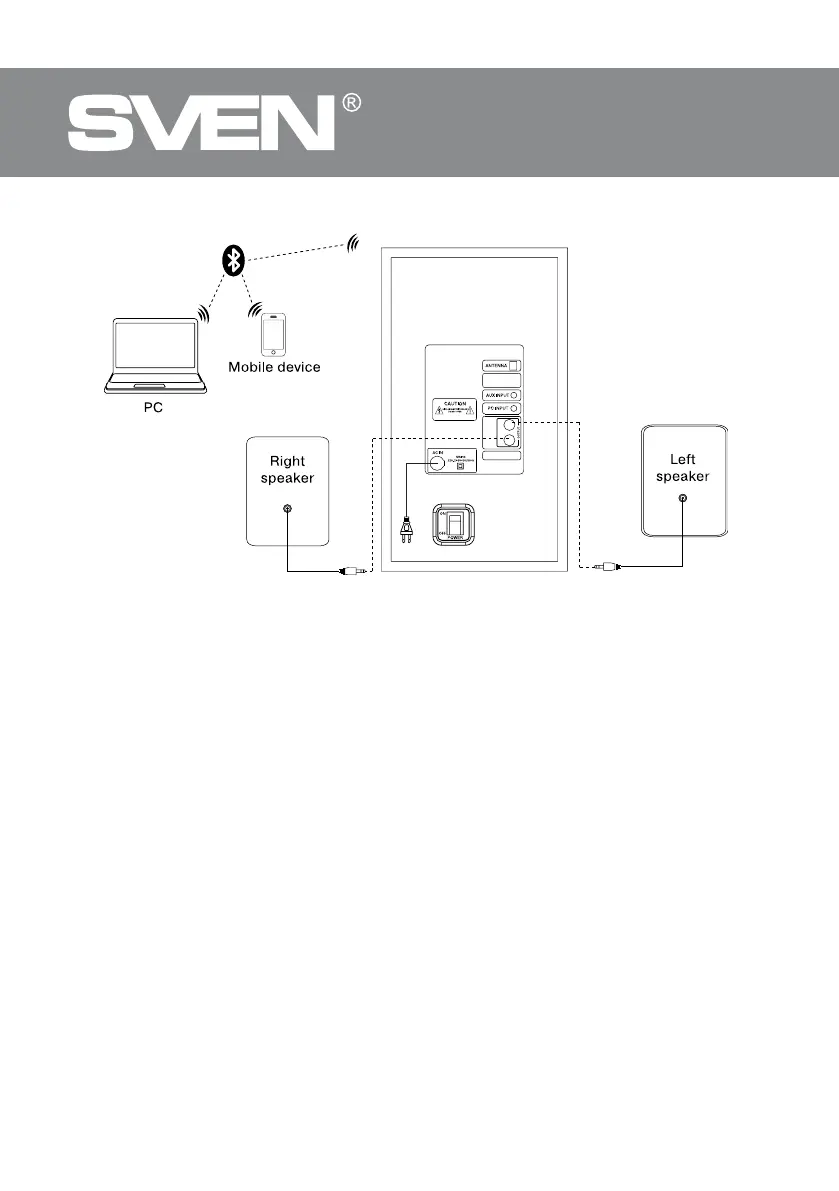
Fig. 6. Bluetooth module connection diagram
L
R


 To Next Page