ENG
Operation Manual
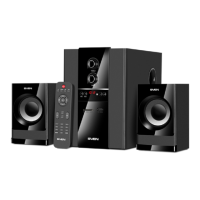
MS-2085
5
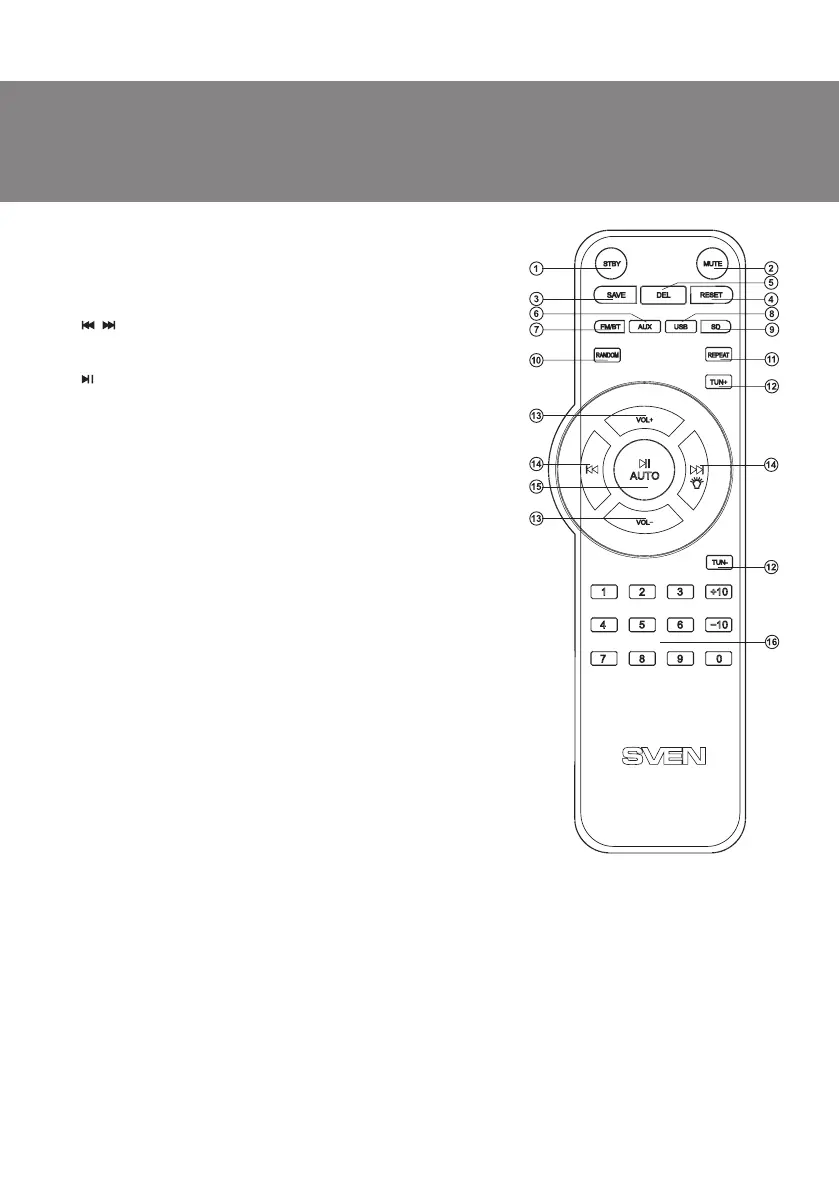
l TUN +/-: manual band scanning (in the Radio mode)
m VOL+/-: volume level control
n , : Previous/Next track (in the Player and Bluetooth
mode); previous/next station (in the Radio mode);
ON/OFF backlight (pressed long)
o , AUTO: Play/Pause (in the Player and Bluetooth mode);
start/stop auto scan (pressed long in the Radio mode)
p 0-9: numeric pad (select track number in the Player mode
or track number FM Radio)
Battery Installation
• Open the battery compartment on the back of the remote
control.
• Insert the included AAA batteries.
• Close the battery compartment.
Notes:
• Use the RC at an angle no more than 30° at a distance of no
more than 7 meters.
• Direct the remote control at the LED display on the
subwoofer.
• If the remote control does not work, check the batteries or
replace the discharged batteries with new ones.
• Remove the batteries from the RC if you don’t intend to use
it for a long time.
5. PREPARATION AND OPERATION
Speaker placement
• Place the speakers symmetrically to the listener at least one
meter away. The subwoofer emits non-directional sound,
therefore it can be located in any place of the room where it
sounds the best.
• Place MSS far away from monitors and TV sets, as insignificant
image distortion in these supersensitive devices is possible.
Fig. 4. Remote
control
Installation and operation
MS-2085 speaker system can be connected to virtually any audio devices: МР3 player, PCs, laptops,
etc. (see connection diagram in Fig. 5).
• Before making any connections, make sure the MSS is off and unplugged. Connect the right
speaker to the subwoofer AUDIO OUTPUT R with the built-in audio cable and the left speaker – to
the AUDIO OUTPUT L.
• To use satellites backlight, connect the built-in cable of each satellite to the connectors LED1f/
LED2 g.
• To connect the MSS to a PC, МР3 player, use a 2RCA to mini-jack signal cable (included). Insert the
RCA jacks of the signal cable into the L and R jacks of the PC AUDIO INPUT l, and the mini-jack of
the signal cable – into the LINE OUT port of your PC sound card or an audio output of your МР3
player, as shown in Fig. 5.
k REPEAT: repeat mode selection button (in the Player mode):
ONE – repeats the current track;
ALL – plays all tracks in the sequential order



 To Next Page