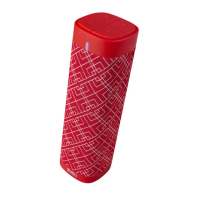
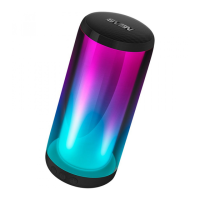
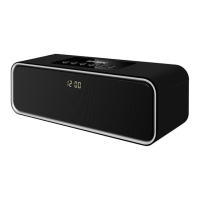
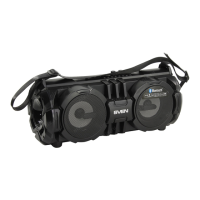
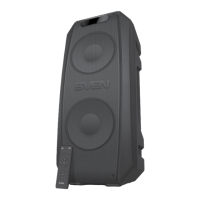
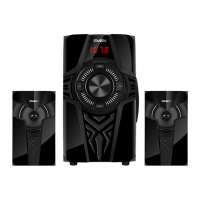
The SVEN PS-670 and PS-680 are portable speaker systems designed for versatile audio playback and communication. They feature Bluetooth connectivity, an FM-radio, and a built-in player for USB-flash and microSD cards. These systems are suitable for use with PCs, notebooks, and other mobile devices, and can also be utilized for internet telephony, video conferences, multimedia applications, interactive games, speech recognition, and foreign language teaching.
Function Description:
- Bluetooth Wireless Signal Transmission: Enables wireless connection to compatible devices like smartphones, notebooks, and PCs for audio streaming. The maximum effective range for data transfer is 10 meters, though obstacles and other electronic devices can interfere with the signal.
- FM-Radio: Includes a built-in FM tuner for listening to radio stations. It supports auto-scanning and manual station selection.
- Built-in Audio Files Player: Can play audio files directly from USB-flash drives and microSD cards. The system supports FAT32 file system for microSD cards, with a maximum volume of 32 GB. Ultra Speed microSD cards are not recommended.
- Wired Audio Signal Transmission: Allows connection to any audio source with a 3.5 mm mini-jack output via the AUX input.
- Microphone Input with Echo Function: Features a 6.3 mm jack for a microphone, complete with an adjustable echo effect, making it suitable for karaoke or public speaking.
- Wireless Connection of Two Speakers (TWS): For models PS-670/680, two speakers can be wirelessly connected to a single source in Bluetooth mode, creating a stereo sound experience.
- Built-in Equalizer: Provides sound customization options.
- Effective Multi-colored Lighting: Enhances the visual experience with various backlight modes.
- LED Display: Shows information such as mode, track number, station frequency, and other operational details.
- Remote Control: Offers convenient operation from a distance.
Important Technical Specifications:
- Frequency Response: 45 – 22,000 Hz
- Output Power (RMS): 65 W (2 × 32.5 W)
- Speaker Diameter: Ø 70 + Ø 140 mm
- Battery Capacity: 4,400 mAh (2 pcs)
- Power Supply: USB / 5V
- Weight: 4,150 / 4,350 g
- Dimensions: 470 × 240 × 240 mm
Usage Features:
- Charging: The built-in battery must be fully charged before initial use. Connect the speaker system to a USB port of a PC or a USB charger using the included USB Type-C to USB cable. The indicator (⑧) will be red during charging and will turn off once fully charged.
- Bluetooth Mode:
- To activate, press the MODE button (⑩) repeatedly until "bt" appears on the display.
- On your source device (phone, notebook, etc.), search for Bluetooth devices and select "SVEN PS-670/680".
- A short beep confirms successful connection, and the search mode indication on the speaker system will cease.
- Some devices may require the code "0000" for connection.
- If the device has been previously registered, simply select "SVEN PS-670/680" and the "connect" command.
- FM-Radio Mode:
- Press the MODE button (⑩) repeatedly until the station frequency is displayed.
- Long-press the AUTO SCAN button (⑮) to activate auto-search mode. The first scanned station will play automatically after scanning.
- Use the FM+/►►► (⑭) and FM-/K (⑯) buttons to select desired radio stations.
- Player Mode (USB/microSD):
- The system automatically enters Player mode when a USB flash drive or SD card is inserted into the respective ports (⑤ or ③).
- Use the Play/Pause button (⑮) to switch between play and pause.
- Use the FM+/►►► (⑭) and FM-/K (⑯) buttons to navigate tracks (short press for next/previous, long press for rewind/fast-forward).
- The remote control offers additional repeat modes (ONE, RAND, ALL) and direct track selection using the numeric pad.
- LINE IN Mode (Wired):
- Connect an audio source to the AUX input (②) using the 3.5 mm mini-jack to 3.5 mm mini-jack signal cable.
- Press the MODE button (⑩) repeatedly until "LINE" appears on the display.
- Microphone Usage:
- Connect a microphone to the MIC input (①).
- Adjust microphone volume using the MIC VOL +/- knob (⑱).
- Adjust microphone echo using the ECHO +/- knob (⑲).
- Volume Control: Use the VOLUME +/- knob (⑳) on the speaker or the VOL-/+ buttons (⑤) on the remote control.
- Lighting: Short-press the LIGHT button (⑪) to switch backlight modes. Long-press to turn off the backlight.
- Equalizer: Short-press the EQ button (⑬) to switch EQ modes.
- TWS Connection (for PS-670/680 models):
- Ensure both speakers are in Bluetooth mode.
- Connect one speaker to your signal source via Bluetooth (the second speaker should be in search mode).
- On the second (not connected) speaker, press and hold the TWS button (⑫). The display will show "TWS" flashing.
- Once successfully connected, the "TWS" inscription will glow constantly.
- Reset: To reset timbres and memorized radio stations, long-press the EQ button (⑬). "----" will appear on the display.
Maintenance Features:
- Battery: The battery is an integral part of the device and should not be extracted or replaced, as this may void the warranty or damage the device.
- Transportation: Shipping and transportation should only be done in the original container.
- Disposal: Dispose of the device in accordance with regulations for household and computer equipment.
- General Care: The device does not require special conditions for realization.
- Troubleshooting: If the product is damaged during transportation, contact the delivery firm. If it functions incorrectly, contact the dealer.
- Warranty: Ensure the warranty card has a shop stamp, legible signature/seller's stamp, purchase date, and that the goods number matches the warranty card. Loss of the warranty card or discrepancies in numbers will forfeit warranty repair rights.

 Need help?
 General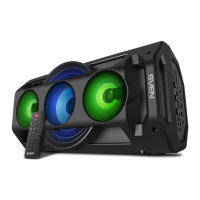

 To Next Page