ENG
4
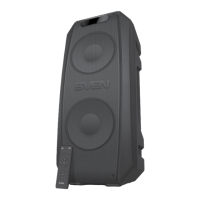
Party Speaker System
q : next track (short press in USB/SD and Bluetooth mode); track navigation (long press in USB/SD
and Bluetooth mode); next station (short press in FM radio mode); search for stations of higher fre-
quency (long press in FM radio mode).
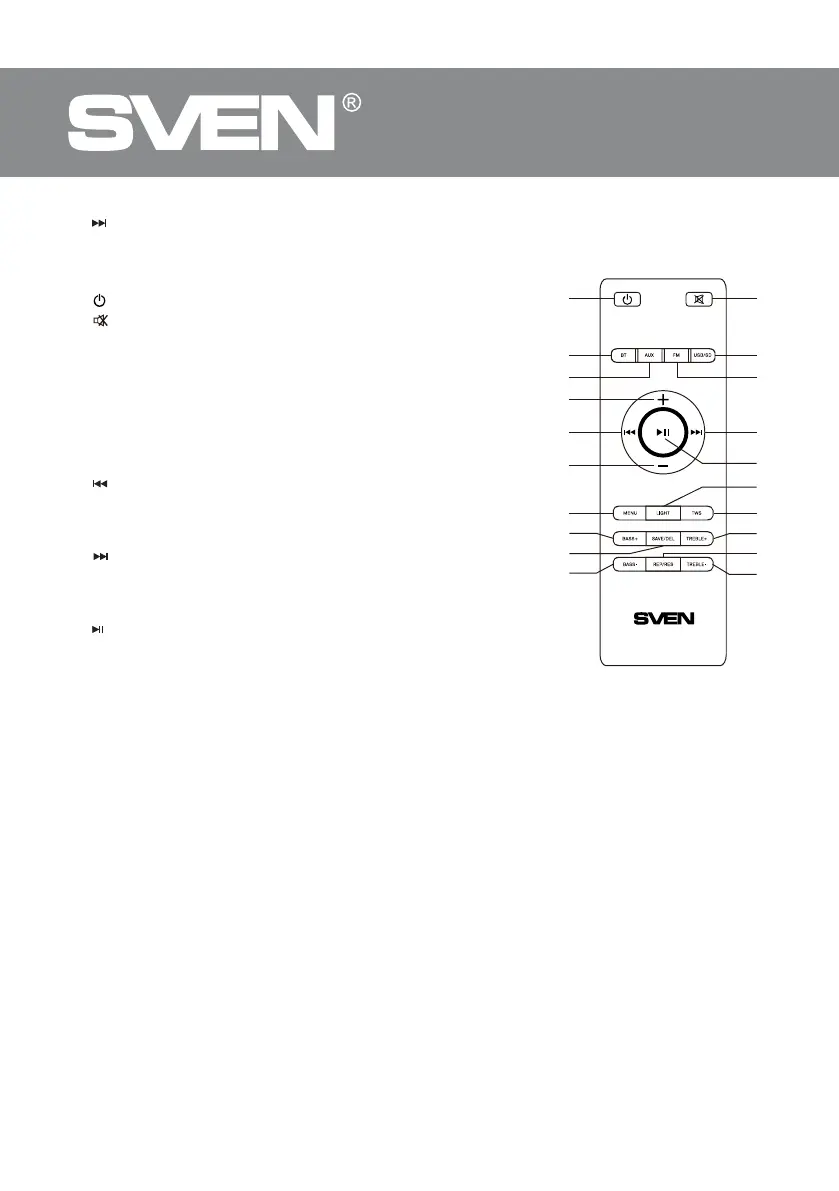
Remote control
a
: turn on/o the speakers.
b
: mute sound.
c BT: Switch to Bluetooth mode.
d AUX: Switch to AUX mode.
e FM: Switch to FM radio mode (short press); changing
the mode of switching radio stations/frequencies (long
press in FM radio mode).
f USB/SD: Switch to USB/SD mode.
g + : increase the speaker volume.
h – : decrease the speaker volume.
i
: previous track (short press in USB/SD and Bluetooth
mode); previous station (short press in FM mode); track naviga-
tion (long press in USB/SD and Bluetooth mode); search for sta-
tions lower in frequency (long press in FM radio mode).
j
: next track (short press in USB/SD and Bluetooth mode);
track navigation (long press in USB/SD and Bluetooth mode);
next station (short press in FM radio mode); search for stations
higher in frequency (long press in FM radio mode).
k
: Play/Pause button (short press in USB/SD and Bluetooth
mode); mute sound (short press in FM radio and AUX mode); dis-
connect from the signal source (long press in Bluetooth mode);
automatic search for radio stations (long press in FM radio mode).
l MENU: adjust microphone volume levels/microphone echo
level/microphone reverb level (short press); enable/disable microphone priority mode (long press).
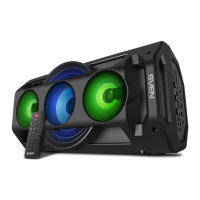
m LIGHT: change the color mode of the front vertical backlight (short press); change the speak-
er backlight color mode (long press).
n TWS: connecting an additional speaker in Bluetooth mode.
o BASS+: Increases the level of low frequencies.
p SAVE/DEL: saving station (short press in FM radio mode); delete station (long press in FM
radio mode).
q TREBLE+: Increases the level of high frequencies.
r BASS-: Reduces the level of low frequencies.
s REPEAT/RESET: change the audio le repeat mode (short press in USB/SD mode); Reset au-
dio settings (long press).
t TREBLE-: Reduces the level of high frequencies. switch backlight color; switch backlight mode.
CONNECTION AND OPERATION
Attention! The built-in battery must be charged completely prior to the application.
Speaker system battery charging
• Connect speaker system to a charger by USB Type-C cable. During battery charging the indi-
cator b is red. Indicator b will be light green when the battery is charged. The indicator turns
o when the battery is charged.
• The battery is used in the speaker system as an integral part of the device, therefore do nottry
toextract or replace it, because this can result in the warranty cancellation or the device damage.
Fig.2.


 To Next Page