EasyManua.ls Logo

Sven RX-160 - User Manual

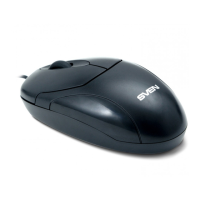
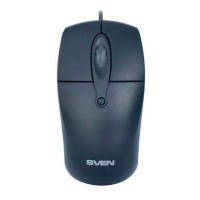
Sven RX-160
12 pages
Print Icon
To Next Page IconTo Next Page
Loading...
Мыши Sven RX-160 USB Black: Инструкция пользователя

Questions and Answers

  • W
    Wanda VillegasAug 4, 2025
    What to do if my Sven Mouse is not working?
    • B
      Brian LawsonAug 5, 2025
      If your Sven Mouse isn't working, first, disconnect it from your PC and check the connector pins for any damage. If you don't see any damage and the pins look fine, reconnect the mouse to your PC. If this doesn't solve the issue, it is recommended to address your nearest authorized service centre.

Summary

Special Features of SVEN Mouse

System Requirements

Mouse Installation Guide

Troubleshooting Common Issues

Technical Specifications

Sven RX-160 Specifications

General IconGeneral
TypeWired
DPI1600
Number of Buttons3
Connection InterfaceUSB
Cable Length1.5 m
Resolution1600 DPI
Sensor typeOptical
Scroll wheelYes
CompatibilityWindows, Mac, Linux

Related product manuals