EasyManua.ls Logo

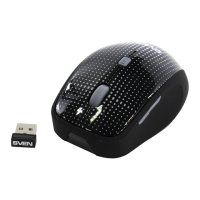
Sven RX-340 - User Manual

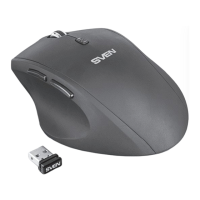
Sven RX-340
22 pages
Go to English
Print Icon
To Next Page IconTo Next Page
Loading...
www.sven.
РУКОВОДСТВО
ПОЛЬЗОВАТЕЛЯ
Беспроводная
оптическая мышь
RX-340
Wireless

Questions and Answers

  • X
    xrushAug 9, 2025
    What to do if my Sven Mouse does not work?
    • K
      Katherine AlvarezAug 9, 2025
      If your Sven Mouse isn't working, ensure the nano receiver is properly inserted into a USB port and is within 10 meters of the mouse. Also, verify that the battery is correctly installed and isn't depleted. If necessary, replace the battery with a new one.
  • A
    Abigail SmithAug 25, 2025
    Why my Sven Mouse doesn't work even with a new battery?
    • A
      Amanda MarshAug 25, 2025
      If the battery of your Sven Mouse is fine, but the device remains unresponsive, you may need to install software to coordinate the mouse and the receiver. Software can be downloaded from Support on www.sven.fi

Summary

Special Features

Package Contents

System Requirements

Description

Installation

Troubleshooting

Technical Specifications

Sven RX-340 Specifications

General IconGeneral
TypeOptical
Connection InterfaceUSB
DPI1000
Number of Buttons3
ColorBlack
Sensor typeOptical
Scroll wheelYes
Cable length1.5 m

Related product manuals