EasyManua.ls Logo

Sven RX-G930 - User Manual

Sven RX-G930
5 pages
Print Icon
To Next Page IconTo Next Page
Loading...
www.sven.fi
USER’S MANUAL
Gaming Optical Mouse
RX-G930

Other manuals for Sven RX-G930

Questions and Answers

Summary

Special Features

System Requirements

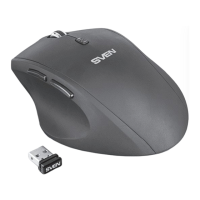
Mouse Description and Operation

Left Button

Primary button for clicking and selecting items.

Right Button

Secondary button for context menus and actions.

Scroll Wheel

Used for vertical scrolling and middle-click functionality.

DPI Switch

Button to change mouse sensitivity (DPI) on the fly.

Forward Navigation Button

Button for navigating forward in applications.

Back Navigation Button

Button for navigating backward in applications.

Installation Guide

Troubleshooting Common Issues

Technical Specifications

Sven RX-G930 Specifications

General IconGeneral
BrandSven
ModelRX-G930
CategoryMouse
LanguageEnglish

Related product manuals