EasyManua.ls Logo

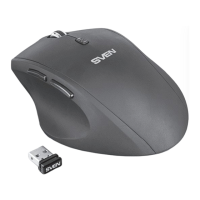
Sven RX-500 Silent - User Manual

Sven RX-500 Silent
15 pages
Print Icon
To Next Page IconTo Next Page
Loading...
Мыши Sven RX-500 Silent: Инструкция пользователя

Questions and Answers

  • M
    Megan WilliamsAug 7, 2025
    What to do if liquid gets on my Sven RX-500 Silent?
    • M
      Madison PetersonAug 7, 2025
      If liquid spills on your Sven Mouse, disconnect it immediately. Then, seek advice from a dealer or a service center. Do not use the mouse again until you have spoken with qualified specialists.

Summary

SVEN RX-500 SILENT User Manual

Safety Precautions

Guidelines for safe handling, usage, and protection of the mouse from environmental factors.

Package Contents

Lists all items included in the product box, ensuring completeness.

Special Features

Details unique functionalities and design advantages of the mouse.

System Requirements

Specifies compatible operating systems and hardware for optimal mouse performance.

Connection and Installation

Instructions on how to physically connect the mouse and its automatic setup process.

Trouble Shooting

Provides common solutions for issues users might encounter with the mouse.

Technical Specification

Presents detailed technical data, dimensions, and specifications of the mouse.

Sven RX-500 Silent Specifications

General IconGeneral
BrandSven
ModelRX-500 Silent
CategoryMouse
LanguageEnglish

Related product manuals