7. CONNECTION AND INSTALLATION
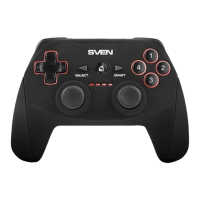
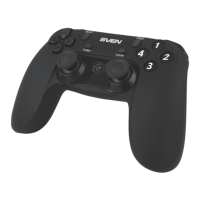
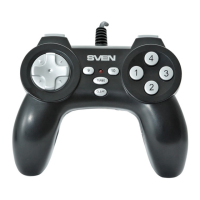
• Connect the gamepad via USB cable c to an available USB port of your PC. After connection to
your PC, the device is automatically detected as a game controller and is fully ready for use.
• For testing the game controller choose «Панель управления» → «устройства и принтеры»
(Control Panel → Devices and Printers), right-click on the icon and go to the gamepad settings.
• TURBO function (for continuous shooting).
Turbo function imitates multiple pressing and holding of any button, while it was pressed only once.
To activate this function, press any button 1-10, hold it and press TURBO button h. Now this
button will have Turbo function set up. To cancel this function, press the button programmed with
Turbo function, hold it and press CLEAR button g.
ENG
4
PC Wired Gamepad
If none of the above mentioned solutions removes the problem, please seek professional advice
at your nearest authorized service center. Never try to repair the device on your own.
8.TROUBLESHOOTING
Problem
After installation of the software,
the game controller does not
work normally.
The driver can’t be installed or it
doesn’t work after installation.
After connecting the gamepad,
its driving program can’t be
found.
Solution
А. Check whether the link cable of the controller is strongly
connected to the PC.
B. Make sure that you have installed the drivers and con-
firmed the installation.
C. Check whether the settings of the controller have any
conflicts with other peripherals’ settings.
D. Restart your PC, if the controller still doesn’t work
normally.
Direct X version is too low. It requires version of 5.0 and up.
Enter My computer → Properties → Hardware → Device
manager, delete corresponding equipment with «!» mark and
reconnect the gamepad to the PC. Then your PC will find the
driving system.


 To Next Page