EasyManua.ls Logo

SVS 4000 Series - User Manual

SVS 4000 Series
2 pages
Print Icon
To Next Page IconTo Next Page
Loading...
If your set-up doesn’t include an
Auto-EQ feature, adjust the
subwoofer volume control to
level-match to your loudspeakers.
For additional guidance on recom-
mended crossover settings, visit our
Merlin Subwoofer Matching tool at
www.svsound.com/merlin, or
contact our Sound Experts.
Set the PC-4000 volume to -10, then run auto-set-up in the AV receiver/proces-
sor. It is important to re-run your receiver’s calibration set-up if you are upgrad-
ing from another subwoofer and each time you move the subwoofer.
The font panel features an intuitive
user interface with simplified button
controls that can be used to adjust the
majority of the subwoofer’s advanced
control settings.
The SVS App is the easiest and most convenient way to
access all of the advanced control features available on
your PC-4000, from the comfort of your favorite seat.
The included IR remote is another
convenient way to adjust your
subwoofer’s advanced control
settings.
1
Unbox It
Quick Start Guide
PC-4000
4
Get Control
5
Get Calibrated
HOME / VOLUME
MOVIE
PRESET
LOW PASS FILTER
OPTIONS
-22
SUBWOOFER DISPLAY - ON/OFF
ENTER
UP
DOWN
BACK
10050
20 40
200
0
6
4
2
0
-2
-4
-6
-8
-10
-12
PEQ1
ACTIVE
PEQ2
ACTIVE
PEQ3
DISABLED
BOOST: 0 dB
Q FACTOR: 1.2
FREQ: 200
Hz
PARAMETRIC EQ
MIC INPUT
AUTO EQ - START
If you followed the PC-4000 Subwoofer unboxing instructions properly you will
have the following items in front of you. Please confirm all pieces are available
before continuing.
Congratulations on choosing the SVS PC-4000, one of the most powerful and advanced subwoof-
ers available. We know you’re anxious to get it cranking so the following the steps will guide you
through the quick and easy installation process.
We strongly recommend reading the PC-4000 Owner’s Manual to get the best possible
performance out of your new subwoofer. You’ll find useful information about subwoofer
placement, connections, DSP functions and more. The full SVS PC-4000 Owner’s Manual can be
found here: www.svsound.com/pc-4000-manual
Your SVS PC-4000 Subwoofer can be controlled from the new SVS Mobile App,
an included IR Remote Control or via the front panel for unprecedented flexibil-
ity when optimizing performance for room layout, speakers, system set-up
and more.
Download The App
In The Box
On The Subwoofer
For iOS
& Android
Devices
[PC-4000 Subwoofer]
[Including SoundPath Subwoofer Isolation System and Removable Top Cap]
[Detachable Power Cord] [IR Remote Control][Port Plug]
REG
ISTER
REG
ISTER
Register Your
New SVS Product:
Thank you for choosing SVS! Registering your SVS product expedites any Sound Experts
support requests, confirms your warranty registration and provides a proof of purchase.
Plus, as a registered customer, you’ll be the first to get SVS news and updates.
Register your product now at: www.svsound.com/register
Question and Answer IconNeed help?

Do you have a question about the SVS 4000 Series and is the answer not in the manual?

Summary

Get Control

Download The App

Easiest and most convenient way to access advanced control features from your favorite seat.

In The Box

Includes IR remote for convenient adjustment of subwoofer's advanced control settings.

On The Subwoofer

Intuitive front panel interface with simplified button controls for advanced settings.

Unbox It

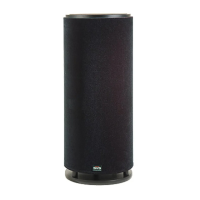
PC-4000 Subwoofer Package

Confirmation of included items: subwoofer, isolation system, and top cap.

Included Accessories

Confirmation of included power cord, port plug, and IR remote control.

Get Calibrated

Auto EQ Setup

Set volume to -10 and run AV receiver auto-setup for proper calibration.

Manual Level Matching

Adjust subwoofer volume to level-match if Auto-EQ is unavailable.

Set It Up

Subwoofer Placement Options

Corner, front, and side wall placements and their effects on performance.

Hook It Up

Single LFE Channel Connection

Connect AV Receiver's "SUB 1" output to PC-4000's "LFE" input.

Stereo;Preamp Connection

Connect receiver/preamp stereo outputs to subwoofer line inputs.

Need Help?

Contact Sound Experts

Support for placement, installation, calibration, and general advice.

Overview

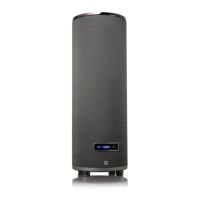
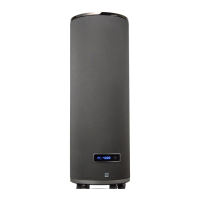
The SVS PC-4000 Subwoofer is a powerful and advanced audio device designed to enhance the low-frequency performance of a home theater or audio system. It offers a comprehensive suite of control options, flexible placement recommendations, and straightforward connectivity to integrate seamlessly into various setups.

Function Description:

The SVS PC-4000 Subwoofer is engineered to reproduce deep, impactful bass frequencies, adding a new dimension of realism and immersion to movies, music, and games. It is designed to work in conjunction with an AV receiver or preamplifier, taking the low-frequency effects (LFE) channel or stereo line-level signals and converting them into audible bass. The subwoofer's advanced DSP (Digital Signal Processing) allows for precise tuning and optimization to match the acoustic characteristics of any room and integrate with existing loudspeakers. Its cylindrical form factor is not just aesthetic but also contributes to its acoustic performance and allows for a smaller footprint compared to traditional box subwoofers of similar capability.

Usage Features:

Control Options:

The PC-4000 offers three primary methods for control, providing users with flexibility and convenience:

  1. SVS Mobile App: This is the most comprehensive and user-friendly control method. Available for both iOS and Android devices, the app allows access to all advanced control features from the comfort of a listening position. This includes volume adjustments, parametric EQ settings, low-pass filter controls, phase adjustments, and more. The app's graphical interface makes it easy to visualize and apply changes, offering a high degree of precision in tuning. For instance, the parametric EQ allows users to identify and correct room modes or "dead spots" by adjusting specific frequency bands, Q-factor, and gain. The app also supports auto-EQ features, which can help in initial setup and calibration.

  2. IR Remote Control: An included IR remote provides a convenient way to make quick adjustments to common settings. This is ideal for users who prefer a physical remote or for situations where a mobile device is not readily available. The remote typically allows for volume control, preset selection (e.g., Movie, Music), and other basic functions, making it easy to fine-tune the subwoofer's output during a listening session.

  3. Front Panel Interface: The subwoofer itself features an intuitive front panel with simplified button controls and a display. This allows for direct adjustments to the majority of the subwoofer's advanced control settings without needing the app or remote. The display provides visual feedback on current settings, making it easy to navigate through menus and make changes directly on the unit. This is particularly useful for initial setup or when troubleshooting.

Placement Flexibility:

The PC-4000 is designed to perform well in various room placements, with specific recommendations to optimize performance:

  • Corner Placement: This option typically offers the most impact and helps reduce the potential for bass nulls or "dead spots" in the room. While it can sometimes lead to "boominess," this can often be mitigated by pulling the subwoofer slightly away from the wall and utilizing the DSP tuning controls (e.g., parametric EQ) to smooth the response.
  • Front Placement: Placing the subwoofer between or to the side of the front channel speakers often results in the best blending with the main speakers and center channel. This placement minimizes localization effects, making the bass sound like it's coming from the overall soundstage rather than a distinct source.
  • Side Wall Placement: Although less frequently used, side wall placement can be an effective option for achieving excellent accuracy and output, depending on the room's acoustics and layout.

Connectivity:

The PC-4000 offers versatile connectivity options to integrate with different audio systems:

  • Single LFE Channel Connection: For most setups, a single RCA subwoofer interconnect cable from the AV receiver's "SUB 1" output to the PC-4000's "LFE" line level input is sufficient. This simplifies wiring and ensures the subwoofer receives the dedicated low-frequency effects channel.
  • Stereo Line Level Connection: For systems with separate preamplifiers and power amplifiers, or stereo receivers without a dedicated LFE output, the PC-4000 can be connected via left/right line-level inputs. This allows the subwoofer to receive a full-range stereo signal, with the internal DSP managing the crossover to reproduce only the low frequencies.
  • Trigger Input: A 3V-12V AC/DC trigger input allows the subwoofer to be automatically turned on or off in conjunction with other system components, enhancing convenience and power efficiency.

Calibration and Setup:

The manual emphasizes the importance of proper calibration for optimal performance:

  • Initial Volume Setting: It is recommended to set the PC-4000 volume to -10 before running an auto-setup in the AV receiver/processor. This ensures that the receiver has enough headroom to properly calibrate the subwoofer's output.
  • Re-running Calibration: If upgrading from another subwoofer or moving the PC-4000 to a new location, it is crucial to re-run the receiver's calibration setup. This ensures that the subwoofer's output is correctly integrated with the rest of the system and optimized for the new acoustic environment.
  • Manual Level Matching: For setups that do not include an auto-EQ feature, users should manually adjust the subwoofer volume control to level-match it with their loudspeakers, ensuring a cohesive soundstage.
  • Crossover Settings: SVS provides resources like the "Merlin Subwoofer Matching tool" on their website to help users determine recommended crossover settings for their specific loudspeakers, further optimizing system integration.

Maintenance Features:

While the manual does not explicitly detail maintenance features, the design and included components suggest a focus on long-term reliability and user convenience:

  • SoundPath Subwoofer Isolation System: The inclusion of this system helps decouple the subwoofer from the floor, reducing unwanted vibrations and resonances. This not only improves sound quality but also minimizes potential wear and tear on the subwoofer's components by reducing external stress.
  • Removable Top Cap: This feature suggests ease of access or customization, although its specific maintenance implications are not detailed. It could potentially allow for cleaning or access to internal components if needed.
  • Detachable Power Cord: A detachable power cord simplifies setup, storage, and replacement if the cord ever becomes damaged, contributing to the longevity and serviceability of the unit.
  • Port Plug: The inclusion of a port plug allows users to seal one of the subwoofer's ports, effectively changing its acoustic characteristics from ported to sealed. This provides flexibility in tuning the subwoofer's response to different room environments or personal preferences, and can also be used to mitigate port noise in certain situations. While not strictly a maintenance feature, it contributes to the subwoofer's adaptability and potential for long-term optimal performance in varying conditions.

Overall, the SVS PC-4000 Subwoofer is designed to be a high-performance, user-friendly, and adaptable audio component, offering extensive control and setup options to deliver an exceptional low-frequency experience.

SVS 4000 Series Specifications

General IconGeneral
Driver Size13.5 inches
Amplifier Power1200 watts RMS
Peak Power4000 watts
InputsStereo RCA
OutputsStereo RCA
Wireless ConnectivityNo
Finish OptionsBlack Ash

Related product manuals