SV Sound
Chapter 8-4
Option 2: Measure the Combined FR of the Speakers and Subwoofer:
To measure the combined FR of the front speakers and subwoofer (to in-
clude the digital crossover in your processor), connect your sound card
output to an analog input on your processor. Make sure the analog input is
configured to use the digital crossover between the speakers and the sub-
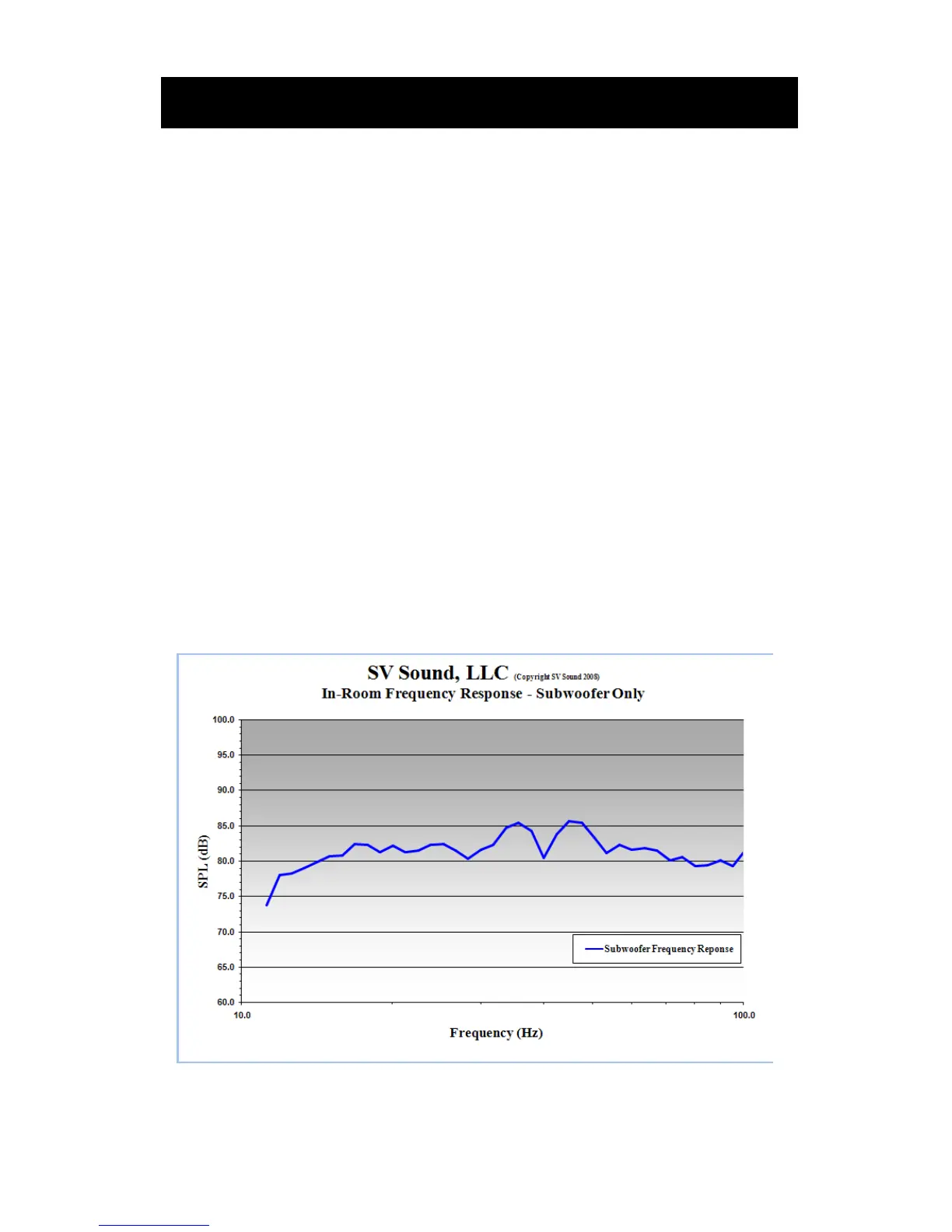
woofer. Use the Excel spreadsheet named Speaker And Subwoofer Com-
bined Frequency Response, which will plot the frequency response from
11.2 Hz to 201.6 Hz. Input your raw (direct read) values from your SPL
meter into the green band of frequencies in the Raw SPL Data worksheet,
and the Frequency Response worksheet will plot the combined FR of the
speakers and subwoofer.
Adjusting The PEQ: Identify the largest/widest peak in the response and
target it for reduction with the PEQ control. When making adjustments to
the PEQ control, there is no need to re-plot the entire FR for interim adjust-
ments simply re-plot the affected section of the curve to verify your PEQ
adjustments are having the desired effect. When you are done making
adjustments, you can re-plot the entire frequency response to obtain a final
curve.


 To Next Page