10
3.5 Editing Front, Center & Back Green Locations
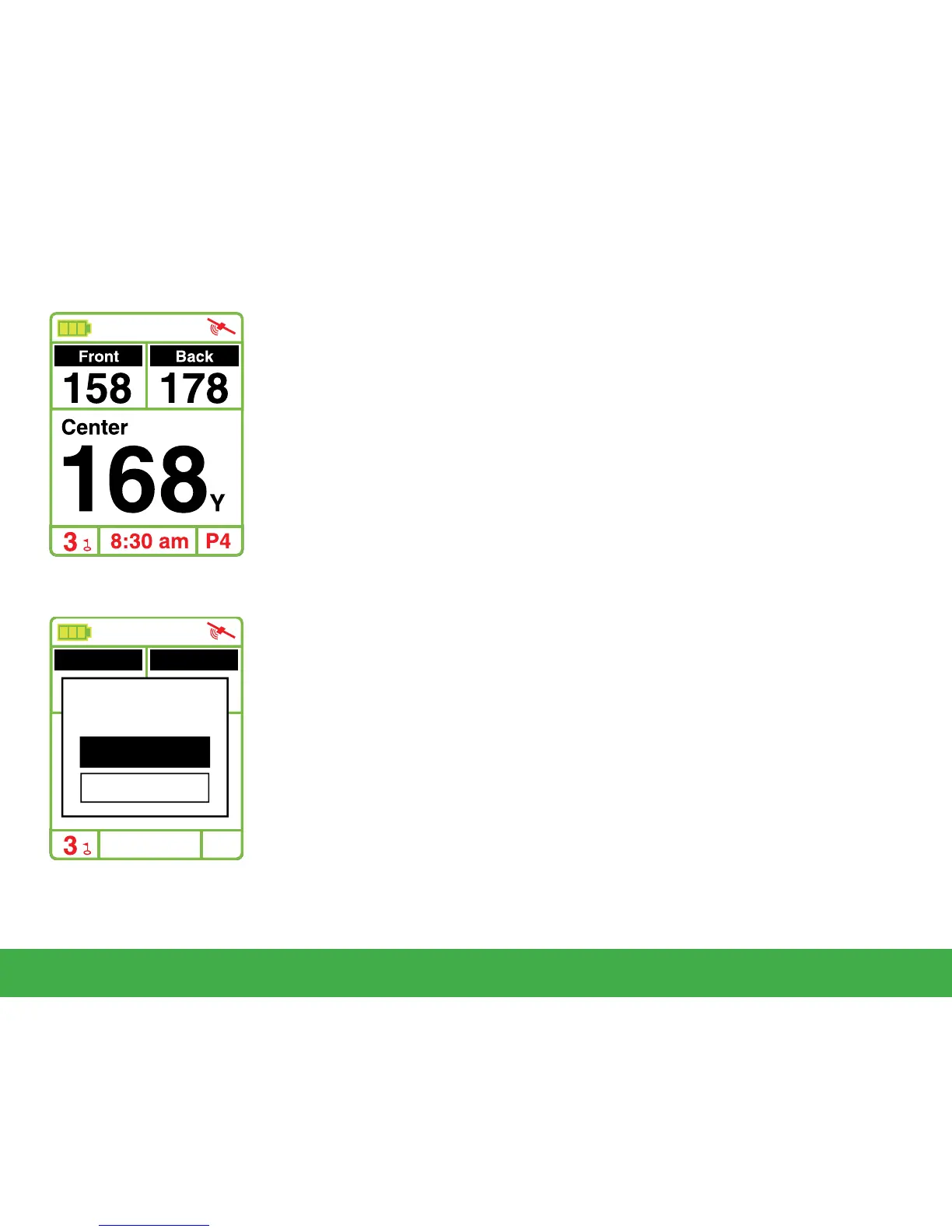
To make changes to the Swami 4000+ green distances, you must
be on the hole you would like to edit. To begin, press and hold the
[
Page
]
key for 3 seconds while on the Play Mode screen. The top
of the screen will read “Map” while editing the green distances.
1. Use the
[
Up
]
and
[
Down
]
keys to select the Front, Center or
Back of green. (Note: The yardage of the front, center or back
of the green will begin blinking when selected).
2. Next, stand with the Swami 4000+ at the point of new green
location. (Example: If you are editing the front of the green,
stand with the Swami 4000+ at the point you wish to mark as
the new front of the green).
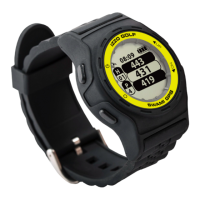
3. Press
[
Enter
]
key while standing at the new position of the
green. A pop up message asking “Map New Front?” will
appear.Then press [Enter] to select “OK” conrming the
new location.
The new location where the GPS unit is located should read
“0” yards. (Example: If you edited the front of the green, you
are now standing 0 yards between you and the front of the
green). This change will be saved on your Swami 4000+ for
future use.
Using Swami on the Course
8:30 am
158 178
Front Back
168
Center
Map
Map New Front?
OK
Cancel
P4



 To Next Page