1. General Description of Hardware
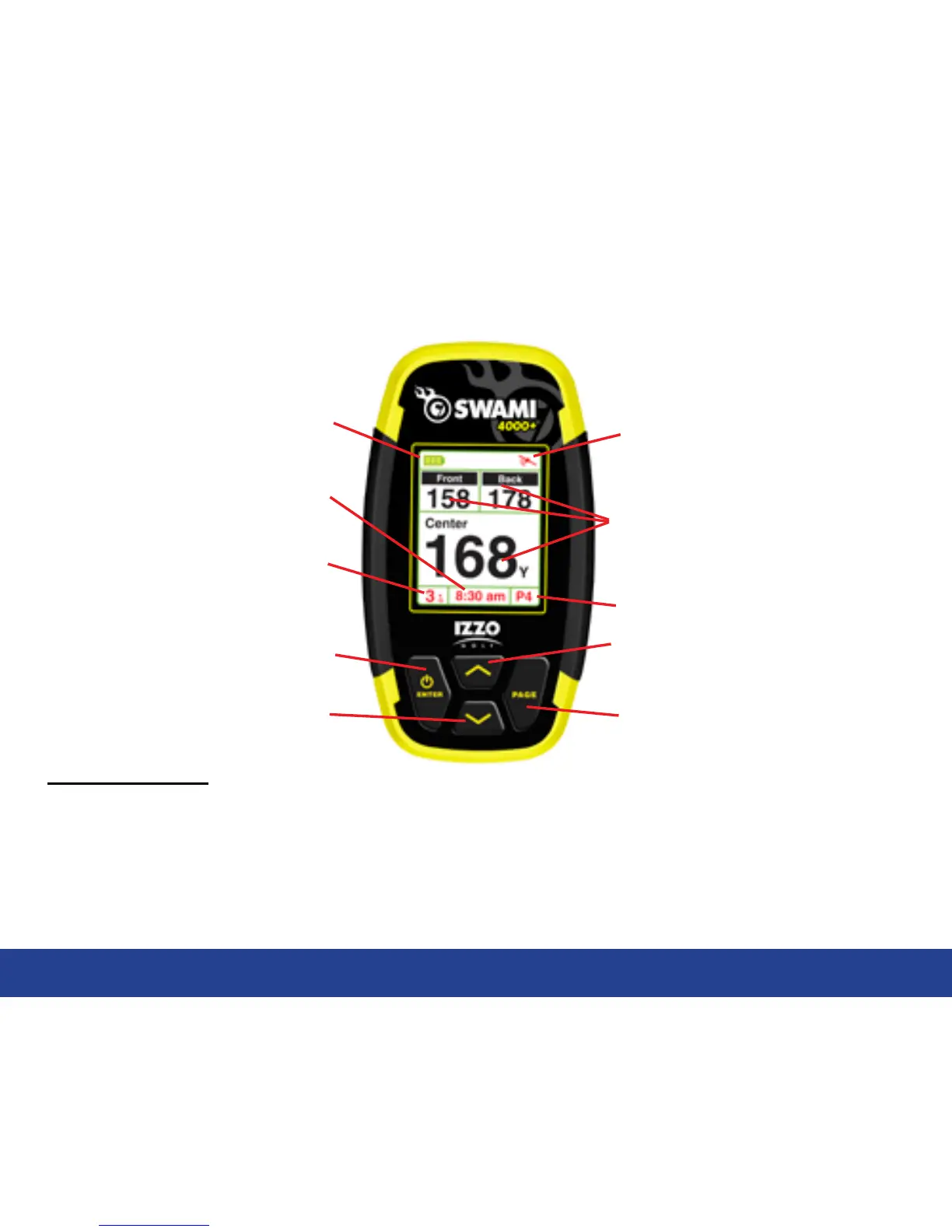
1.1 Screen Display Description
3
Key Description:
• Enter / Power Key: Hold to power on, press to select options.
• Page Key: Press to toggle between distances to Green or Hazards in Play Mode
• Up Key: Scroll Up
• Down Key: Scroll Down
Satellite Signal
Page Key
Up Key
Hole Number
Enter / Power Key
Down Key
Battery Level
Distance to the Front, Center
and Back of the Green
Time
General Description of Hardware
Hole Par


 To Next Page