Using Swami on the Course
4.5 Odometer
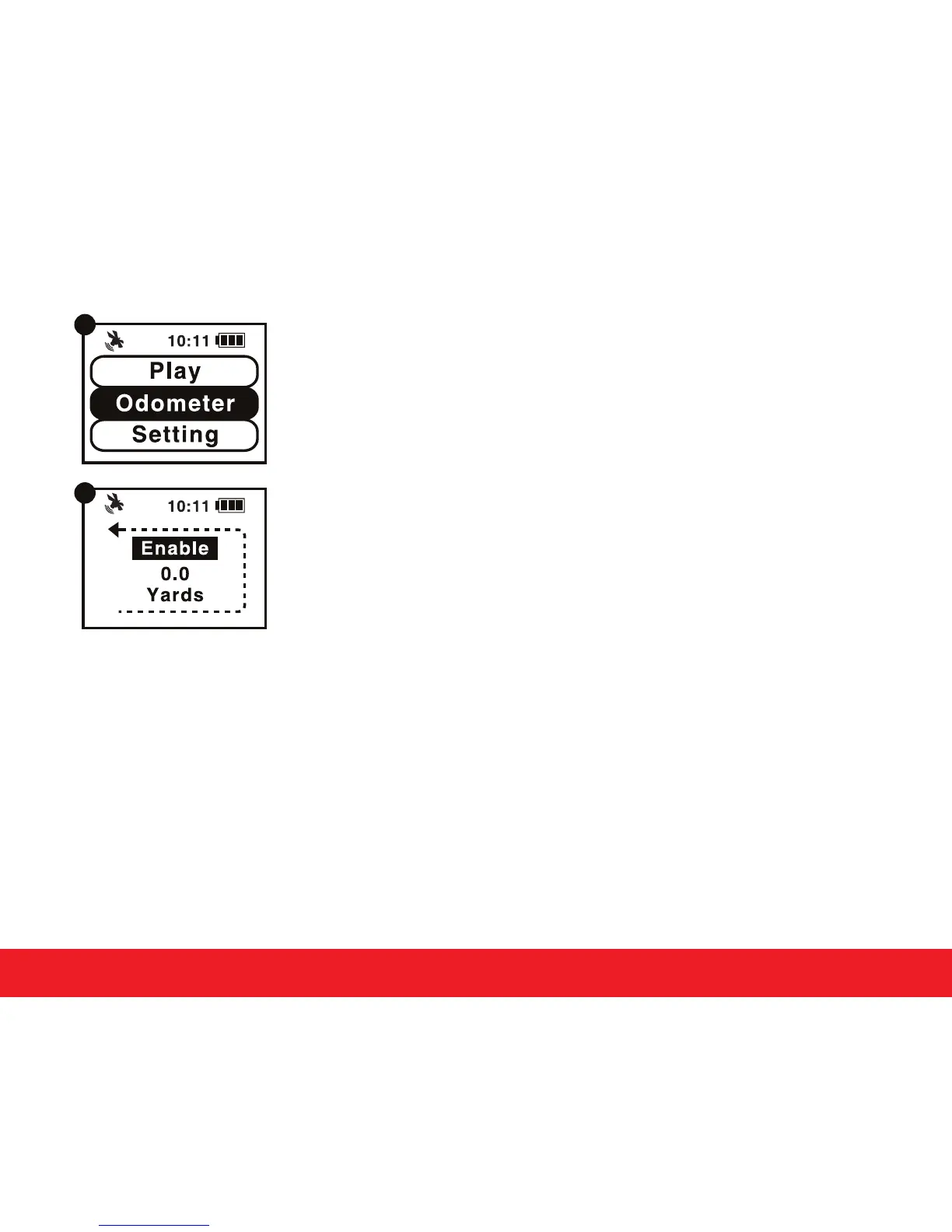
1. From Time Mode or Play Mode, press and hold OK/Menu
key to access Main Menu.
2. Use Up
or Down key to select Odometer and press
OK/Menu key (Figure A).
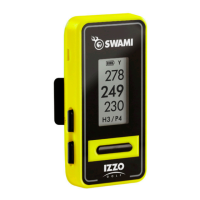
3. Press Up key to Enable Odometer (Figure B).
(Note: Will beep three times when ready)
4. Press Up key again to Disable Odometer.
5. Press Down key to reset Odometer.
6. To exit Odometer, press and hold OK/Menu key to return
back to Main Menu.
7. Press and hold OK/Menu key again will return back
to Time Mode page.
4.6 End Round
1. Press and hold OK/Menu key to return back to Main Menu will end the golf round.
2. Press and hold OK/Menu
key again to return back to Time Mode page.
9
A
B


 To Next Page