Using Swami on the Course
8
1. From Shot Distance screen, press OK/Menu key to switch to Scorecard screen.
2. Use Up or Down key to see scorecard for each hole.
3. To change the default Par press and hold Down key to access Edit mode. Use Up or
Down key to change the par then press OK/Menu key.
4. To change the Score press and hold Up key to access Edit mode. Use the Up or
Down key to change score for the hole then press OK/Menu key.
5. Press OK/Menu key to return to Play Mode screen.
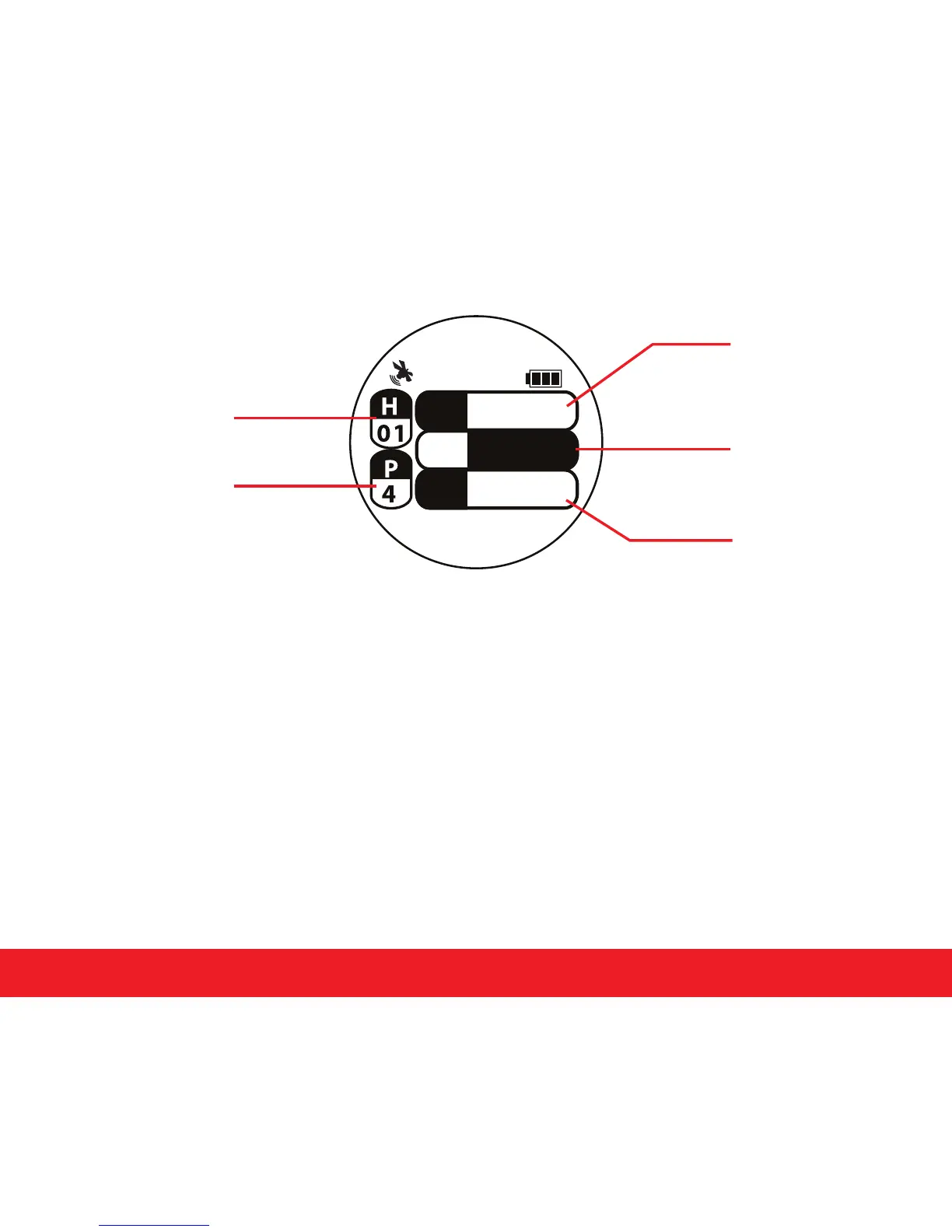
4.4 Electronic Scorecard
Hole Number
User Score
Par
Total Score for
Round/ Total Par
for Course
10:11
S 4
P
-3 5 4/72
4
Par Number


 To Next Page