Using Swami on the Course
7
4.3 Shot Distance
1. From Green View page, press OK/Menu key to switch to
Shot Distance page.
2. Press & hold Down key to reset distance to 0.
3. Press & hold Up key to start marking.
4. Press & hold Down key to reset when nished.
5. Press OK/Menu key twice to return to Play Mode screen.
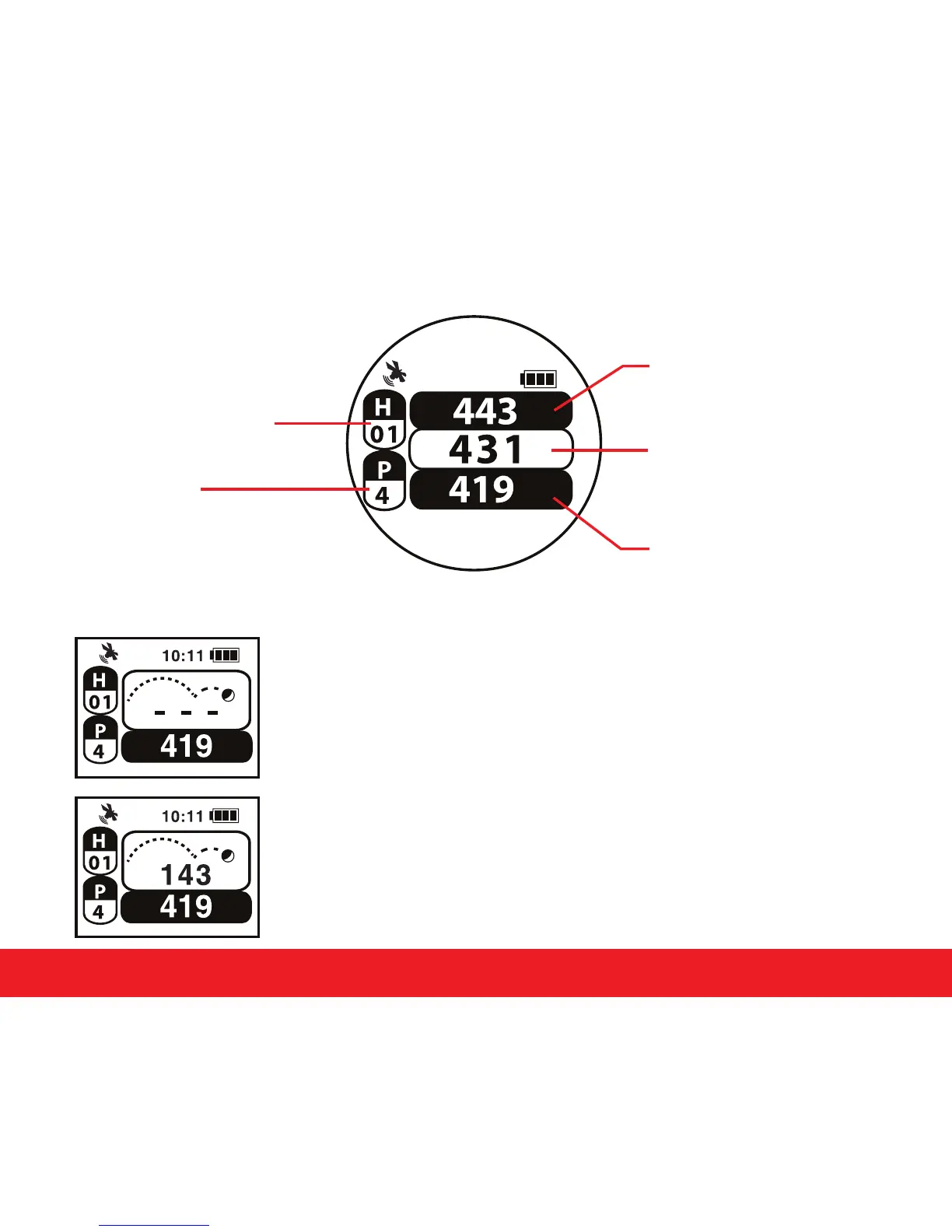
4.2 Play Mode
Current Hole Number
Indicates Par
for the Hole
Distance to the Back
of the Green
Distance to the Center
of the Green
Distance to the Front
of the Green
10:11


 To Next Page