5
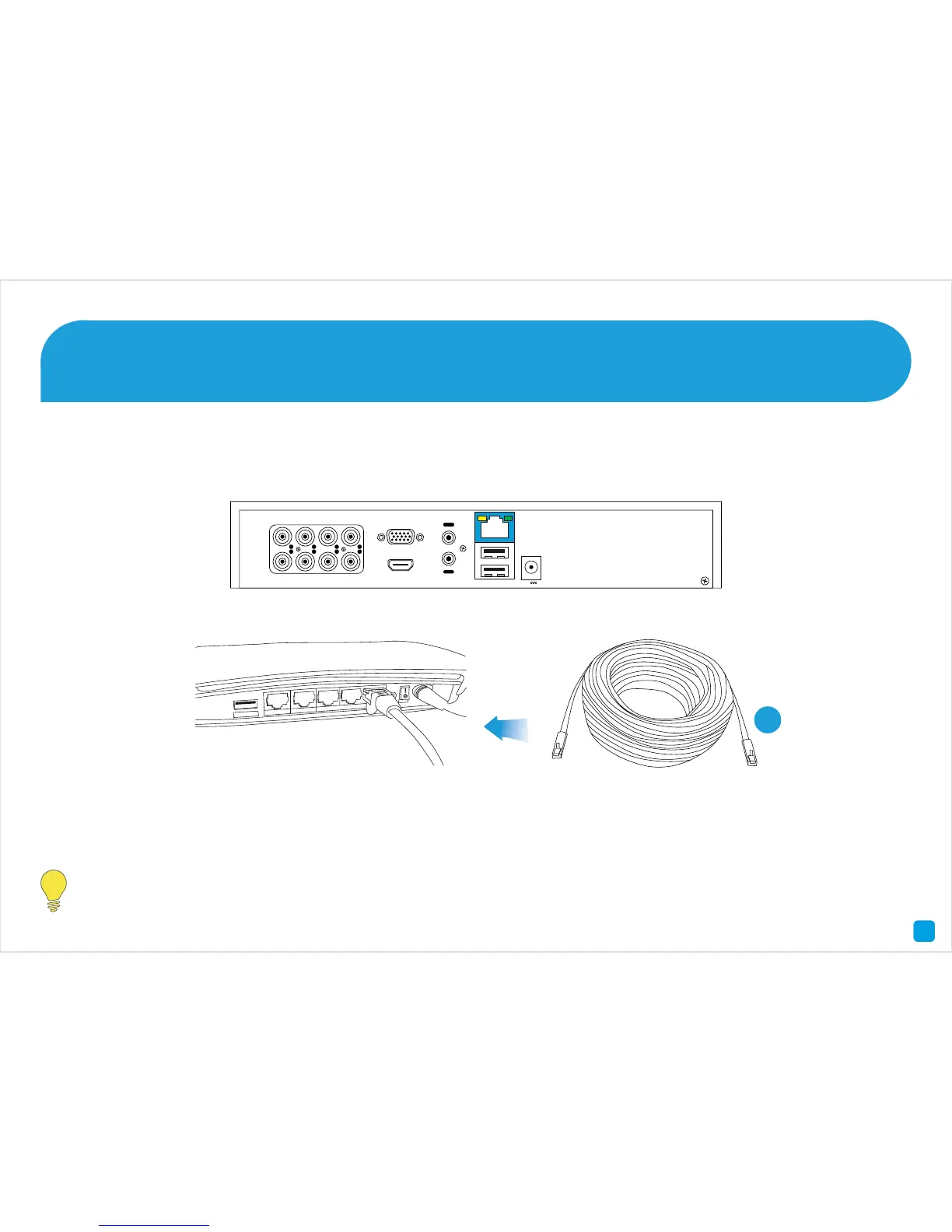
Connect the supplied Ethernet cable (1) to the LAN connection on the DVR then connect the other end to a spare port
on your router or wireless access point.
It’s important that you do this as this allows you to access the DVR from your smartphone or tablet and to send
you email notifications. It also allows the DVR to connect to the Internet to update its internal clock.
Connect the DVR to your Home Network 2
5






 To Next Page