24
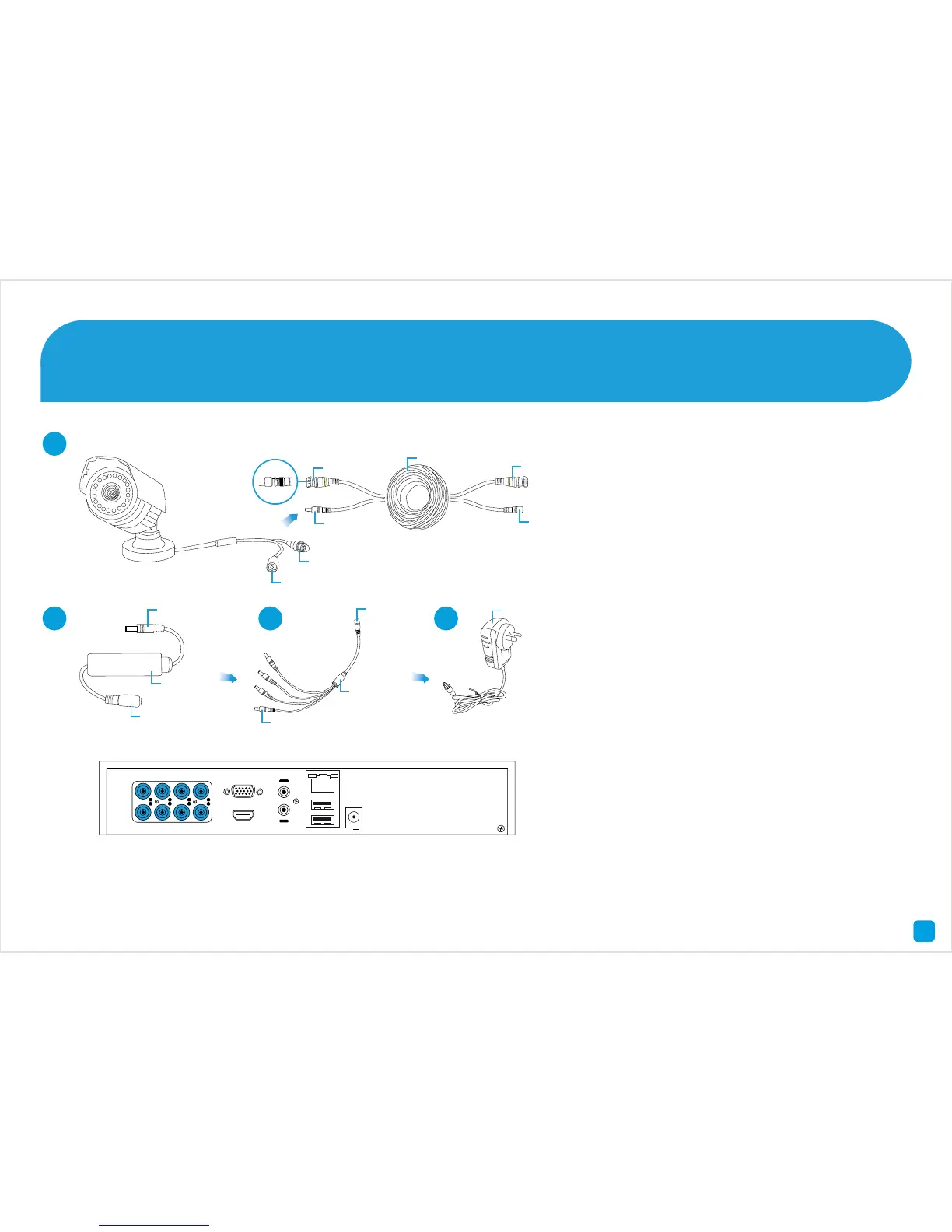
Connect your Cameras 1
1. Connect the Video Output and Power
Input connections on the camera to
the corresponding connections on the
supplied Video & Power cable.
2. Connect the supplied Inline Filter to
the corresponding power connection
on the Video & Power cable.
3. Connect the supplied Power Splitter
cable to the other end of the Inline
Filter. Repeat the above steps for each
camera included with your DVR.
4. Connect the supplied Power Adapter
to the other end of the Power Splitter
then connect the Power Adapter to
a spare wall socket. Press the wall
socket’s switch to the on position to
supply power to the cameras.






 To Next Page