English version
7
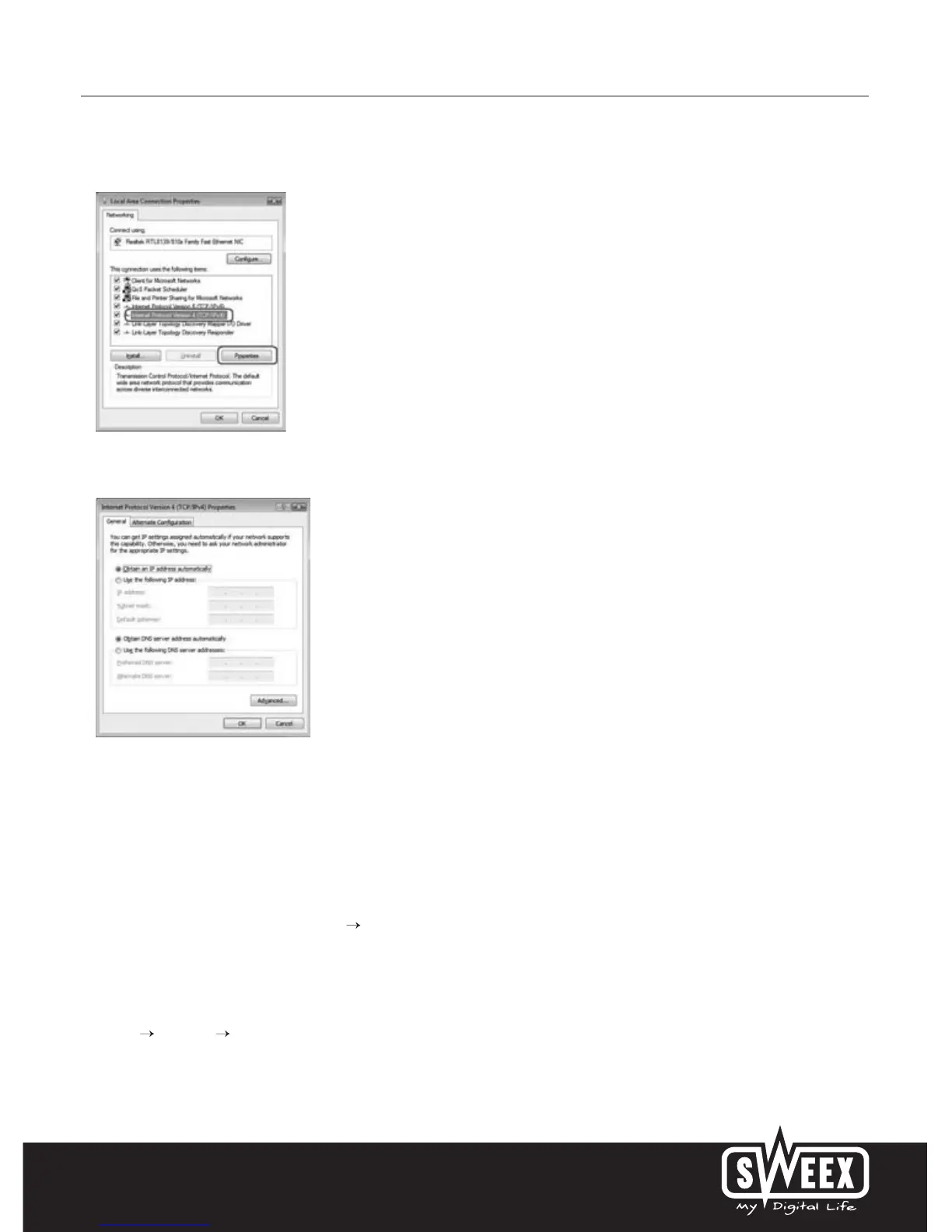
Right-click “LAN Connection” (LAN Connection) or “Wireless Network connection” (Wireless Network connection) and select “Properties”
(Properties). The following screen appears:
Now select “Internet Protocol Version 4 (TCP/IPv4)” and click “Properties” (Properties).
Select the options “Obtain an IP address automatically” (Obtain an IP address automatically) and “Obtain DNS server address automatically”
(Obtain DNS server address automatically).
Confirm the settings by clicking “OK”. The network settings have now been configured correctly for Vista. The correct settings for the Internet
browser will be discussed later in this manual.
Windows XP
In the bottom left of your screen, go to “Start” “Control Panel”
Then go to “Network and Internet Connections”.
Open “Network Connections”.
Or, if the Windows classic style is used:
“Start” “Settings” “Network Connections”.
Right-click “LAN Connection” or “Wireless Network Connection” and select “Properties”. The following screen appears:



 To Next Page