English version
14
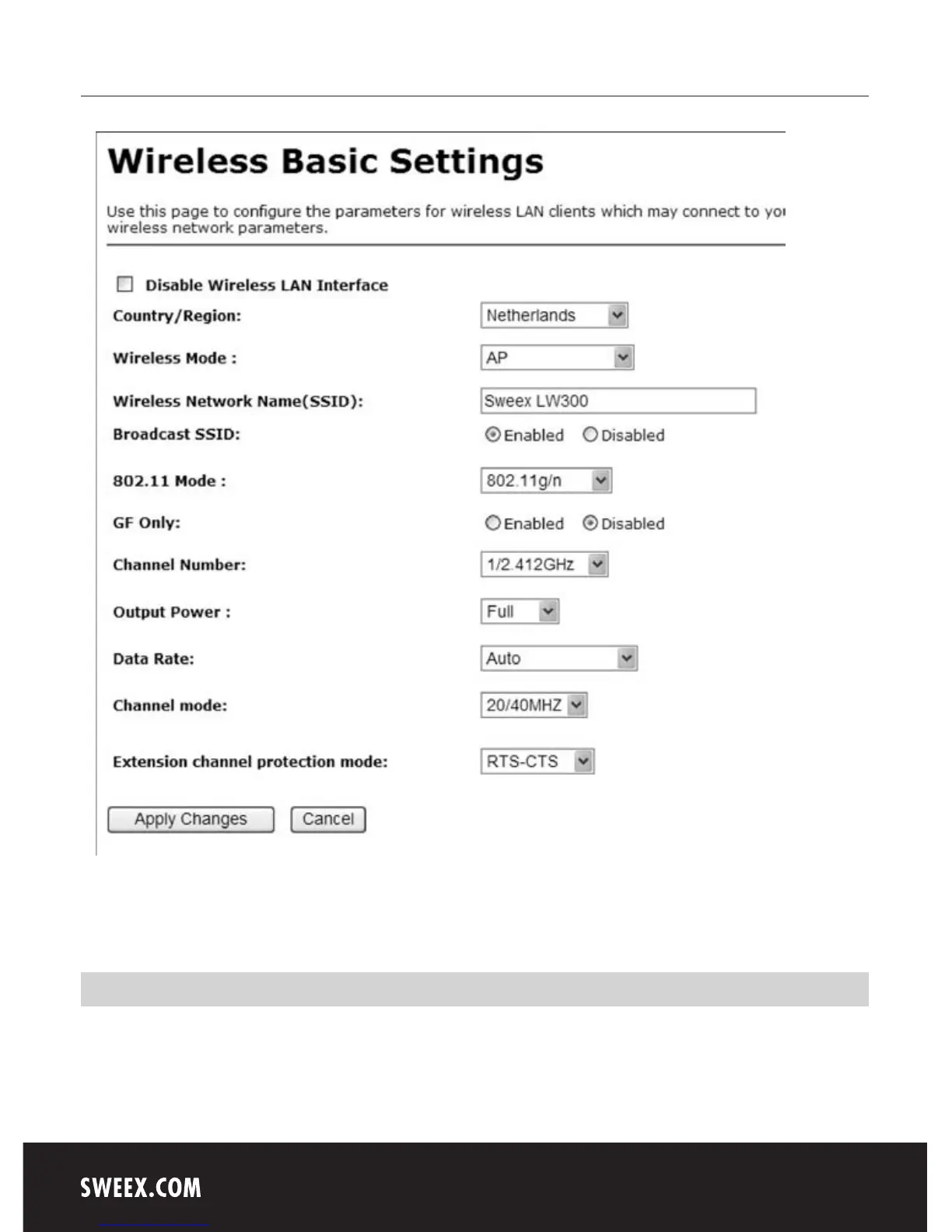
The default SSID is “Sweex LW300”. We recommend not changing this so you can always recognise the router. Here you can also find other options
such as “Channel” and “Mode”. We again recommend maintaining the default values. You can enable or disable the wireless part under “Disabled
Wireless LAN Interface”. This feature is enabled by default.
Securing the wireless network
There are two ways of protecting the wireless network in the Sweex Wireless Broadband Router 300 Mbps. The familiar manual way (WEP, WPA
and WPA2) where you determine and enter a network key yourself, or with the WPS (WiFi Protected Setup) function, where the router and the
computer “agree” on a network key and automatically use this with the click of a button in order to protect the network.
It is not possible to use both methods simultaneously. So if your computers do not support WPS, we recommend you use WPA or WPA2 protection.



 To Next Page