English version
5
Specifications
• Capacity: 1000 VA, 600W
• 4 x power outlets
• Input voltage: 160V – 280V, Input frequency: 50Hz ± 5%
• Output voltage: 220V ± 5%, Output frequency: 50Hz ± 1%
• Battery capacity: 2x 7AH
• USB connection to computer
• RJ11 connection for telephone/fax
• Software suitable for Windows 98SE, 2000 and XP
Additional specifications
• Battery back-up time*: 25-30 minutes for a single PC (500W power supply) and a single 17” TFT VDU.
• Switching time
6 ms
• Noise: < 45 db
• Dimensions: 225 x 124 x 380 (h x w x d)
• Weight: 10 kg
*The time span during which the Sweex Manageable UPS 1000 VA can supply power to equipment connected to it once power fails, always
depends on the total load on the UPS.
Hardware Installation
1. Ensure that the computer you want to connect to the UPS is switched off.
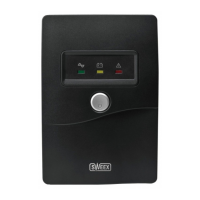
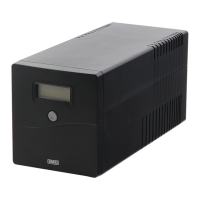
2. Connect the power supply cable of the computer to the power outlet of the Sweex Manageable UPS 1000 VA.
3. Connect the UPS to the mains network.
4. Switch on the UPS by pressing the button at the front of the device.
5. Switch on the computer again.
Note:
• Do not connect the USB cable before the software has been installed.
• The Sweex Manageable UPS 1000 VA has been designed to protect computer systems. Connecting other electrical devices is not recommended
and entirely at one’s own risk.
• The UPS needs to be charged for a period of ± 8 hours in order to reach its full back-up capacity.



 To Next Page
 Loading...