©2016 SwellPro All Rights Reserved
28
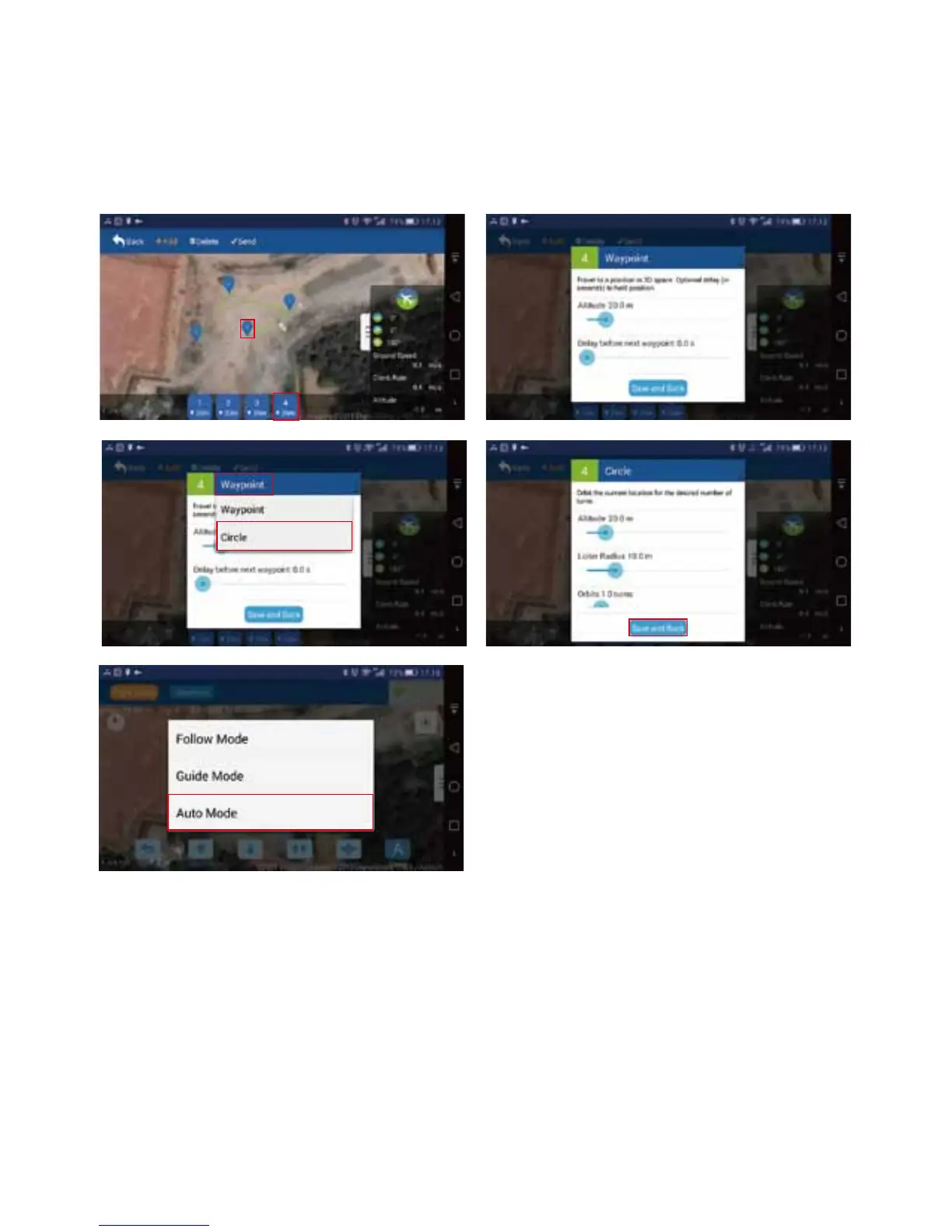
1. Setup: Way-points can be easily set by tapping the location on the map, you may also it’s also do
customized setup for every way-point, such as altitude, hovering time, circling, and etc.. (see below
pictures)
2. Execute: Click button“ More" to choose "AUTO Mode", then the drone starts the ight plan mission.
4.5.2 MISSION PLANNING
Click " More" to choose "Follow Mode", the drone will follow the person that holds the receiver terminal
and smart phone automatically.
Note: Please keep drone ying far enough from the area with strong magnetic interference, because it
will signicantly aect the follow me experience.
4.5.3 FOLLOW MODE














 To Next Page