©2016 SwellPro All Rights Reserved
31
1 2
4 3
4.6.3 PAYLOAD RELEASE INSTALLATION
1. Screw out the waterproof screw nut. (Note: newer Auto / Fisherman version comes with the
waterproof quick connect plug installed)
2. Mount the payload release to the right position and x it with screw.be sure not to over tighten or
cross thread the screws, a snug t is ne.
3. Plug the waterproof plug to the corresponding socket, you will note the male / female plugs are keyed
so that the plug will only t in one position, do not attempt to force it, tighten the threads to assure
water tight t.
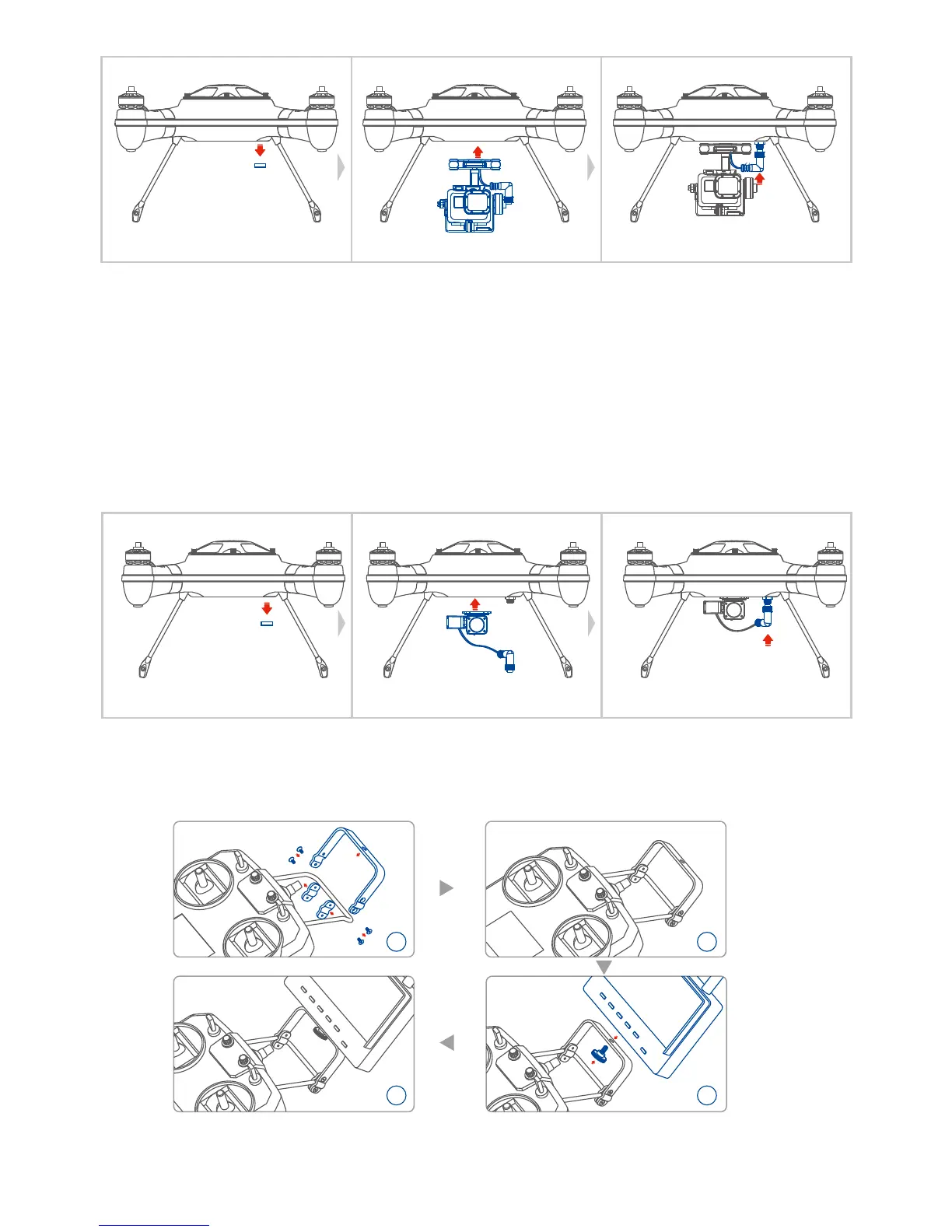
4.6.4 FPV SCREEN MOUNTING
Find out the mounting bracket bag from the suitcase, assemble the mount and x the FPV screen to the
controller handle bar according to below chart.
4.6.5 VIDEO TRANSMISSION CHANNEL SELECTION














 To Next Page