
 Need help?
Do you have a question about the Swisson XND-8 and is the answer not in the manual?
Lists various use cases for the XND-8 device, such as concert lighting and live events.
Illustrates a common setup for the XND-8 with a lighting controller and DMX fixtures.
Details the items included in the product packaging, typically the device and user manual.
Detailed list of warnings and precautions to prevent hazards, including electrical and environmental safety.
Instructions for connecting the device to the main power supply using a Neutrik powerCON connector.
Details the power outlet specifications and usage warnings, including current load limits.
Describes XLR and RJ45 connectors for DMX output, including pinout details.
Explains menu navigation using the encoder wheel and buttons.
Overview of the main screen showing port status, Art-Net/sACN addresses, and configuration.
Covers DHCP, static IP, netmask, gateway, and Art-Net IP settings for network connectivity.
Configures Art-Net net, sub-net, and independent universes per node for flexible addressing.
Procedures for deleting and inserting text to name the device and its ports.
Settings for each output port, including mode, merge, and failure behavior.
Loads pre-defined network and output configurations for common scenarios.
General device settings like display mode, screen saver, and LED muting.
Displays model, boot software, firmware, hardware, and MAC addresses.
Unique identifiers for RDM devices on each output port, aiding in device management.
Resets all device settings to their original factory defaults.
Displays current status, link speed, duplex mode, IP address, and netmask of the Ethernet port.
Describes LED behavior when a specific port is selected, flashing white.
Explains LED status for ports that are not currently selected (red, yellow, green, black).
Details the link LED (green) and traffic indication for the Ethernet connection.
How the screen saver activates after inactivity and how to wake the display.
Information on how to update the device's firmware using a PC and USB cable.
Key specifications including ambient temperature, power, protocols, DMX/RDM standards, and physical dimensions.
Product codes and descriptions for different versions of the XND-8, such as XLR or etherCON.
Licensing information for included software components, such as LwIP.
Explains Art-Net port address representations, including net, sub-net, universe, and sub-uni.
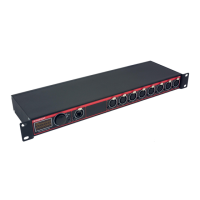
The Swisson XND-8 is an 8-port Ethernet DMX node designed for converting Art-Net and sACN data to DMX, facilitating the distribution of up to eight DMX universes. This device is particularly useful for lighting professionals who need to manage a large number of DMX universes over a single network cable, leveraging existing network infrastructure or creating new setups. Its user-friendly design makes it suitable for a wide range of applications, from concert lighting and live events to multimedia shows, theaters, TV studios, theme parks, and architectural lighting.
The primary function of the XND-8 is to act as a bridge between Ethernet-based lighting control protocols (Art-Net and sACN) and traditional DMX512. It receives Art-Net or sACN data over an Ethernet connection and converts it into DMX signals, which are then output through eight individually optically isolated DMX ports. This optical isolation helps protect the device and connected DMX fixtures from electrical surges and ground loops.
The device supports both Art-Net I, II, and 3, as well as sACN (ANSI E1.31) and sACN draft version (v0.2). This broad compatibility ensures that it can integrate seamlessly with most major lighting consoles and PC/Mac-based light controller programs that support Art-Net output. The XND-8 is modeled as two conceptual Art-Net nodes, each handling four output ports, to comply with Art-Net specifications that limit nodes to four ports and require unique IP addresses. However, physically, it operates with a single network interface.
The XND-8 offers a comprehensive set of features for configuration, monitoring, and operation:
Display and Navigation: The device features a 128x64 pixels OLED display for clear status information and menu navigation. A central encoder wheel serves as the primary control for selecting menu items by turning and confirming selections by pushing (functioning as an [OK] button). A [Cancel] button is also provided for dismissing selections or exiting menus. Keeping the [Cancel] button pressed for two seconds will always return the user to the Home Screen.
Network Configuration:
Output Port Configuration: Each of the eight DMX output ports can be individually configured:
Device Settings:
Status Information:
Factory Presets: The device includes several factory-defined presets to quickly configure common setups, such as:
 General
| Ports | 8 |
|---|---|
| Port Type | RJ45 |
| PoE | No |
| Mounting | DIN Rail |
| Type | Unmanaged |
| Power Supply | 12V DC |

 To Next Page