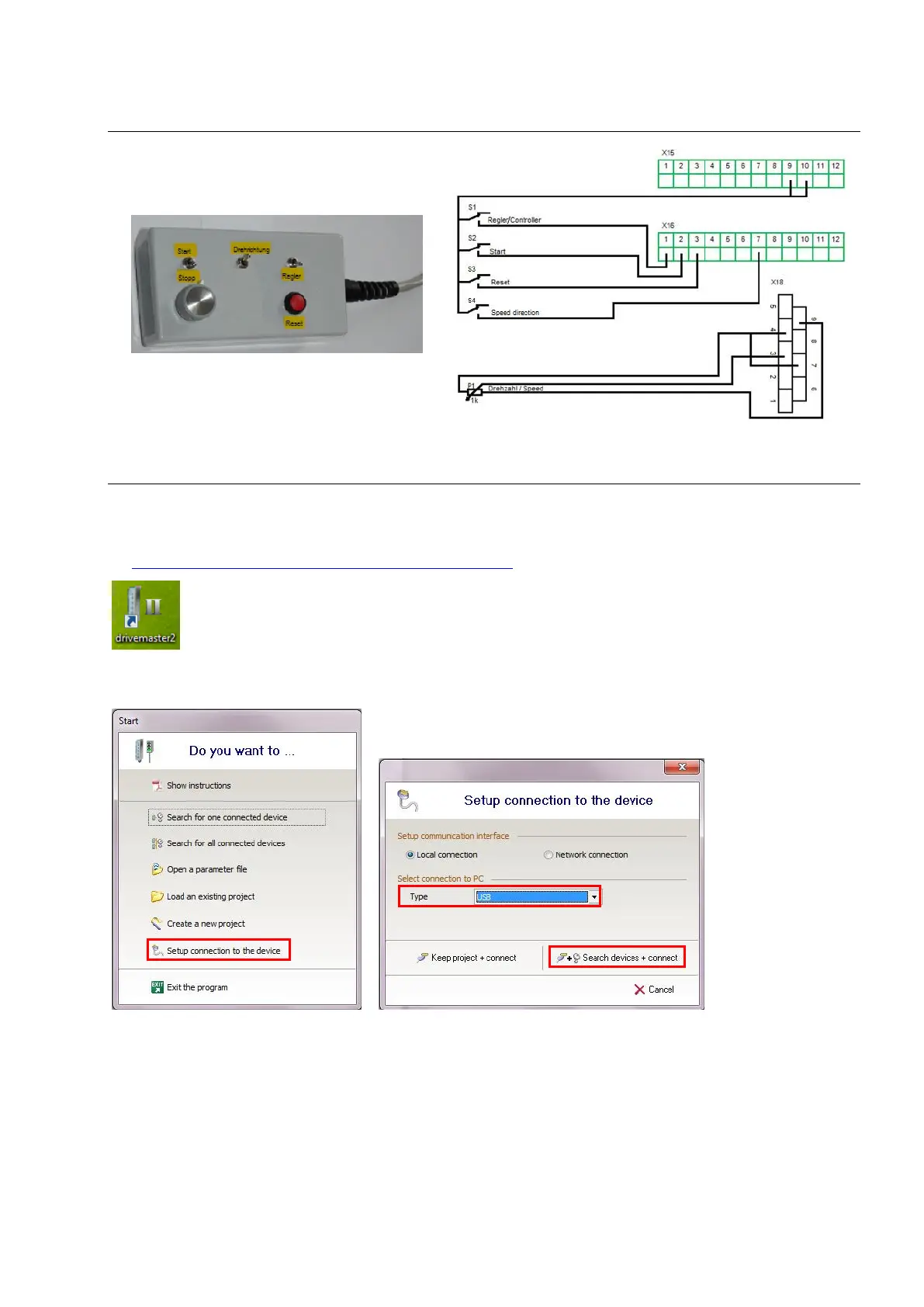
9.0 Connecting to the computer
➢ Connect the inverter via USB interface to the computer
➢ Plug in the inverter
➢ Start Sieb & Meyer "SD2 Windows software drivemaster2"
https://www.sieb-meyer.com/file-detail.html?item=413
To establish a connection to the device click "Setup connection to the device", adjust "USB" for connection
type and select "Search devices + connect".


 To Next Page