SET
SET
MODE
SET
bt,CFG
HId
PAIr
SIMPLE
SET
MODE
MODE
10
E
........ continuation
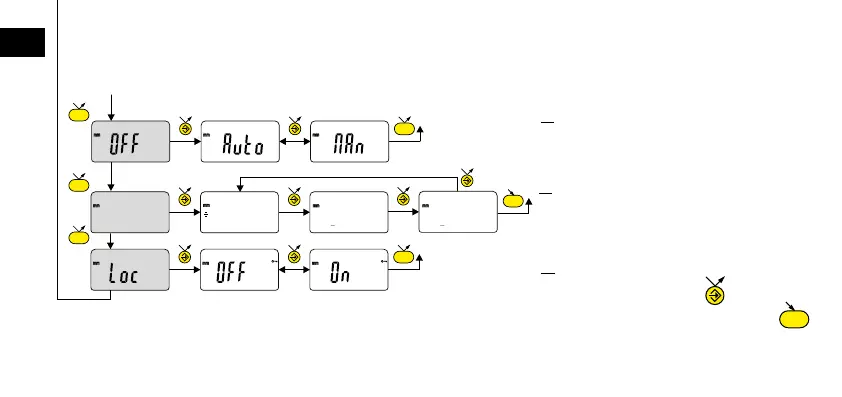
Keypad lock
Only the favourite key remains
active.(to unlock the keypad, press
for 5 sec).
Automatic switch-off mode
MAn = disabled, Auto = active
(after 10 min. by default).
Bluetooth
®
profile selection (depending
on model).
(see chap. 6 for details)
The + sign indicates the currently active
profile.











 To Next Page