MODE
MODE
SET
MODE
MODE
SET
MODE
11
E
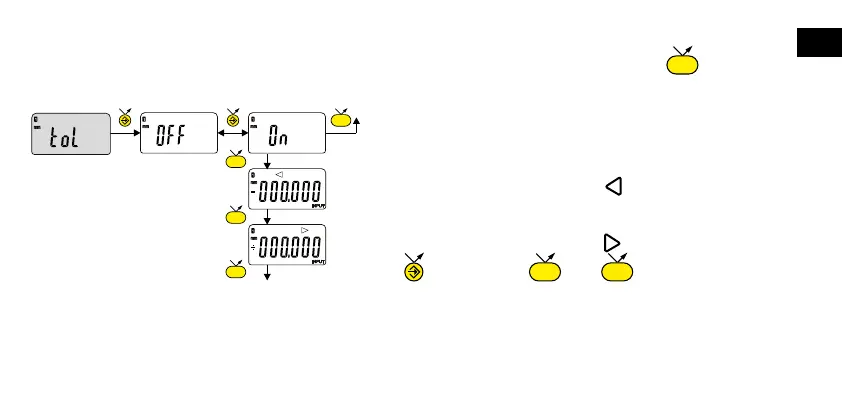
— Input the lower tolerance limit
— Input the upper tolerance limit
next digit 0...9 save TOL
5. Inputting tolerance limits
To input or modify the tolerance limits, toL On mode should be selected, followed by a short press on :
Note :
- For measuring internal dimensions, the red and yellow indicators can be switched over by reversing the order in which
the tolerance limits are input (lower limit > upper limit).
- It is possible to input different tolerances on REF1 and REF2.











 To Next Page